Wax Stamp Effect in Photoshop
Hello all my artsy friends! I am dropping in today with a quick tip for creating a wax effect with digitally stamped elements or alphas in Photoshop. I love using this effect with alphas to create a waxed title. Here is a look at the effect in action:

Notice how “Paris” looks like melted wax on the page? It was so easy to create this look! I used a rubber stamp alpha by Gina Miller on my page (similar to THIS ONE). Grungy, distressed digital stamps work the best with this technique. All you need to do is placed the stamp(s) on your page and apply a bevel. These are the settings I used on my page:
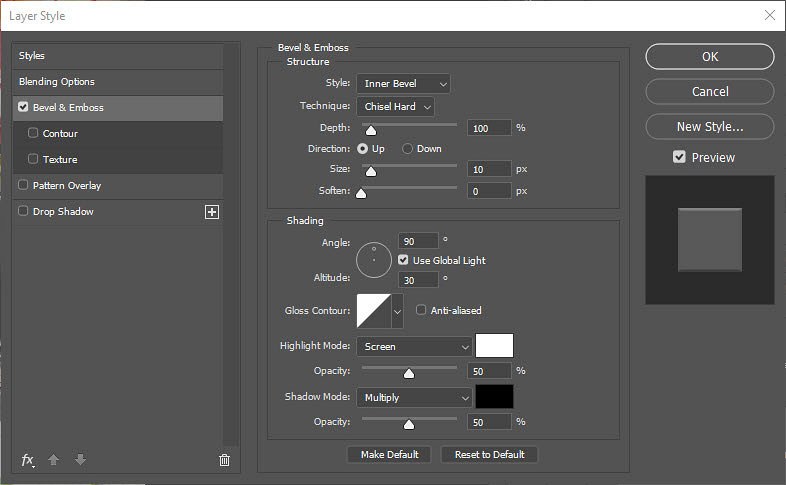
Here is a close up of the technique on my page:

I hope you have fun with this technique! I cannot wait to see your melted wax creations in the Lilypad Gallery. 🙂
Until next time ~
Judie (HeyJude)