Make It Monday Christmas Card

It’s that time of year – you know the one where we must get those Christmas cards ready to be mailed. I have always loved making my own cards because I can add little touches that make my family happy. Today I’m going to show you how I created my own stencil and used it to batch a bunch of cards.
When I saw the elements in Becca Bonneville’s Oh So Jolly kit, I knew right away I needed to make a card for my animal loving family members. I have 15 to make, so it needed to be fast and easy. I designed the card in Photoshop to look roughly something like this:
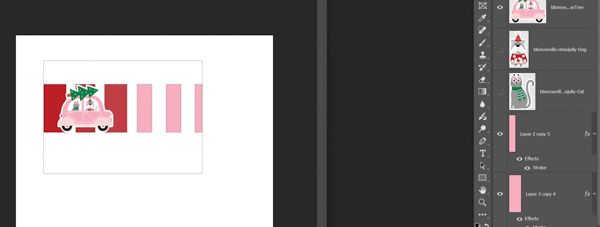
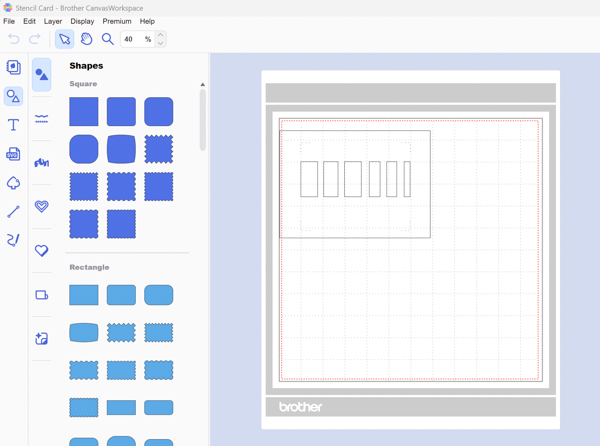
I decided the easiest way to go would be to create a stencil for those rectangular ink bits, so I went to my Scan N Cut software and created the basis of one:
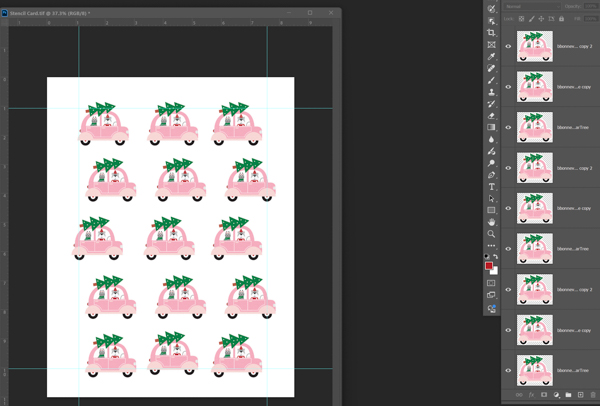
Then, back in Photoshop I duplicated this adorable car being driven by a cat and dog. I created a print sheet that would allow me to cut out 15 at a time:
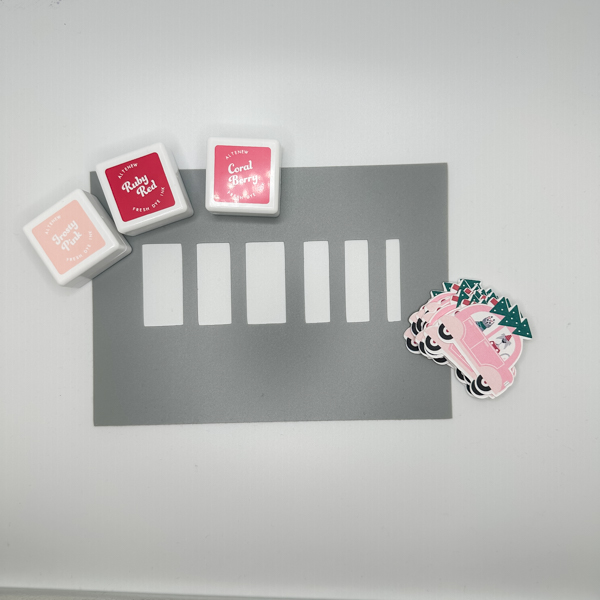
Once I had all my cars and stencil cut out, I decided on which inks I wanted to use and laid those out:
Okay, the planning was done and it was time to assemble. I inked my rectangles first and then stamped my sentiment under them. Next, I put adhesive on the back of my car and glued that to my main panel, which was 3.75 x 5 inches. I then backed that onto a pink mat which was 4 x 5.25 inches and put all of the layers on a cardbase which was 4.25 x 5 inches. Al I had left to do was add three gems and voila! My card is done:
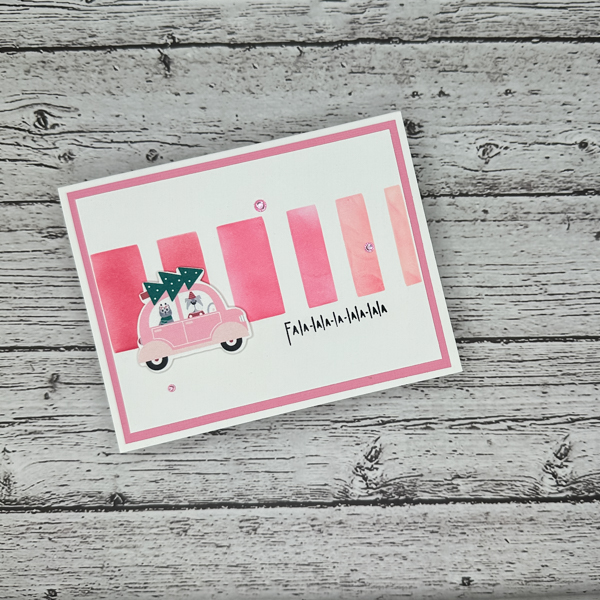
Like I said earlier, I love that I can customize cards to suit my family’s interests. I can’t wait to give it to them. Well, I hope you like the card and can see that this hybrid process isn’t that hard! See you next month with another Make It Monday card project.