
Abstract Mixed Media Florals with the Pen Tool
Hey! Did you scrap along with Karen’s Summer School Art challenge?
I’m late to the party and missed the first week of Summer School but it’s back for another year and I always learn something and love playing along. For week 2 Karen gave a great guide to the Pen Tool and it’s not something I use often but has so much potential, and her Mixed Media Flower Bouquet challenge piqued my interest so here’s my process.
Where do you go for ‘I have only a vague idea of what to do’ inspiration? I started in Pinterest. The rabbit hole of Pinterest is it for me. After deciding I would not just try to recreate an actual rose or protea from a photo of flowers (too many petal layers and shades for me to mentally get started down that path), I looked at a million results for ‘abstract paintings of florals’, (ok slightly less than a hundred more likely) and I found this painting by Angela Jeanine and thought the texture and colours were cool and the vase shape worked for me and it all might work as digital mixed media paper and paint. It obviously won’t be as amazing as hers but it did the trick as inspiration, I was inspired and so over to Photoshop.
Following Karen’s tutorial steps, I dragged in a copy of the original art work and selected the Pen Tool (making sure it was on Shape, not Path) and clicked around on a new layer, following the shape of the vase first. I think of this as making my own ‘dot to dot’ for the computer to join up to create a shape. Clicking points/anchors closer together gives a more accurate shape because the computer will just use a straight line to connect the adjacent dots, but the smoothing step Karen pointed out as well as Transform that we’ve discussed previously help to make lines more curved where you want them to look less hand-cut by a 7 year old.
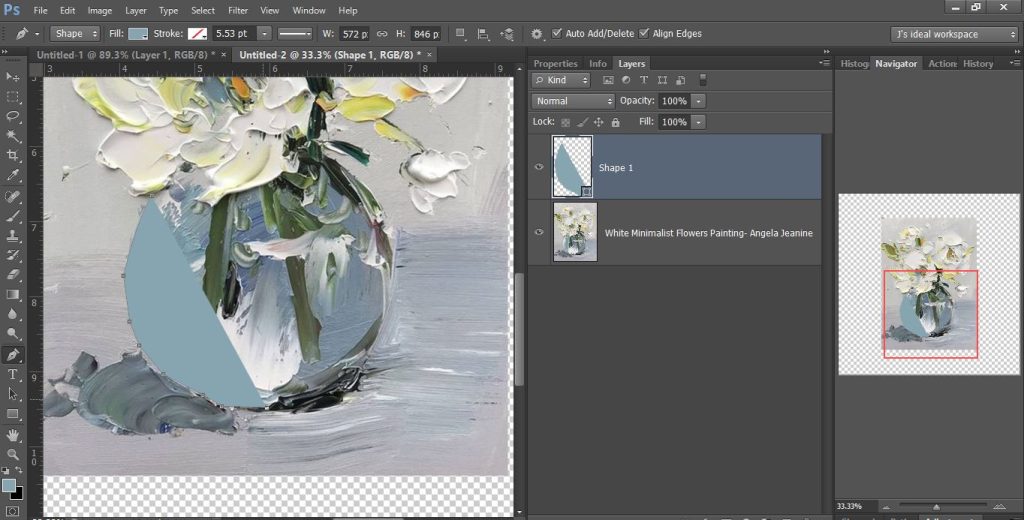
Kept clicking following the shape and it started to fill itself in. Because the top is overlapped by flowers, I wasn’t too worried on how that looked at this point.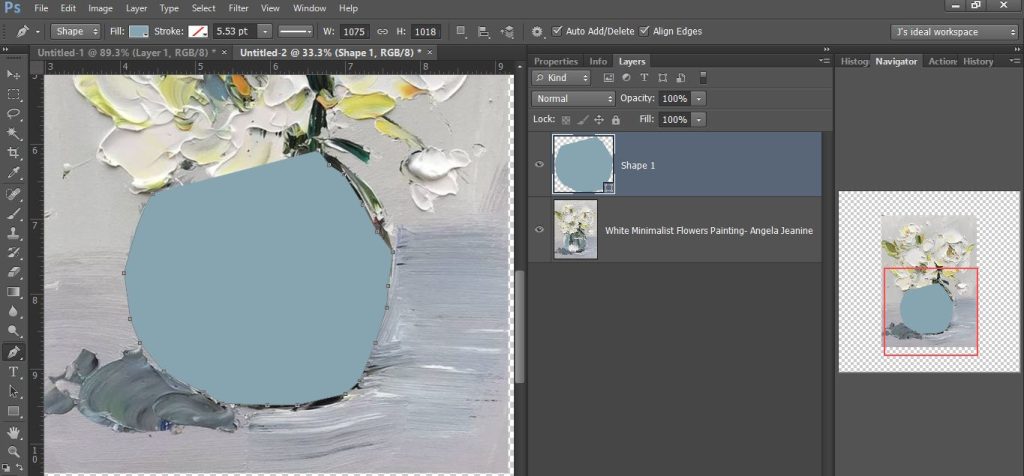
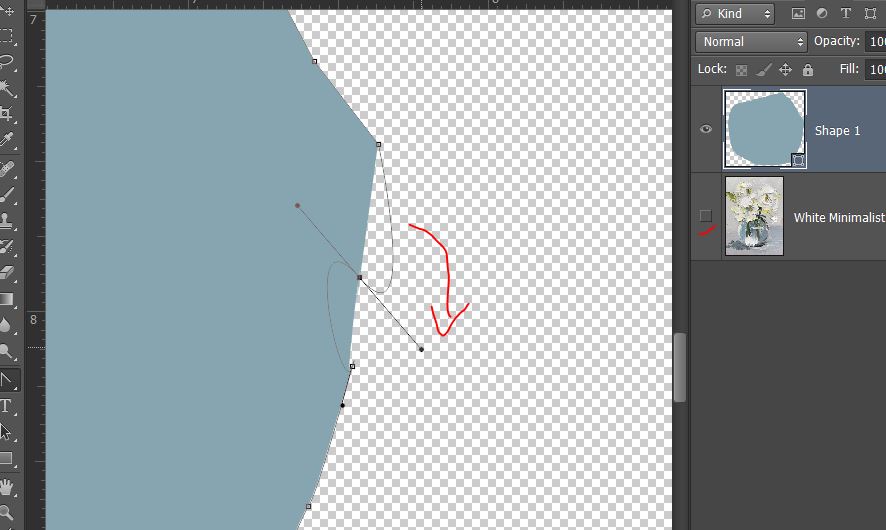
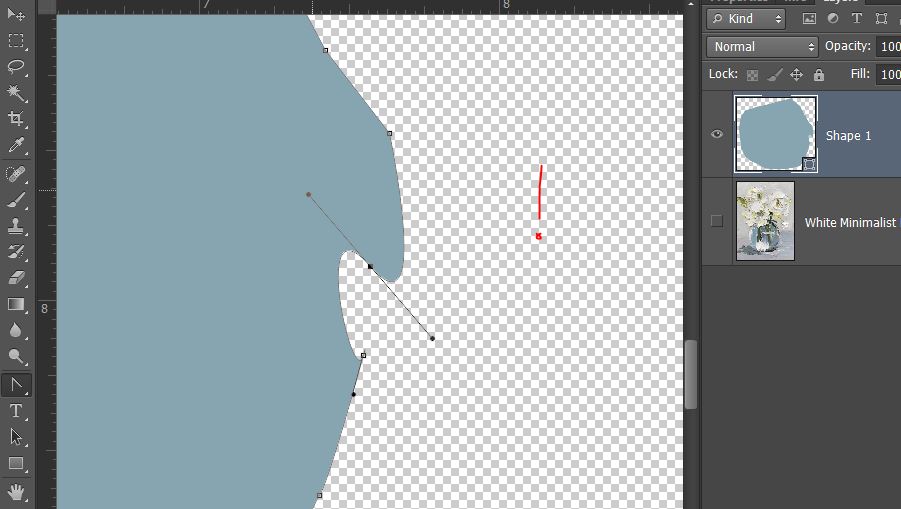
I turned off the background so I could see how handcut my vase looked and to see where it needed some smoothing out. Being abstract means it can be a bit more forgiving and that a blob can represent so much! It wasn’t all smooth sailing with the smoothing steps but Undo is my friend and so when things went a bit wonky (spinning the handles too far rather than more lining them up with the other points), I just hit Ctrl+Z
Next I followed a leaf and to keep it sort of obvious to me for later when I would be adding papers to this part of the bouquet, I used a green colour to make my shape. You can see the amount of anchor points on this one and they are a lot closer together to give more detail.
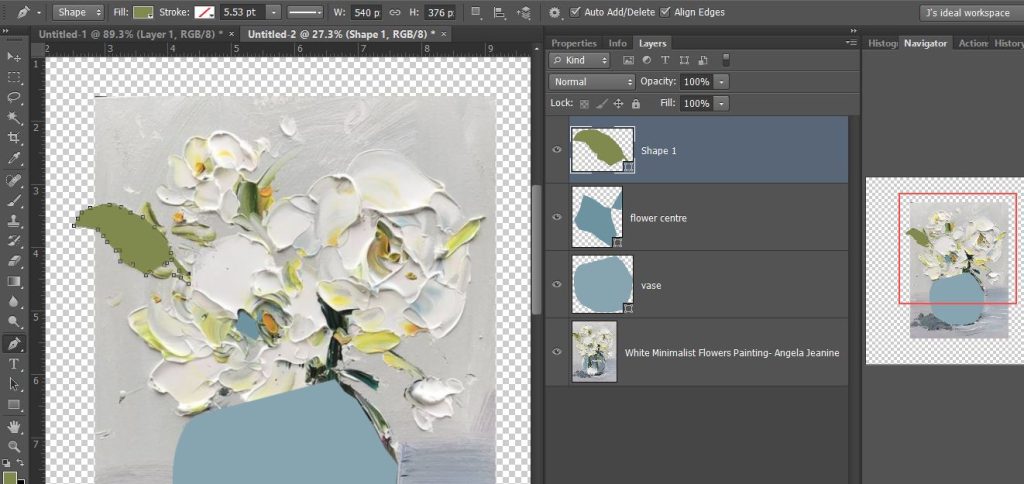
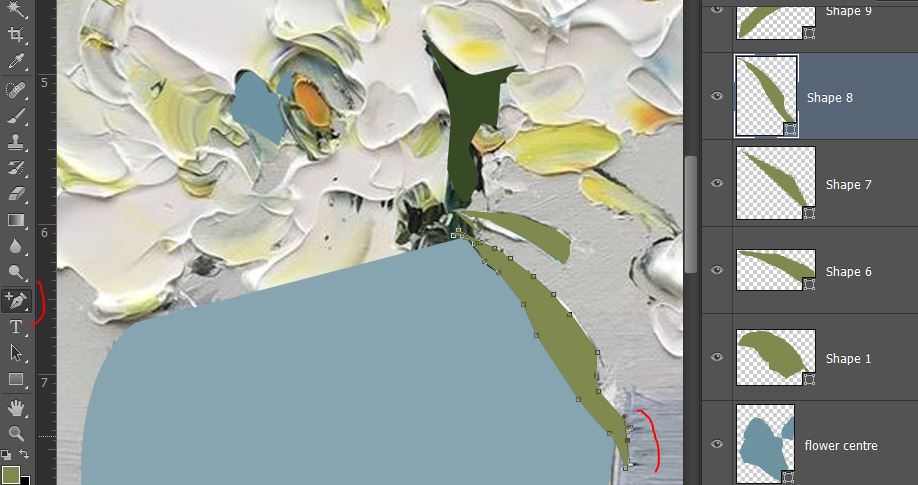
Another few leaves down and a darker green stem and feeling a bit more confident with the Pen Tool, and feeling glad you can go back and add points without starting the whole leaf again with the ‘Add Anchor Points’ tool (it’s found in the same spot as the Pen Tool, just look in the little arrow drop down menu). My additional points are the solid anchor squares.
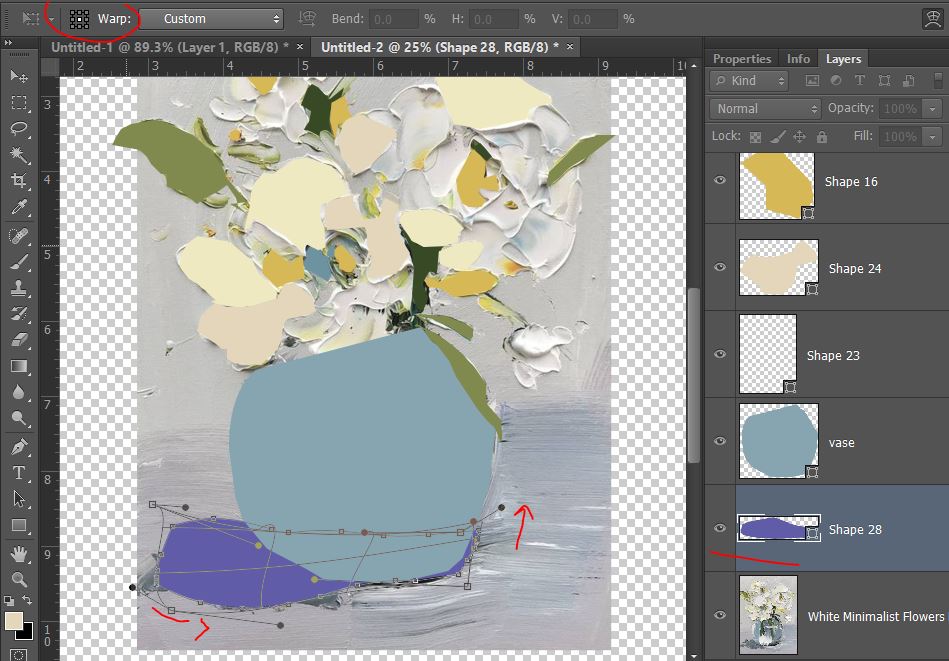
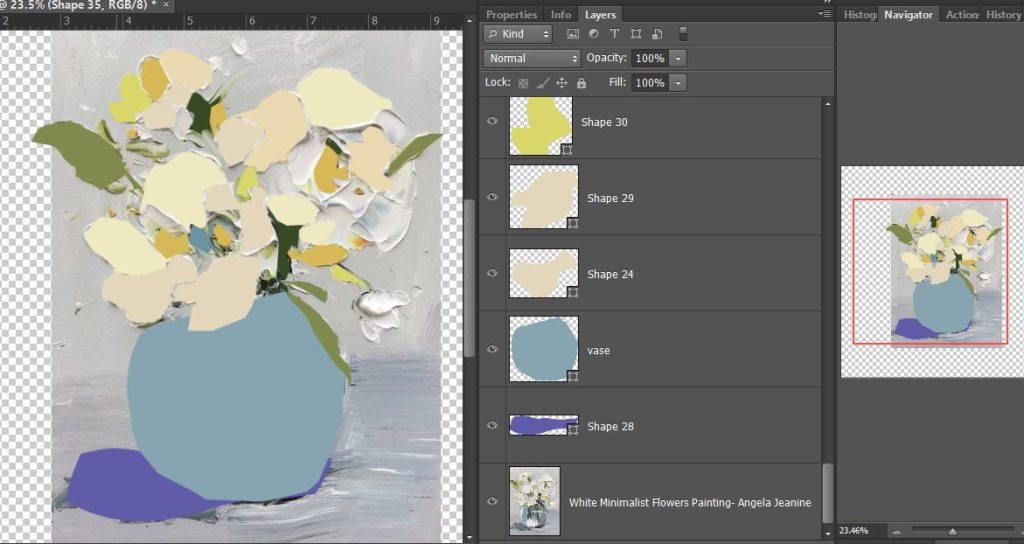
I used the same steps to make a bunch of abstract petal shapes and flower centres using the painting as a guide. I then used Transform and Warped the shadowy area of the shape at the bottom of the vase and that can help smooth and curve the outline as well.
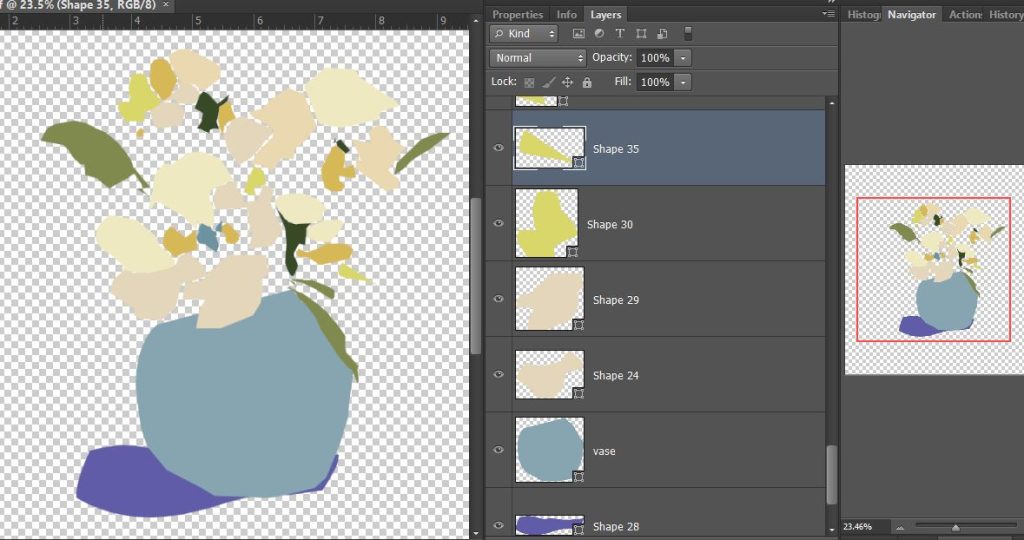
Like anytime I scraplift, I turned off the painting layer at this point to see how I was going and whether I had a recognisable yet abstract looking vase of flowers and so this is what I had.
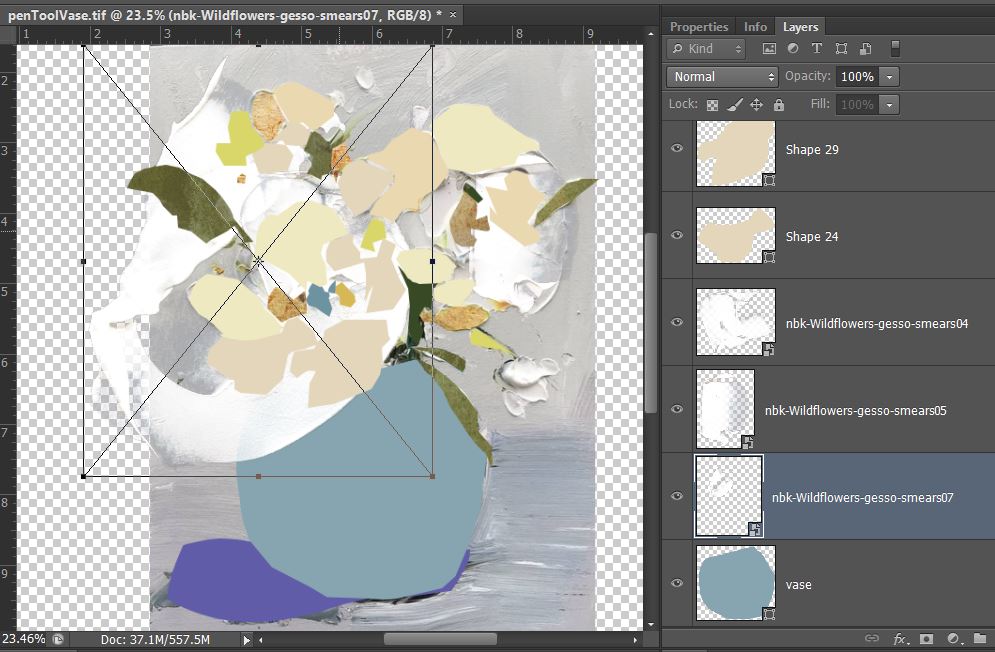
To keep with the painty look and bring some texture, I filled out some of the flower shapes with NBK’s Wildflower: Gesso Smears that were vaguely petal shaped, shrinking and rotating them to work.
Adding the Layer Style that’s included in that NBK pack to them gave them an instant pop and 3D effect and amped up the painterly feel of the bouquet. There’s 3 different layer styles and it means you can give each gesso smear quite a different look while still adding dimension to your paint.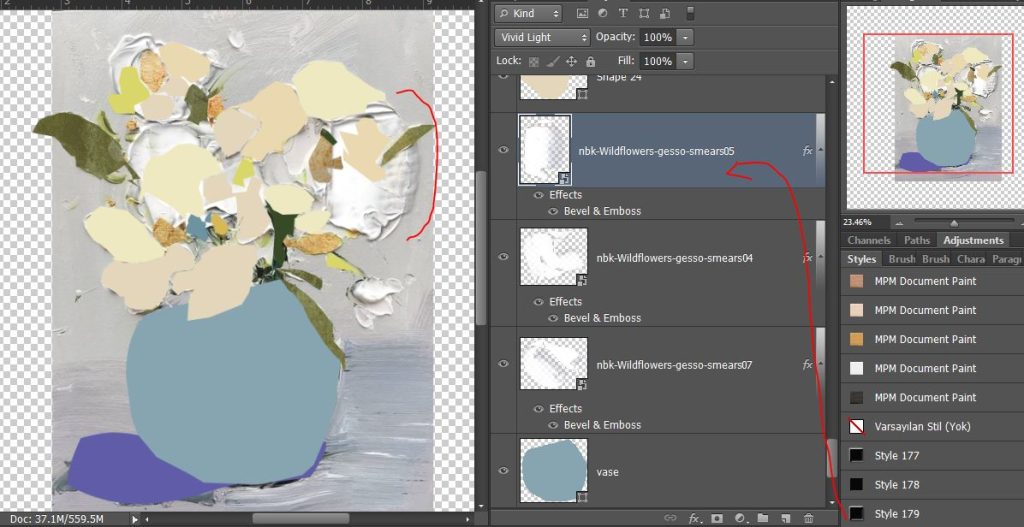
I put in a background that looked a bit painty but warmer (from NBK’s Wildflower solids) and started adding mixed media papers to all my pen tool shapes from the Hear my Voice 14 papers pack and Rachel Jefferies Oh Dear. This part was just like scrapping using a template really and was just lots of clipping papers and moving them around to find the section of paper that worked best in that spot. I went for colours and textures that worked with the tones in the original painting but also worked together with the rest of the page as a whole. I also added some cool inky botanical stamps/brushes from A Whimsical Adventure to create a bit of a border and add to the bouquet and some NBK’s Artsy Bits and Pieces stamps from Wildflowers for some extra yellow and green.
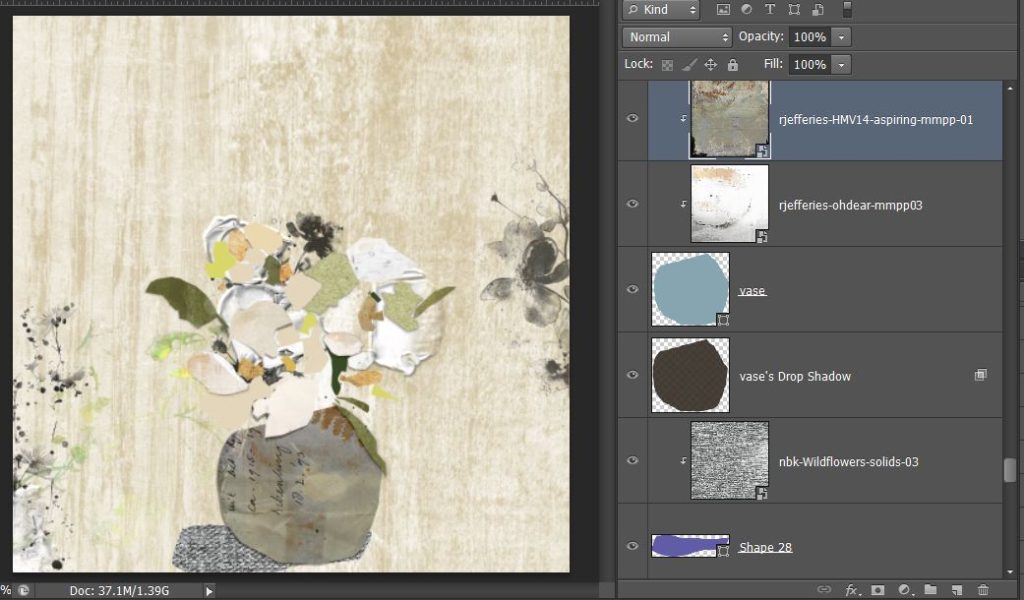
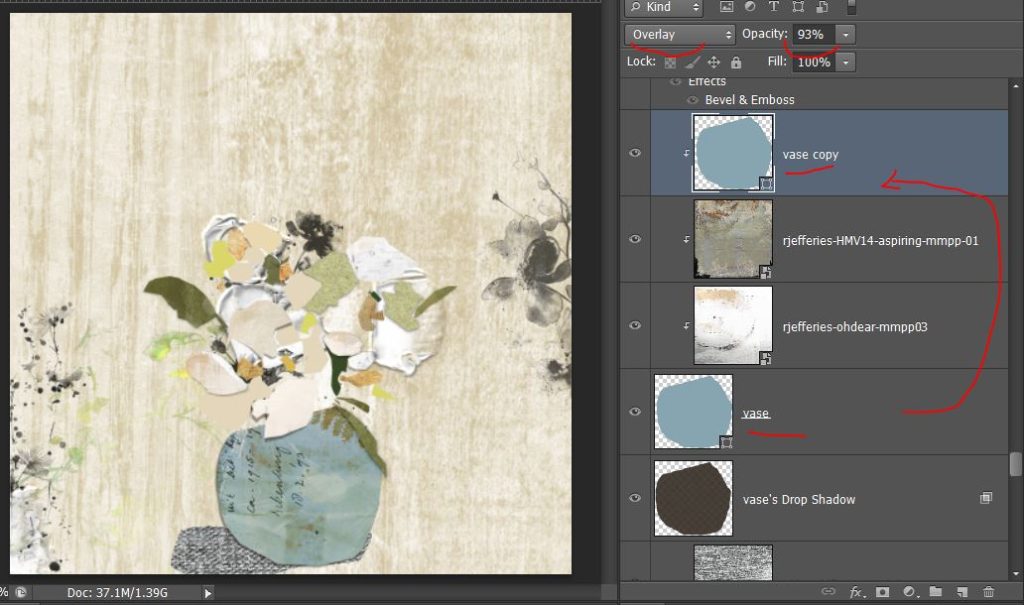
I realised that I missed the blue of the original vase so I copied my pen tool shape layer and added it over the top as an Overlay blend mode so the Hear my Voice paper was a bit bluer.
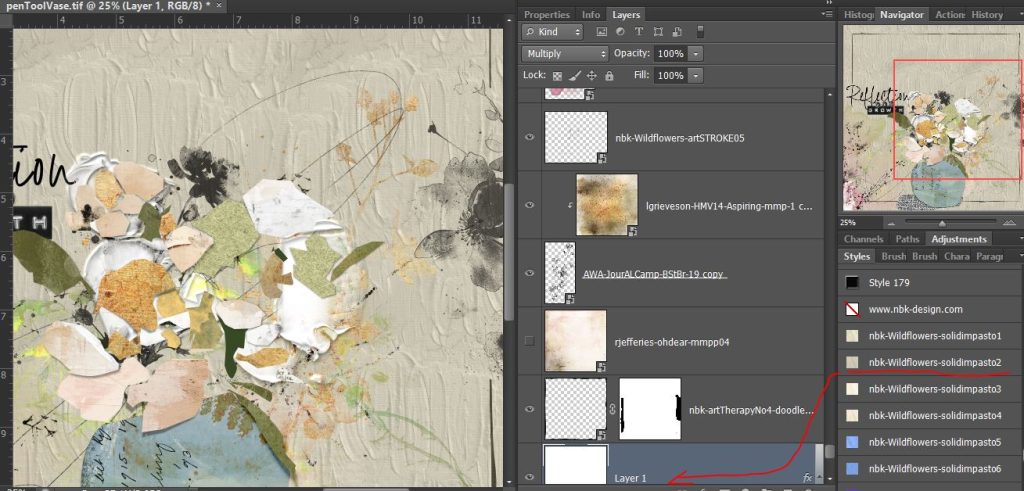
At this point I turned off the background layer and brought back the original artwork to see how it was going and I decided I needed a background swap. After shuffling in a few grey and some pink-ish toned papers, I stumbled across some title wordart by NBK from my stash (from artCrush 74) that seemed to described my process for creating this page and really my whole mixed media journey (still thinking of myself as a Mixed Media Beginner) then I loaded and used one of NBK’s Wildflower Impasto Styles on the plain white background to give this paint stroke effect. Here’s a close up so you can see the texture that brings, it has really thick, noticable brushstrokes and worked with the style and vibe of the original artwork and my digi mixed media version.
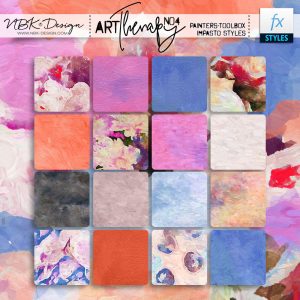
Styles were featured in the week 1 Summer School this year and if you missed Courtney’s round up of Layer Styles, check that out here but the Impasto Styles I feel deserve a closer look seeing we’re discussing mixed media. NBK Design has a few other packs hidden among her huge collections (this is the one in ArtTherapy no.4 that has both patterned and solid colours that I almost used), there are separate patterned ones and solid colour ones in Wildflower and I think they are worth seeking out if you like highly textured paint that you can just apply with one click to any shape, made with the Pen Tool or not – and whether it is obvious or not, you can totally buy the style set separately, just look for it’s listing in the dropdown menu of NBK’s collection if you aren’t wanting the whole bundle, it’s usually listed as Painters Tool Box (or PT) : Impasto Styles.
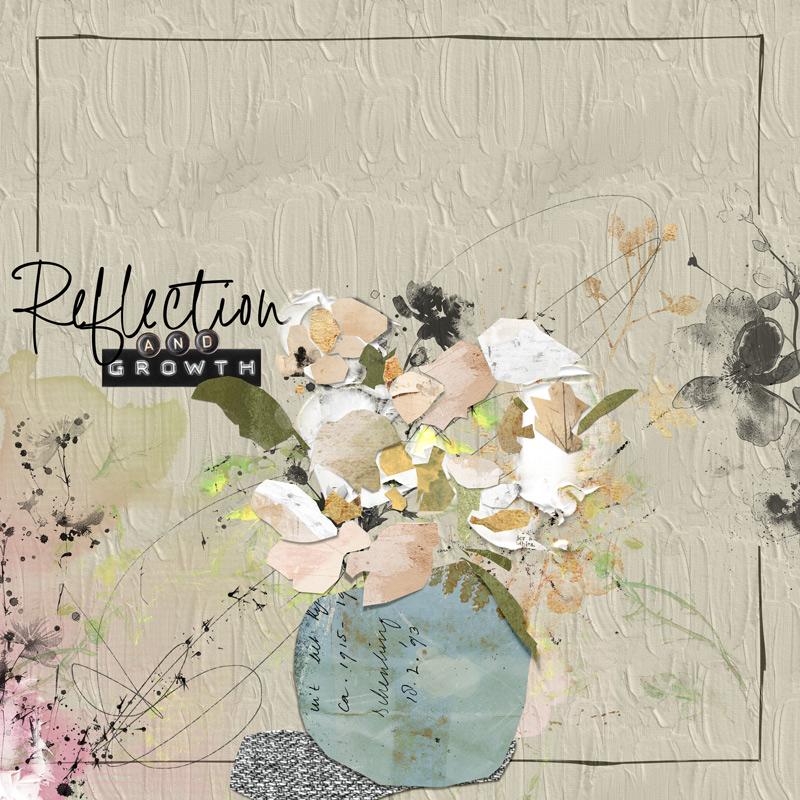
And here’s the final after a few more petal paper swaps and a doodled border from NBK’s ArtTherapy 4 and some of her Wildflower collection swirls she calls Art Strokes and Loopilaloozas.
 Thanks for following the journey. Check out Karen’s challenge , and enjoy creating something with mixed media and learning during Summer School!






