Template Tuesday : Step by Step
Hello again, Polly Stefanie here with a step by step layout I did recently.
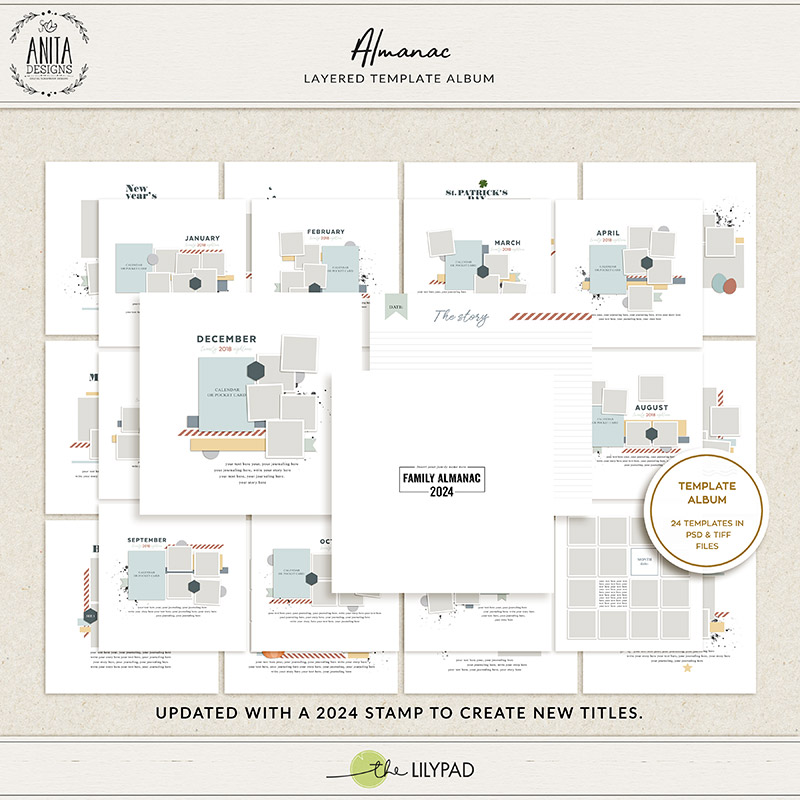
I started with a template set by Anita Designs, coming to the store in SOSN tomorrow.
I wanted to tell the story of our second week of January with 7 photos.

I love starting with a woodgrain as my background. It really is my go to and I will usually choose it if there is one in the kit I am using. I added my photos, one for each day of the week, chronologically from top left to bottom right. Even though there are white mattings below the photos, I chose to remove them and add a white stroke to my photos. It’s just something I enjoy doing and makes my layouts look more cohesive to me.
I felt this time though that some papers were needed between the photos and the wood grain. The photos felt a little lost with only the paper strips that were in the template. Just a reminder that templates are a starting point for you, yes you can use them as is. But you can also add to and subtract from them.

As you can see the photos feel more anchored visually now with the paper layers under them. I clipped cardstock layers to the stamps to recolour them, although you could also edit fill layer with colour in photoshop elements.
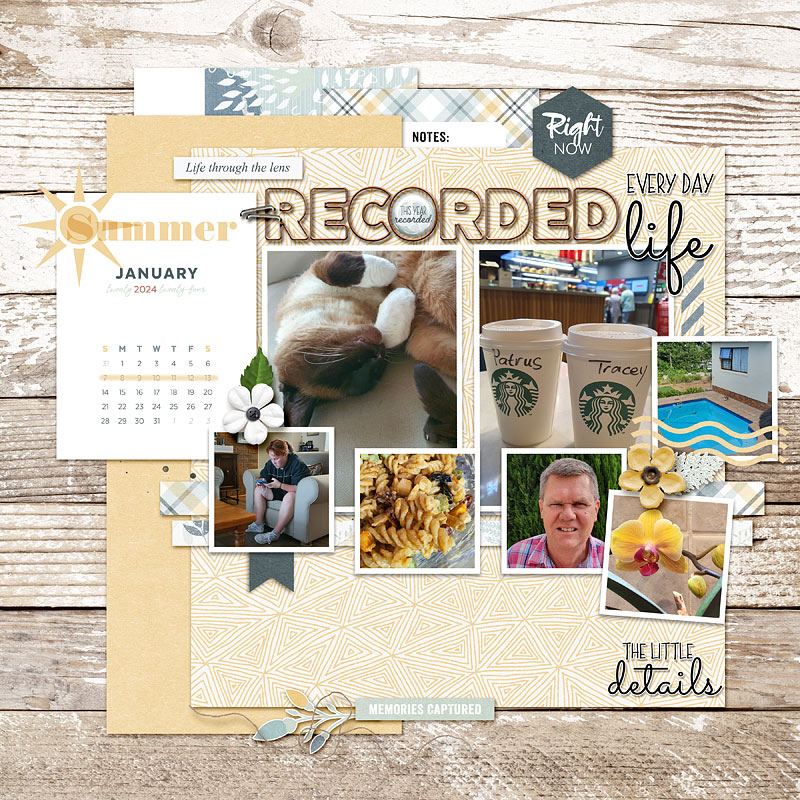
Then I added my title, played with some word art and word strips, embellished the calendar card with stamps from the template that I used in multiply blending mode.
I love adding dimensional elements at this stage, flowers, foliage and strings.
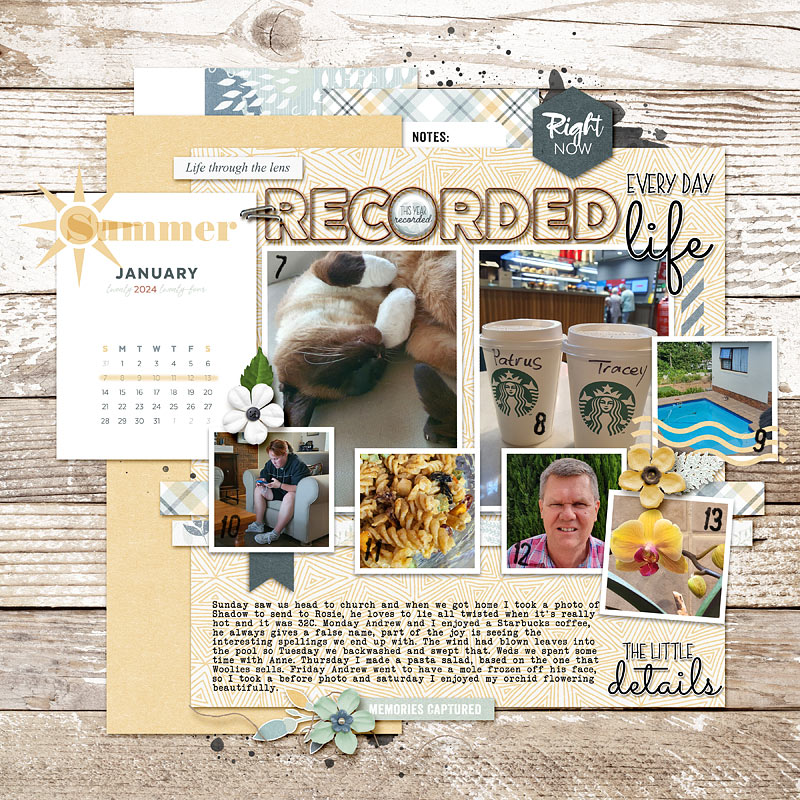
Adding the journaling really completes the design, adding balance and filling the space on the yellow tone on tone paper. It is easy to overlook ournaling, but it can be helpful as a design element. I chose to left align it this time, not justifying it, just because the two papers had straight edges on the left, where as “the little details” word art gave a more uneven edge to the right. I hope that this encourages you to play with a template that you have in your stash and create something slightly different that still feels true to you.