How to Use a Digital Template for Hybrid Scrapbooking
How to Use a Digital Template for Hybrid Scrapbooking
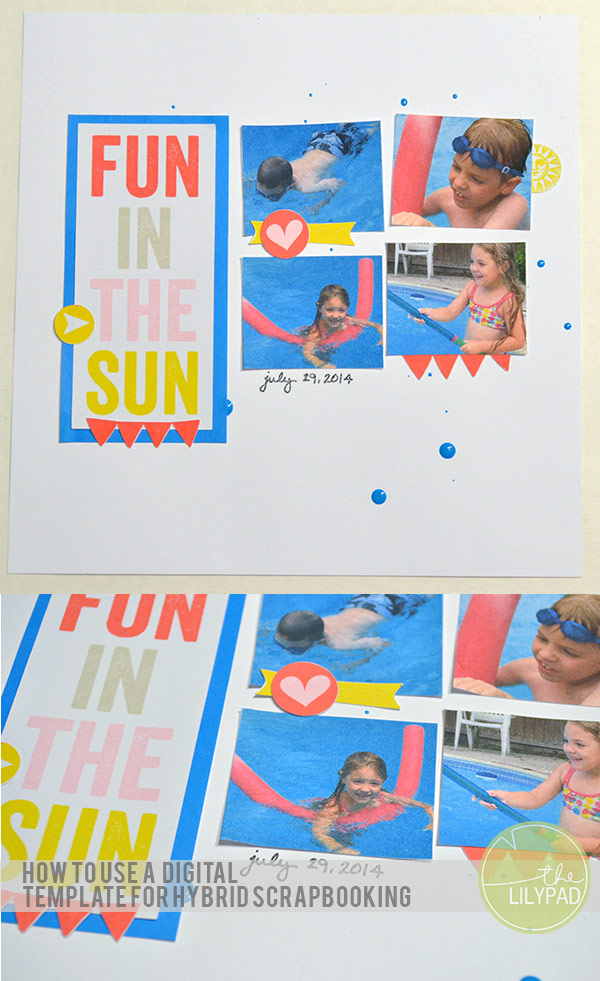
Hello! Today we will learn how to use a digital template for hybrid scrapbooking. The technique is fairly simple and similar to using a sketch to create a traditional scrapbook layout.
Supplies:
- 1 digital template
- digital papers
- digital embellishments
- digital die cutting machine (Silhouette)
- photo editing software (Photoshop)
- printer
- cardstock
- adhesive
- pen or pencil
- ink
- other misc embellishments
___________________________________________________________________________________________________________________________
1. Let’s start by selecting a digital template to recreate as a hybrid layout. I chose a template from Telling it Volume 1 by Amy Martin.
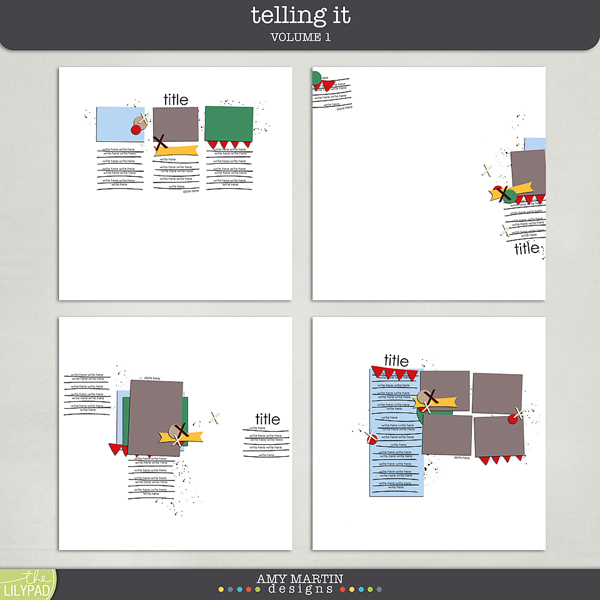
2. In a photo editing software, create a new letter sized project.
3. Drag the individual png files from the template set onto the new project. (Note: If shadows are included, do not use them, or clear the shadows from the layers.)
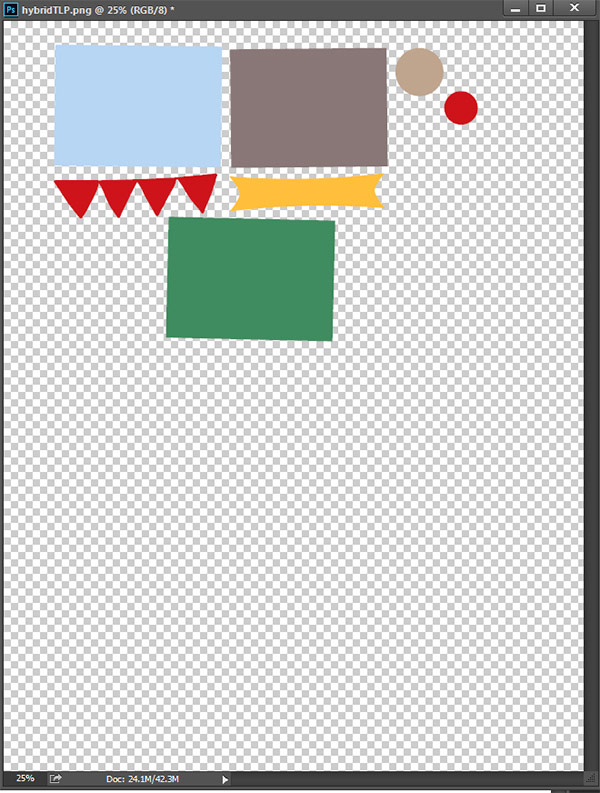
4. Arrange them on the page until the page is full.
5. Select digital papers and embellishments from a digital kit. I chose, from the May 2015 BYOC, the Tropical Paradise Elements, Papers, and Flairs-Borders by Little Butterfly Wings.
6. Clip the papers to the png files. Drag any other embellishments onto the project and resize as needed.
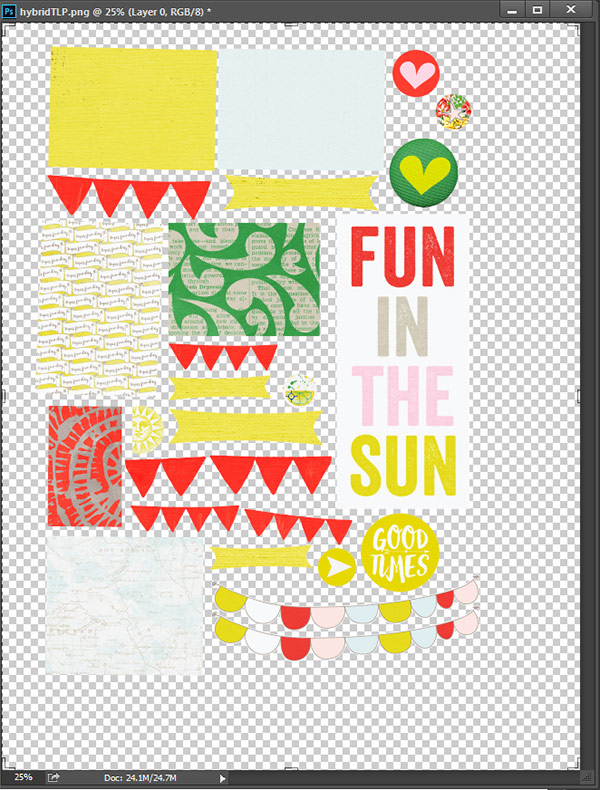
7. Save the file as a png file.
8. Open the png file in the digital die cut software.
9. Trace the items in the software.
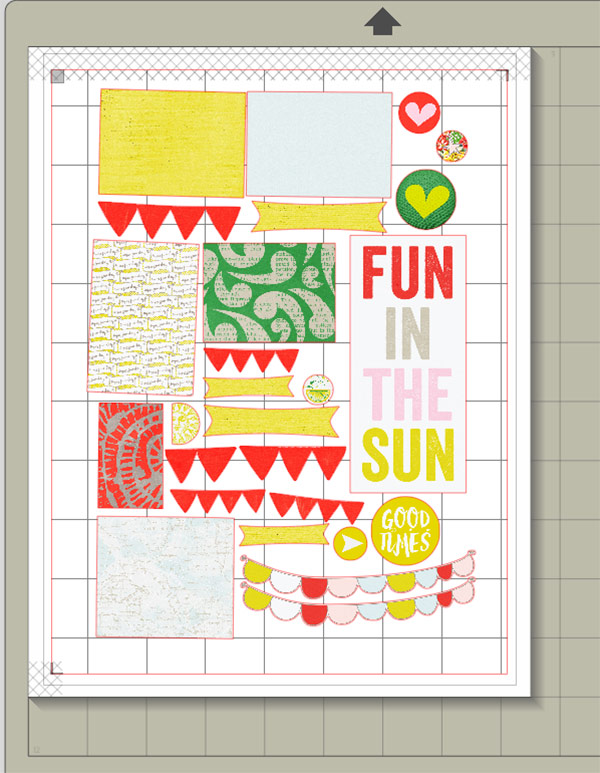
10. Print and cut the file.
11. Now assemble the layout referencing the original digital template.
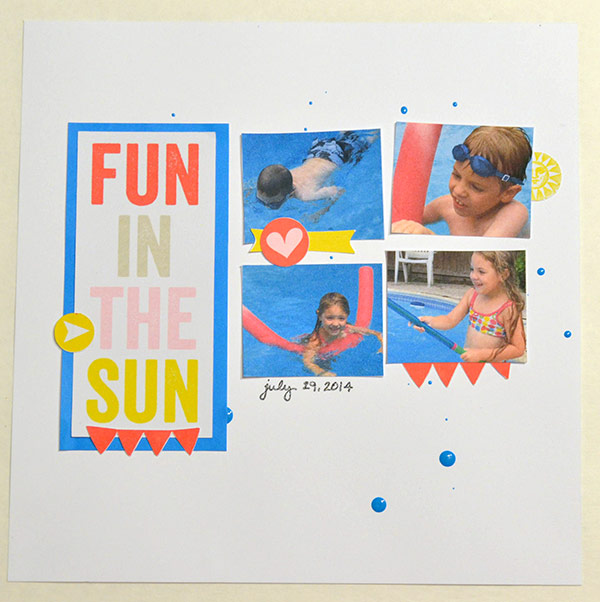
12. Add any other embellishments to finish the layout.
Thanks for visiting the blog today! We hope you are inspired to create something.