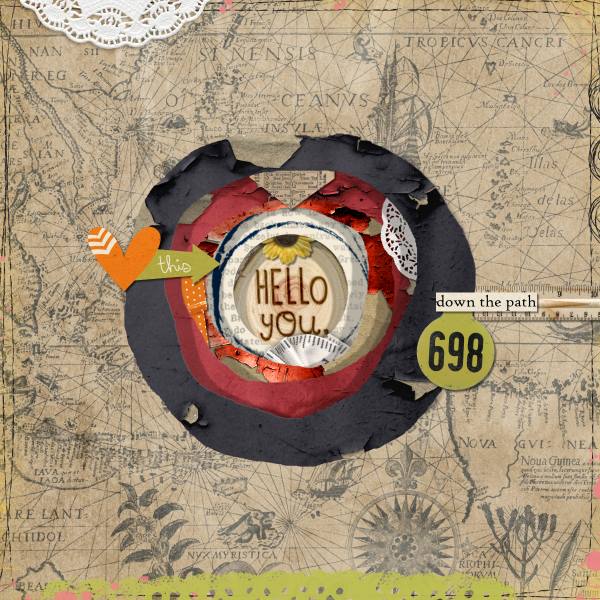
January 30 - Extreme Shadows-3D sculpture world/place

My world is called Rainbow Road. (I have rainbows on the brain since it's the twin third birthday tomorrow and it's rainbow themed this year - I might edit this slightly and use it for their birthday pages). I sandwiched the clouds between the outer circle layers and there is a lot of goodies sandwiched in between the rainbow layers too.

 
I think this might be the most creative challenge this month! And not too hard. The hardest part was finding a kit with a theme that depicts a place I wanted to scrap about; I actually have few like that. One I considered using was Kristin Aagard's tooth kit -- the dentist? Nah! :lol2 I hope my more abstract idea of place -- A World Of Possibility -- is acceptable. I used an element from the kit for my cut out shape. I like that makes it more unique and more of a match to the kit than if I'd just used the Photoshop shapes.

 
can someone ecplain how you get the initial shape i am using ps cc . i cant figurr it out. a circle or something like a different shape... how did someone make the shape of africa? i need help. thanks ladies. love the challenge cause it is a challenge for me.
 
here is my take, This was so so much fun, and will use this technique more often! thank you

 
A helpful hint. Duplicate your layer with the cut out. place behind and make smaller. Do this again and again. Add deep shadows to your liking.
feel free to buzz me if you need help! I’m excited to see your page
anne i cant even figure out how to do the first cut out shape....yicks can you or someone help me...pleezzze. would love to do this this morning...going out later. hopefully some one can help me. i love the ones i am seeing and want to play
 
@AnneofAlamo ...I'm Not Sure How To Do This Challenge At All!...I Get The Layering Part I Think...How Are We Supposed To Cut The Holes In The Papers Like This?...Warping?...I Don't Think That Is In PSE?...That's The Program I Have?...Everyone's Looks So Precise?...Guidance Please...Thanks!...Rhonda

you are gonna be awesome..I know it...please take a look at post #2 here. I have some helps for all. Once you get the cut, I know your brain is gonna just start creating...stopping you will be the hardest! I'm here, give it a try and PM I will help you! I am here all day! ♥
 
anne i cant even figure out how to do the first cut out shape....yicks can you or someone help me...pleezzze. would love to do this this morning...going out later. hopefully some one can help me. i love the ones i am seeing and want to play
please take a look at post #2 here think of the cut as making a space for a photo. you can use whatever your program has to do that..
 
anne i cant even figure out how to do the first cut out shape....yicks can you or someone help me...pleezzze. would love to do this this morning...going out later. hopefully some one can help me. i love the ones i am seeing and want to play
Read post 33 and 34 in this thread...
I just tried this; take any shape you have ( photoshop also have custom shapes)
Clip it to a paper , select it, inverse and delete, the marching ants stays, then select the paper ( with the marching ants ) and delete, or inverse delete, you will have a hole where your shape was.
Hope it helps , but the method in post 34 is easier.
 
Last edited:
@bjc I got you. I will walk you thru step by step. I need to see your creation! It is gonna be fun and no stress.
 
Back
Top