January 26 - Repeating, Transforming and Connecting Shape/s to Make a Frame

full
 
This one definitely had me challenged, and I'm not sure I 100% love my results, but I did love playing and attempting to get a good frame - something I will have to challenge myself to try again.
I started with the letters L O V E on separate layers in a Sansdiego Doble font then duplicated, rotated, resized, transformed freely the letters several times to get the frame. Finally applied a metallic style to them
 

I used the Pine trees in the forest and mountain custom shapes in Photoshop, duplicated, flipped and shrank them to frame these photos with some pretty pine trees. I added some inner and outer shadows to add a bit more detail. So fun!
 
This was a tough one! I went with a heart shape from my Artisan 5 shape library. I kept one solid and cut out the center of the other. The solid got a 3D edge treatment and the cut out was elongated. I changed the sizes and angles of both shapes around the photo. Thanks for the challenge!

 
I agree with Sheryl - this was a tough one! I cut out a diamond from the Artisan Geometric Shape library. The four tan diamonds speckled with white were my original shapes. They were given a mosaic tile surface treatment. I both stretched out the original diamonds to get the large diamonds and squeezed them down to get the smallest ones connecting them at the points. The blue papers were given a linen paper texture.

 
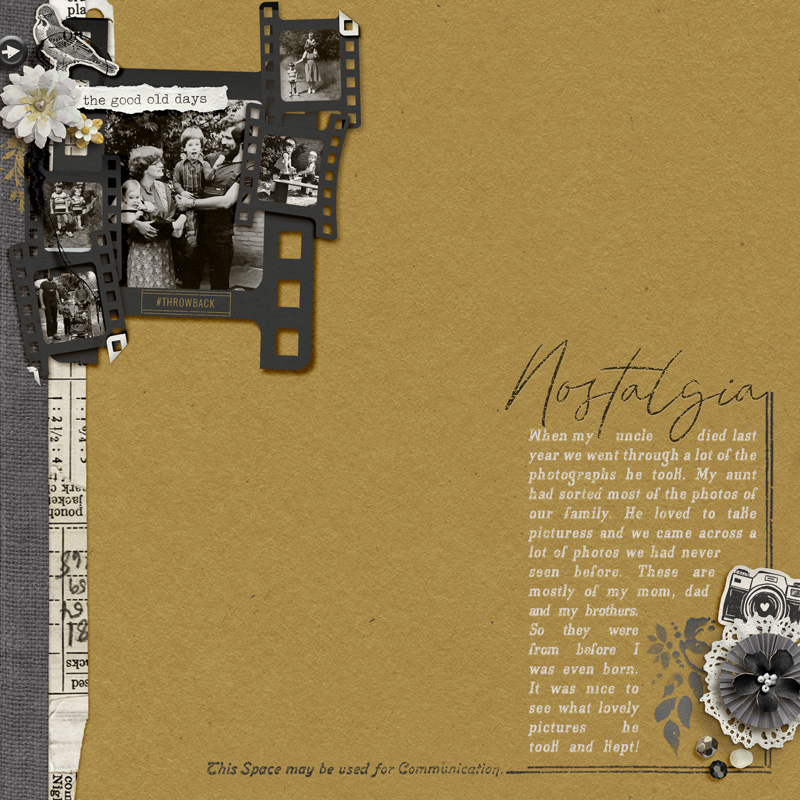
Here's my page, when I finished I saw that the kit was retired but it's not for sale anywhere else so I hope that's ok @bellbird? I started with a custom shape from Photoshop: a photo reel, which I then warped, resized and I folded corners.
this is from the general MOC guidlines - the rules for MOC product use - my understanding is that because Soco still sells here, your page is fine
Product usage: Your pages must contain 100% Lilypad product. We define this as current or retired product from designers currently selling a The Lilypad. Product from other digital stores will not be allowed. If you choose to scrap a hybrid page, you can use physical product from a brick and mortar store, but you must still include digital product from the Lilypad. Fonts are an exception to this rule.
 
This challenge stumped me... it took me FOREVER! :) I repeated off centered circles & centered circles to create a frame-ish... From AWA "Be My Valentine" (retired, but I hope it comes back!)
grandma's-love-MOC12-repeating-shape-frame.jpg
 
After many tries with a square shape, I switched to a rectangle. Rotated it 3 times: 30, 30 and 90 then moved the original layer to the top of the pile for the photo. I then duplicated the group twice and resized them smaller and added photos to them as well.


I started with a hexagon, then duplicated it and resized it. I duplicated that smaller version two more times, then attached all three smaller ones to the main shape. I then made a wire frame using the newly created shape. Since I wanted more interest than just the hexagons I also used a mask to continue the scope of the photo, so I deleted the parts of the wire frame that would have otherwise boxed it in.
 
Everyone is being so creative with this challenge.
I used a rectangle outline shape and warped it into three different shapes. I thought they look liked the links in a chain. So that's what I did, build a chain and then repeated them to create a frame.
 
@bellbird such a fun and interesting challenge. I could see taking days to work on this. I'll definitely think of this for future ways to treat my page. And it made me look into my styles pane more and thing about creative and new ways to use those.

Here's what I did:
I started with the PSE snowflake, duplicated, resized, created half of the frame, then copied all those layers, flipped horizontally, and made sure they attached. I played with the location of some of the snowflakes in the flipped frame to make it look more like a star/butterfly. I then applied a custom style and played with different levels of opacity to create a lacy frame effect.
And while this wasn't part of the challenge frame, I wanted a clipping mask inside my frame for my photo. So I used the "blob" shape to fill the inner part of the frame. I distorted and skewed it, then duplicated, flipped, and did more distortion and skewing to get the inner part of my frame filled. I then merged those shape layers to create one clipping mask.

 
I started with a rectangle and used warping to create the frame. It was more challenging than I thought. Still fun, though :)
 
I started with a square. I used multiple sizes and cut the inside out of some. I rotated some, overlapped all, and created the frame for the initials and flowers for this wedding page.
 
Back
Top