January 26 - Repeating, Transforming and Connecting Shape/s to Make a Frame

Thanks for hosting Justine! Once I got the idea for the shape I was off and running.. thank you for the fun challenge!

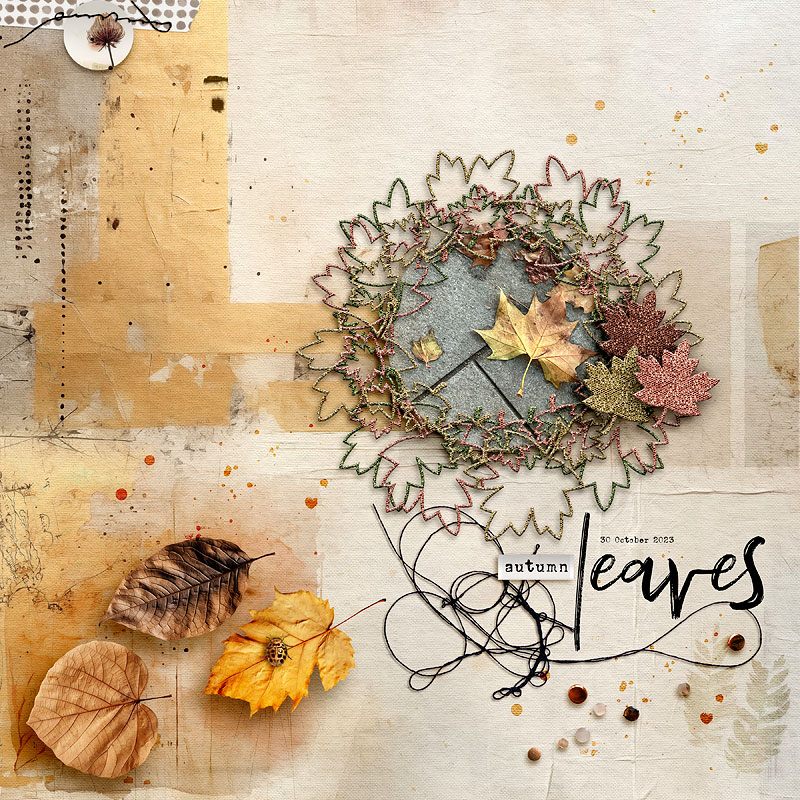
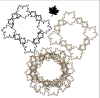
Used PSCC leaf shape that I used first as a stroke and made a repeating square leaf "frame" that I duplicated 2 more times and rotated to give me the circle in the center. I then added Just Jaimee's Dec Stories 2023 glitter style to each of the "3 leaf frames" plus added a bevel and shadow. I also used the same shape this time as a fill using the same glitter style on 3 different small leaves to accent the transformed leaf frame.

shape frame.png
 
Last edited:
Thanks for the challenge! For mine I used an ornament from Bondoni Ornaments type. I duplicated and enlarged one (used the original and the enlarged one.) Then I made them touch and repeated them to make the frame. Then I layered the frame with cut out papers.

 
thank you for the challenge
I thought outside the box. I used a square and transformed it with the liquefy filter. Then I filled a few and put them together. I deformed the frame again, duplicated it several times, rotated it and deformed it again and colored it differently.


@bellbird Hi Justine, If this doesn't qualify, let me know. I still like what I came up with, regardless. I did use a shape, the rounded rectangle shape, quite narrow with a 100 pixel radius. I repeated them, I transformed them. Each shape (12 of them) touches where they overlap. They have an opacity of 80%. As an aside, I put a perspective on Nicole's paper as well to match the street art photo.

 
Last edited:
I took inspiration from your title frame to make a stacked star frame for my title word art.

I took a star shape, duplicated it, rotated it 27 degrees, did that again, and then clipped papers to it. Then I added my favorite title quote strip.

 
@bellbird, before I put more time in this....I took a custom shape, that of a photo reel and warped, resized and did some folded edges on some of them. Does this count?
upload_2024-1-26_19-12-20.png
 
I started with a teardrop which I duplicated and rotated around a circle. I then grouped the first lot, duplicated that and rotated it into the space. I then duplicated both those layers and made them smaller... bingo one flower.
 
Well, I missed the part of it needed to be a frame. So I'll be back with a different version to qualify for the challenge.

But for this version, I made a holly leaf border by stacking 9 squares and playing with resizing and strokes for each leaf. On some of them I added a fold overlay to add interest and stitching to make the center stem line.


For this version, I made a frame for my title. I started with a square and resized it and rotated it. Then I added some rectangles to it. Added a stroke and finished with a vellum action. Hopefully, this one qualifies for the challenge!
 
Last edited:
I used a circle shaped sticker, cut out the center and then transformed into an oval and overlayed some others on two sides. Used it as a frame for a fireman's hat- Hope this is correct!

 
I used squares and diamonds.
I really hate this page and the more I saw it, the more I hated it. I can do better than this. I took a shape from photo shop and created this frame with it. I deleted parts and clipped it to paper. I absolutely adore Dr Who but this page is actually me.
I can delete the first page in order to make sure I follow the rules.
Day 26 Shaped Frame Take 2.jpg
Day 26 Repeating shapes Dr Who.jpg

https://the-lilypad.com/forum/galleries/day-26-shaped-frame-take-2.560571/
 
Last edited:
Back
Top