January 9 - QR Code

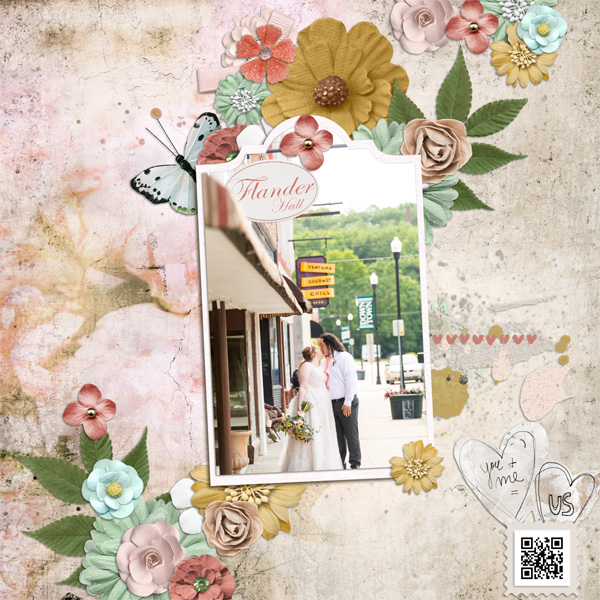
I created the QR code for the hall where the wedding was...Flander Hall. It was gorgeous, vintage, historic and so pretty.

Used my favorite kit for scrapping her wedding! TLP All about Me, YOU and US paper and elements out of all 3. I placed my QR code on the top of a STAMP element to make it pop a bit more.
 
A QR code isn't something you click on, it is something you scan with your smartphone. With my iPhone all I do is open my camera app and point it at the QR code. You don't actually take a picture, just point the camera at the code and a little pop up comes up at the top of my screen with the link that is embedded in the QR code. You click the pop up on your phone and it will direct you to whatver the QR code links to. I hope this helps.

Also a note, you don't have to do a YouTube video. Lots of people so far have linked up to website that have more information about a place they visited or with more pictures related to their page. Here is a full sized QR code for you to practice on:

View attachment 371190
This is the one on my layout in the original post. It links to the YouTube video of my son's speech

@Karen, I got the app on my iphone to work, I did get a video to open up on one, but it keeps going to ads and gets stuck on things I can't get out of. Now it won't let me scan because of these popups! I have an appointment with my neurologist today at 2:30. I may have to give up on this one! This is SO frustrating when I can't figure out how to do something simple!!! Thank you for your help!
 
WOW! That was so easy! Don't know if it "works" since my cell phone is the "smartest DUMB phone on the market!"
 
BTW, that QR generator website referenced in the directions only costs if you pick one of the many "data types" available OTHER than "Website URL" or, apparently, "YouTube" Those are FREE!
BTW (again), my sister just told me my QR didn't work. DRAT. Maybe it wasn't "so easy" after all!
 
Last edited:
I heard this song on the radio yesterday and couldn't get it out of my mind all evening....thus, my ATC. I tried the QR code and it worked for me.

 
@Karen I guess I am not understanding this! I click on different people's codes, and all i get is another ot the same layout opening up. Some people don't even have their layout linked to the gallery so THAT doesn't even work! What am I doing wrong? Not that I'll ever figure out how to link it anyway! Christa's took me to an excerise machine!

I also don't know how to upload a video (if I had one) to You Tube!

The scanner I have on my phone isn't working for me either (I don't know how to work it!). I do not need more stress with my brain condition! HELP! HELP! HELP! I don't want to have to quite on day 9!

I tried the scanner link you gave us, and it has a monthly fee. Since I will never use it, I sure don't want to pay for it!
Christa's took me to an excerise machine.

With the link for the QR from Karen I could not use my link from google maps ... I also had to pay ... but I searched another one ... that was free ...
 
I just created my first QR code! :)

full
 
I have an Iphone 6? old one, I have a QR reader in my tools? I have always used the QR reader...
lol
I just tried the camera! it worked. I am giggling. How I love to learn things!

I have an iPhone 6 too and have an app called QR Reader ... guess I need to try the camera trick. :)
 
Here's mine. What fun! My husband and I ended our first date talking for hours at the Waffle House. We actually danced in the Waffle House to this song. It's ours now of course. I used Daydream by NBK Designs. Beautiful, dreamy (pun intended) kit!
 

Attachments

  • MOC- QR-001.jpg
    MOC- QR-001.jpg
    3.1 MB · Views: 95
Another learning challenge. They are the best! Even if I complain the whole time I'm doing it.
This is a remarkable exhibit. If it comes to your area, go see it.
 
Day 9 - QR Code

full


Products:
Sound Waves Journal Cards by Paislee Press
Sound Waves Digital Scrapbook Kit by Paislee Press

Requirements:
  • include QR code - Fun Fact: it links to a YouTube video that actually shows me taking exactly that picture on the right - by accident of cause.
  • Even though the concert was in 2017, this is a new page. The pictures has been flying around on my desk for years - obviously.

Journaling:
Maximo Park together with Franzi at Huxley's in Berlin. Sooooo awesome! Small, cozy, it feels like the sweat is dropping from the ceiling and the floor vibrates. Afterwards we both lost our voice as we were singing along (see video) and both wear the same shirt. It states: "What equals love?" My favorite song from the new album: Risk to exist.
 
#tinkerbell1112 How does this work in Artisan???!!! HELP please!
Just follow the directions: " To link to a video, you upload your video to YouTube and then when the upload is complete you’ll see a link to that video. Copy that link and paste it into the QR Code Generator (see image below). The Generator will create a unique QR Code that has your specific url link embedded inside of it. Download/Save that QR Code and use it on your layout."

  • Upload video, then copy URL/link (or website URL)
  • Paste the video/website link into the QR generator
  • Generator will create a unique QR Code
  • Then copy and paste the generated link into your Artisan LO, or save it to your computer to add later

Easy peasy. I used a QR code on a LO I made in SBC+ a few years back.
 
#tinkerbell1112 How does this work in Artisan???!!! HELP please!

If you use the suggested generator in the first post, it creates a png for you. Just save it on your computer, then copy and paste it on your page. It really is easy-peasy. I haven't finished my page yet, but it's a travel page and I did my QR code with the website for the state park I'm scrapping about.
 
Back
Top