January 9 - QR Code

A first time for me, but I find that it's a good idea to add medias and complete our pages or our Project life for example
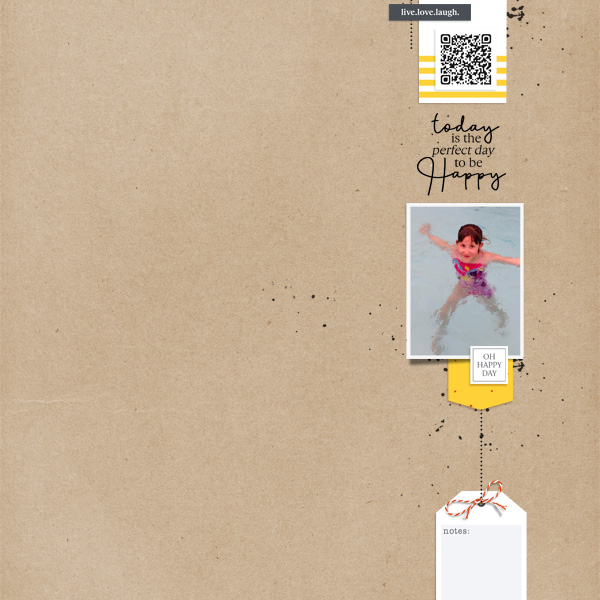
full
 
Never did it successfully, I can't even imagine how to scan it afterwards to make it play.

Just because you can't really see the QR in the layout, as it's meant to be much bigger in print, here is what you're missing, if you want. :) You are under no obligation to watch either ;)
QR20.jpg
 
Last edited:
Never did it successfully, I can't even imagine how to scan it afterwards to make it play.
(If you put your iPhone up to it like you are going to take a photo, it will lock on to the QR code and then link to where the video /website etc is stored)
 
@Karen I guess I am not understanding this! I click on different people's codes, and all i get is another ot the same layout opening up. Some people don't even have their layout linked to the gallery so THAT doesn't even work! What am I doing wrong? Not that I'll ever figure out how to link it anyway! Christa's took me to an excerise machine!

I also don't know how to upload a video (if I had one) to You Tube!

The scanner I have on my phone isn't working for me either (I don't know how to work it!). I do not need more stress with my brain condition! HELP! HELP! HELP! I don't want to have to quite on day 9!

I tried the scanner link you gave us, and it has a monthly fee. Since I will never use it, I sure don't want to pay for it!
Christa's took me to an excerise machine.
 
Last edited:
I linked the QR code to a song on U tube called A Thousand Wild Horses. It's a favorite of mine. I used L Grieveson Under Pressure, goodies: frame 1, tag, tag 2, Snippets 2 and 3 and heart paper 4. I also used Pink Reptile Designs, Transfer flowers. I used A Pennington's Life Unhinged Goodies: Scribbles and Paint 4, Scary Doodle, Scary paper 4 and 15, Scary lace, Daily paper 16, Dirty WA, Daily cards 8 and Scary scrap 2.
MOC day 9.jpg
 
@Karen I guess I am not understanding this! I click on different people's codes, and all i get is another ot the same layout opening up. Some people don't even have their layout linked to the gallery so THAT doesn't even work! What am I doing wrong? Not that I'll ever figure out how to link it anyway!

I also don't know how to upload a video (if I had one) to You Tube!

The scanner I have on my phone isn't working for me either (I don't know how to work it!). I do not need more stress with my brain condition! HELP! HELP! HELP!

A QR code isn't something you click on, it is something you scan with your smartphone. With my iPhone all I do is open my camera app and point it at the QR code. You don't actually take a picture, just point the camera at the code and a little pop up comes up at the top of my screen with the link that is embedded in the QR code. You click the pop up on your phone and it will direct you to whatver the QR code links to. I hope this helps.

Also a note, you don't have to do a YouTube video. Lots of people so far have linked up to website that have more information about a place they visited or with more pictures related to their page. Here is a full sized QR code for you to practice on:

qrcode.54411229.png

This is the one on my layout in the original post. It links to the YouTube video of my son's speech
 
wow this is cool and really expanding my horizons. will think about this and come back later thanks for helping me to learn something new
 
I have an Iphone 6? old one, I have a QR reader in my tools? I have always used the QR reader...
lol
I just tried the camera! it worked. I am giggling. How I love to learn things!
 
Mine , it should link to the Times of Malta Newspaper, so you can read the article.
@gduncan you do not pay for it or have to subscribe, Just put the web address in, where it asks you to , it generates a code and you find that in your downloads straight away. It can be seen 50 times only ( that's ok , strictly speaking only Karen has to see it ) the subscription thing is an option, so it will work forever.... dont give up..
 
I have an Iphone 6? old one, I have a QR reader in my tools? I have always used the QR reader...
lol
I just tried the camera! it worked. I am giggling. How I love to learn things!

I used to have to use an app on my old iPhone too, but I think starting with my 6 I was able to just use the camera. :) One less app! Hooray! :)
 
Back
Top