Here is my imperfect photo of our 3 puppies at 9 weeks old. The exposure is terrible and its slighty blurry and I need to crop it to get rid of the weedy garden in the background! lol! but the photo captured a truly funny moment of the puppies coming face to face with our resident wallabies The puppies did a lot of barking but didn't venture off the veranda! lol!
Photos straight from off my phone, blurry, out of focus and colour is off, the photo with the number 1, I have sharpened, brightened, adjusted levels and reduced noise to make picture pop and look better.
01.05: Challenge 5 - Imperfect Photo - this one is an Instax pic my daughter's friend took of her. Not perfectly focused or pretty much anything else, but I love it! Adjustments on it didn't really help, so I decided to just love it as is!
This is a good one! I have tons of pictures that turn out too light, too dark, not straight or containing unwanted objects like a garbage bin and so on... I chose this picture, taken in a rush while driving on the highway in Vegas. I straightened it, sharpened it, and changed the blending mode, because I like how the colors turned out and this way I could get rid of the bottom part of the photo to add some journaling.
The greenery behind us is distracting.
The expression on my husbands face is not so good.
I cropped and changed to black and white to fix the greenery. The expression...meh. It was a good day and the best pic of us together so I went with it.
btw... mo chuisle mo croi mean 'my pulse of my heart'
omg, another ME!!!! lol I STILL have photos with heads chopped off, blurry, etc. Now, I have to admit that I'm REALLY happy I didn't give up on the ones that were too dark since I can usually enhance them enough in photoshop that you can at least see what they are, even if they don't look like prize winning photos. And I AM getting better. I've recently been scanning a lot of my old photos and as I go through them, I'm actually TOSSING the ones that are so blurry you can't tell who they are, etc... It was REALLY hard at first, but gets easier the more you do it.
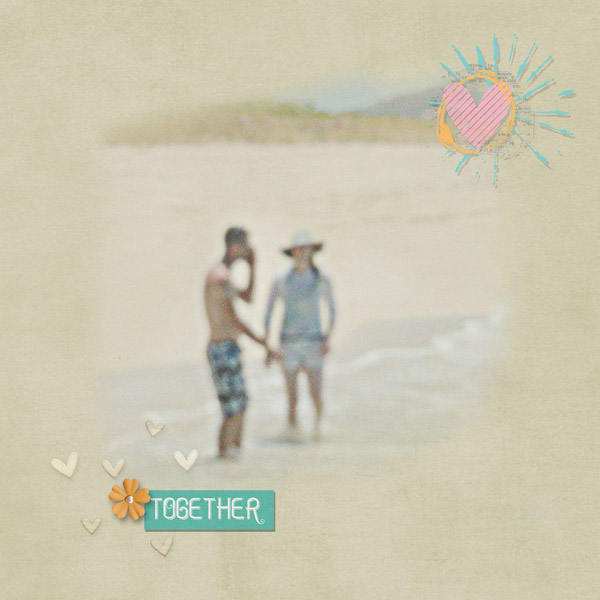
I loved this challenge, cause I have lots of duddy pics. I like to take my out-of-focus pics, hit them with an artist filter, and then use them as a backdrop photo. Like this one, which was blah, blurry and out of focus. I ran it through Topaz Labs Simplify 4, BuzzSim 5 filter--easy peasy.
Original photo
Lots of great ideas in this thread. I will definitely be trying some of them out.
This was an iphone photo taken at night I used a layer mask and some watercolor brushes to incorporate it into one of the papers from the kit and then applied a luminosity blending mode to take away the harsh color. I was just clicking on everything to try to make it better. In the end I think it is the PM Kit that made it all better
My son participated in a sports camp last week during his holiday break and, of course, his group warmed up way, way, way across the gym and I forgot to take my DSLR with me. I believe that "a photo" beats "no photo" - even if it's blurry and took a few with my iPhone since it was all I had on me. I shrunk the photos down for the layout and to help mask a bit of their blurriness.
Here is a larger view of the top right photo (my son is in the white shirt/red pants):
The only person smiling in the photo is my nephew, my youngest son isn't looking at the camera, they were sitting in front of the drug store and the word DRUG is very prominent and distracting *and* there's some tilt to the photo as well. I straightened out the photo, cropped it so that you couldn't see DRUG and I was going to leave it in color, but b&w worked better with the kit I used, so I changed it to b&w instead.
Everyone's layouts are awesome!! So many great ideas. I rarely use the out-of-focus or blurry photos, so it was almost liberating to just do it! I love this photo of our dogs in the river, especially as it shows our then 6-month-old pup being his usual joyful and active self, and I'm so happy to have made a page with it.
I got these photos of my nephews wedding off facebook. They were very small in size & grainy. The top photo I used a poster filter & the bottom one I used a filter called Wistful.
Both photos had a really cluttered background and were dark. Cropped one, messily extracted the other. Lightened, sharpened and increased the vibrance on both. Also fixed her eyes in the small photo. The pupil's were green instead of black.
We have had an ongoing UNO tournament in our house for a couple of weeks now. My youngest is 3 and she took a bunch of pictures with my phone from her vantage point in my lap at the table. I wanted to use this one to tell the story but it, obviously, was not picture perfect. I cropped the image some and used the gradient tool and blending modes to soften it up a bit.
This site uses cookies to help personalise content, tailor your experience and to keep you logged in if you register.
By continuing to use this site, you are consenting to our use of cookies.


 The puppies did a lot of barking but didn't venture off the veranda! lol!


 I like to take my out-of-focus pics, hit them with an artist filter, and then use them as a backdrop photo. Like this one, which was blah, blurry and out of focus. I ran it through Topaz Labs Simplify 4, BuzzSim 5 filter--easy peasy.

 I used a layer mask and some watercolor brushes to incorporate it into one of the papers from the kit and then applied a luminosity blending mode to take away the harsh color. I was just clicking on everything to try to make it better. In the end I think it is the PM Kit that made it all better


