There was a lot of messy background and competing colors in the photo. I cropped it and changed it to B&W. So glad for the challenge, because I did want to tell the story.
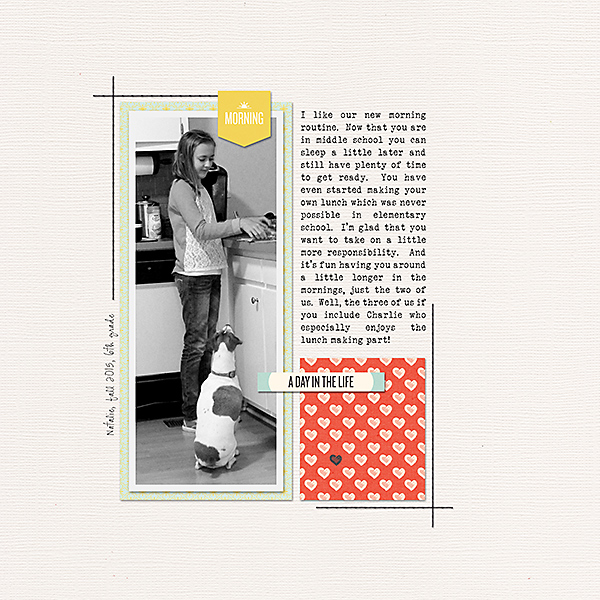
*My imperfection in the photo was how she isn't showing her face, how she totally covered herself up right as I took the picture. I also cropped out much of the background and brightened it up a bit.
About 6 weeks ago my hubby and I went to the Kohler company to look at displays of plumbing fixtures (I know it's exciting, but we are building a new home!). The CS rep at the counter asked me where I lived and it turned out she was my neighbor as a young girl over 30 years ago! She reminded me about the time I made matching t-shirts for her, her sister, and my daughter. I knew I had pictures - and they looked great in my mind. Reality however is different - the pictures were very poor quality and probably even worse with passing time (see the attached before photo). But I scanned them and tweaked them as much as I could before scrapping this layout. I also managed to find fabric scraps from the t-shirt project which I photographed for the background of the layout. Do I need to clean out or what?!
Thanks, Kim... Here is my layout with my imperfect Photo! My camera was on the wrong settings for our beach day, and every single picture is as blown out as the original! I'm lucky that I have RadLab to turn to! Editing saved the day for this day and events!
MOC Day 5 Embracing Imperfection.
The photo of my son's sweetheart was wonderful except that he was half cut off and I couldn't just crop him out because I would have cropped the cookie that she was holding. I cloned him out, made the background black/white, and cropped the photo.
I had been playing around with the settings on my camera, and totally forgot to put them back to where they should be, so the white balance (at least) is totally out of whack. I always liked them though, even though they turned out so technically "wrong". They always made me think they could have been taken on another planet, so that's where I went with my page today, with no adjustment or correction.
Trying to get a family photo on this beach in Maui turned out to be quite hard. One is super blurry, one the hubby and I weren't ready and one my daughter was wiping water from her face. LOL! I didn't do anything to the photos. Just left them as is.
Thank you for this challenge! It forced me finish a layout of my niece's 6th birthday that I had started months ago but kept putting aside because I was not happy with the photos. Her fingers were in front of her face in one and both were out of focus. I decided to embrace the imperfect photos and even wrote about it on the page!
Clap along if you feel like happiness is the truth
Joined
Dec 14, 2015
Messages
464
Since 99.9% of my photos are imperfect, this challenge was awesome for me! In the spirit of the challenge I chose a really bad one. I love it anyway, it captures a lovely moment of my daughter and grandson. It is so blurry and the lighting is all wrong, but I tried to make the layout work with that and not against it by rotating the template background lines to mimic sunlight. In my head, it works. LOL
Here is mine using some pictures that I took of the characters that are blurry, out of focus, and not centered in the frame right. They move so quickly that you don't always have time to make it a great shot. I used them as is, although I did crop them so that they were more centered in the frame.
My imperfect photo - I have always loved this photo but didn't love that it wasn't centred and I made my child only have one arm. I loved this challenge, because it finally made me scrap the photo I love that I didn't judge "scrap worthy" before.
My husband took these pictures at night. The bottom pic is way crooked. I tried straightening it, but it cuts out most of the picture. Both pictures the coloring is off, and with all these imperfections I love these photos.
The original photo was overexposed. I ran some RadLab stylets on it to darken it for the small color inset photo on the layout. I just used a PSE filter to turn the original photo black/white for the large background photo.
The photo of my husband and son in the bus is the blurry one. I brightened it a little, and it got cropped to fit the template. I think that placing it in with a lot of other photos helps to minimize its flaws, and the blur even adds a little energy to the photo.
Pictures were all blurry either because of movement or just bad photography. My son needed a haircut badly and there is just a lot going on in the background but it was such a wonderful service experience for us I really wanted to scrap about it so thank you for this challenge and "permission" to scrap the not so perfect pictures. Other than a bit of cropping I left the pictures as they were
This photo is imperfect because my laundry drying behind the birthday boy isn't exactly my choice of backdrop, lol I didn't hide or cover up the imperfection, I embraced it and included the story as my layout. Full journaling is included with the credits in the gallery. Thanks for this challenge, I would NEVER have scrapped this photo without it and actually his face and the birthday moment are worth remembering, laundry or not!
This site uses cookies to help personalise content, tailor your experience and to keep you logged in if you register.
By continuing to use this site, you are consenting to our use of cookies.