Pad Peeks: Advanced Search
Hi, this is Polly Beth. I use the Advanced Search feature quite a bit in both the Shop and in the Community, so I thought I’d show some of the ways that Advanced Search can assist you in finding both…

Hi, this is Polly Beth. I use the Advanced Search feature quite a bit in both the Shop and in the Community, so I thought I'd show some of the ways that Advanced Search can assist you in finding both products in the shop, information in the forum, and media in the gallery.
Using Advanced Search allows you to find products in the shop without having to browse as much, as I'll show in some examples below. To access Advanced Search in the Shop click on the magnifying glass in the upper right corner, a box will pop up, then click on Advanced Search at the bottom.
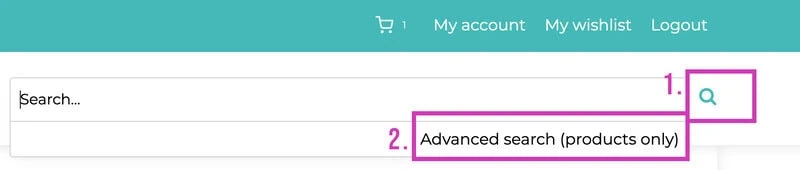
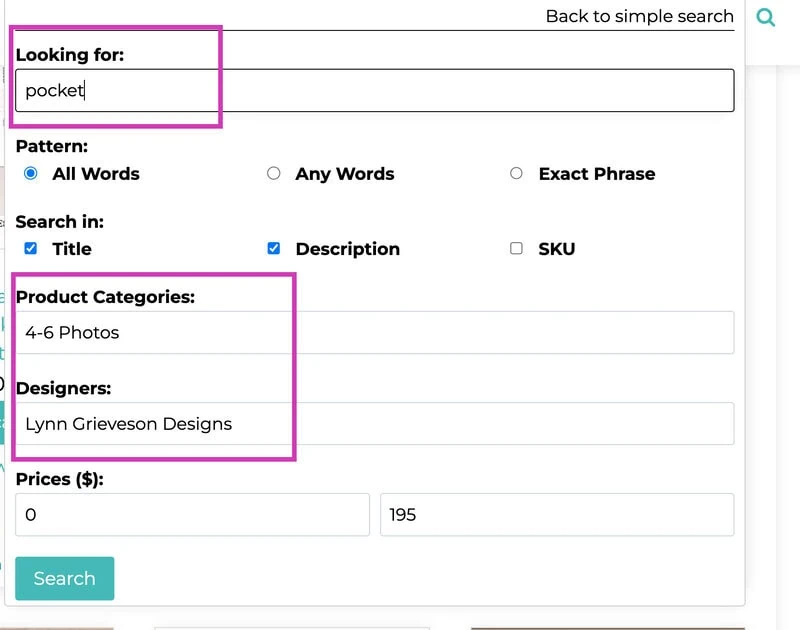
Example 1: I'm looking for pocket page templates for 4-6 photos by Lynn Grieveson. I can easily find these using Advanced Search.
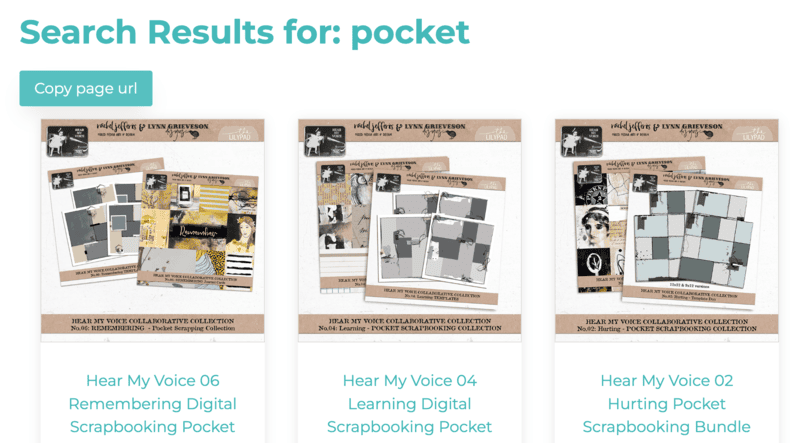
These search results give me 4 pages of Lynn's pocket page templates for 4 or more photos.
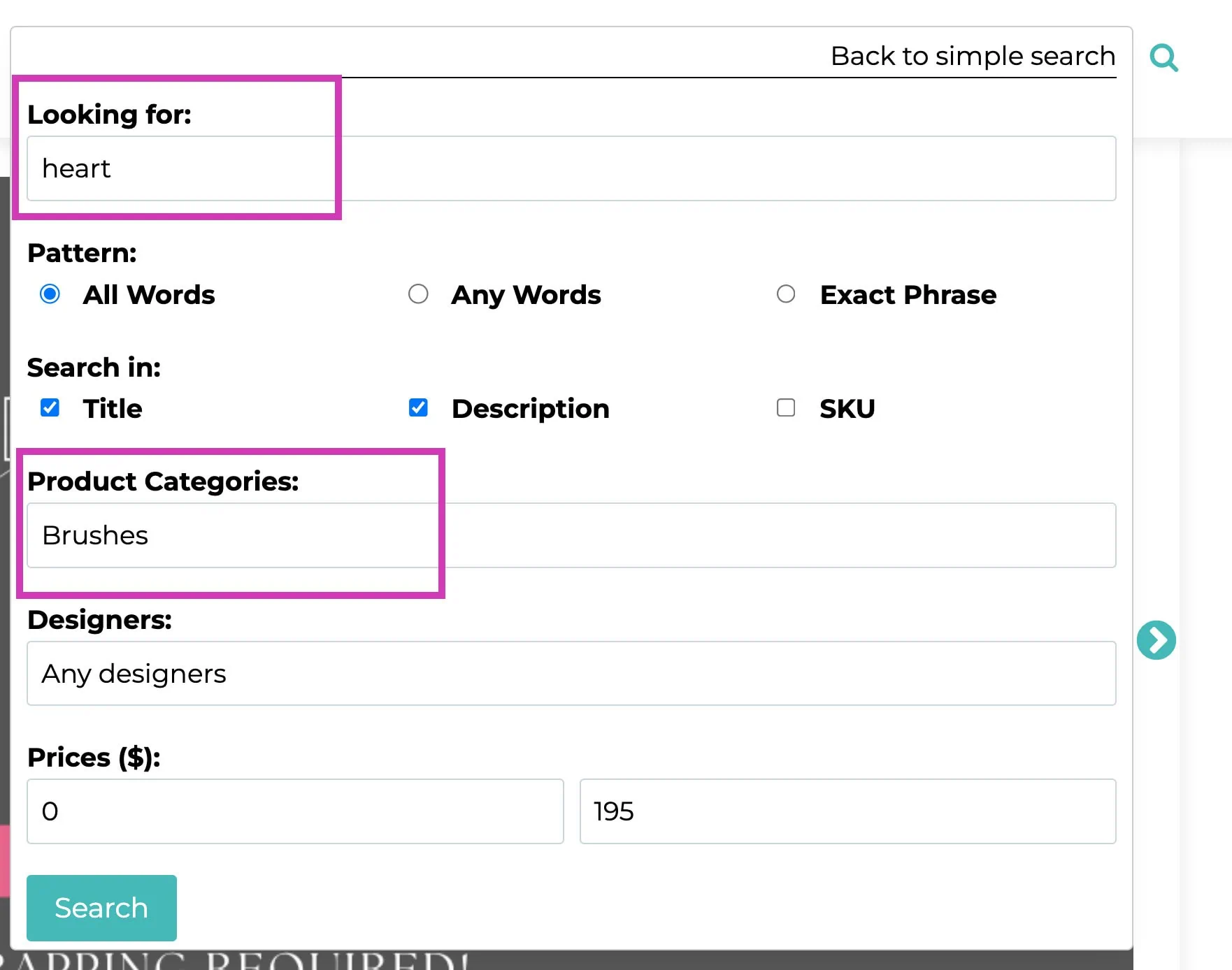
Example 2: I'd like to find some brushes in the shape of hearts to use on a Valentine's Day page. I can easily do this using the Advanced Search in the shop. Under Looking for: I type the keyword or keywords for what I want. In this case I used the keyword "heart". If you use more than one word it will default to searching for All Words which means all of the keywords must be present in the results. If you want it to search for any of the words then click in the radio button next to Any Words. I then select the Category "Brushes" in the Product Categories: section. I choose "Any designers" but you can also limit your search to one or more designers. If you hold the Control or Command button you can select more than one designer to search.
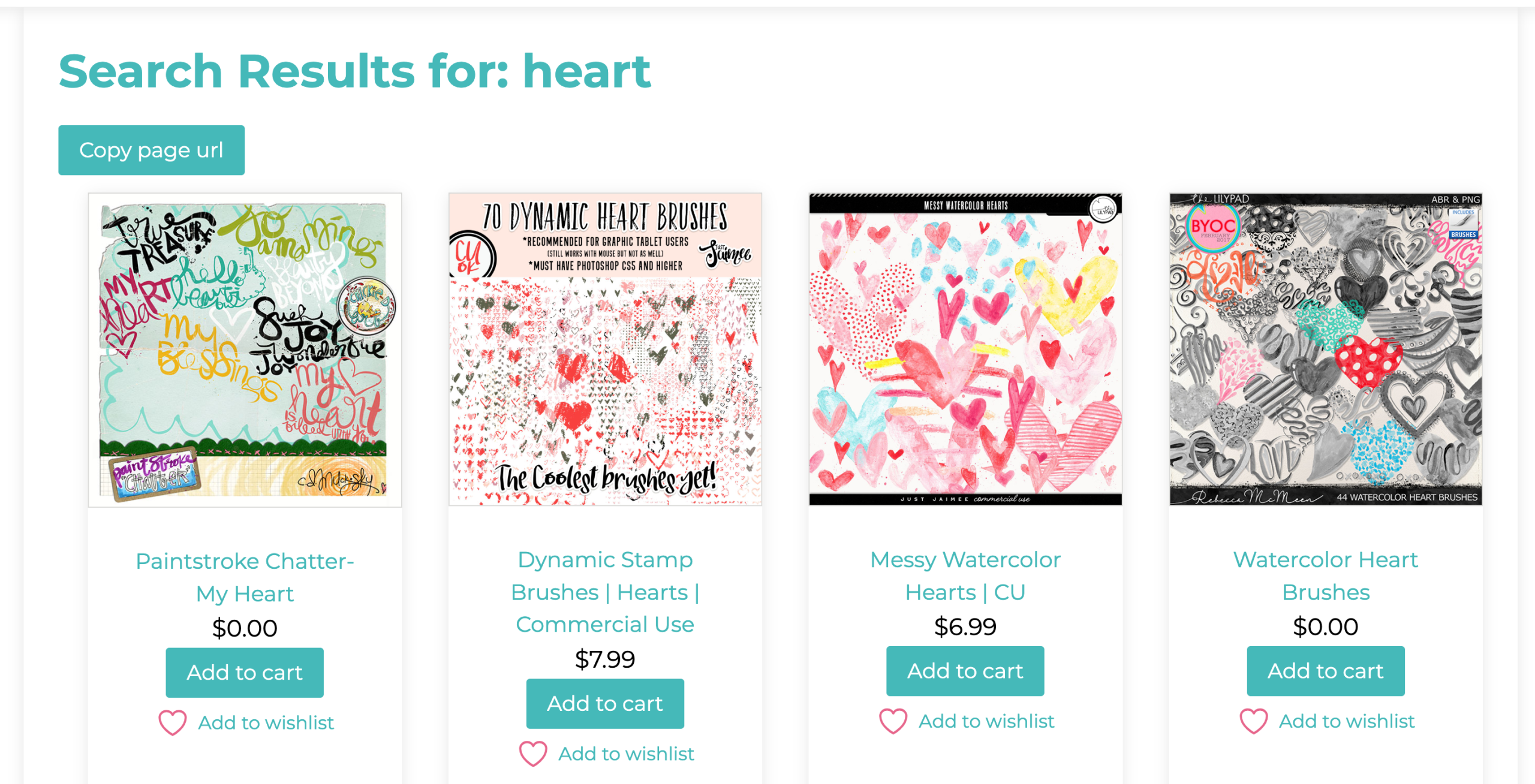
These search results returned many options for heart brushes.
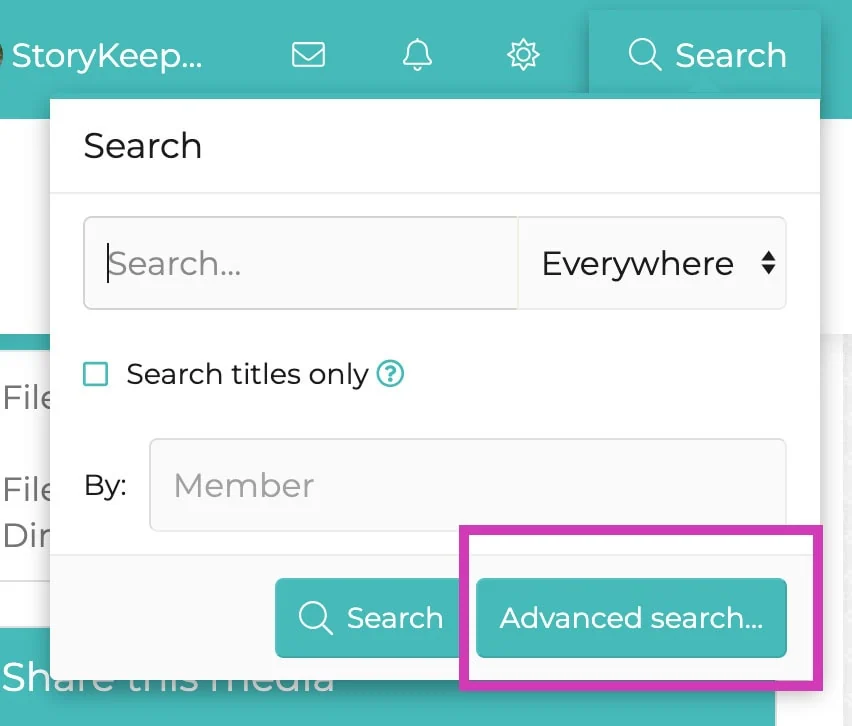
The Advanced Search feature is also useful in searching both the forum and the gallery. It looks different when you are in the Community and there are a lot of different options. To get to Advanced search click on the magnifying glass and then on the Advanced search button.
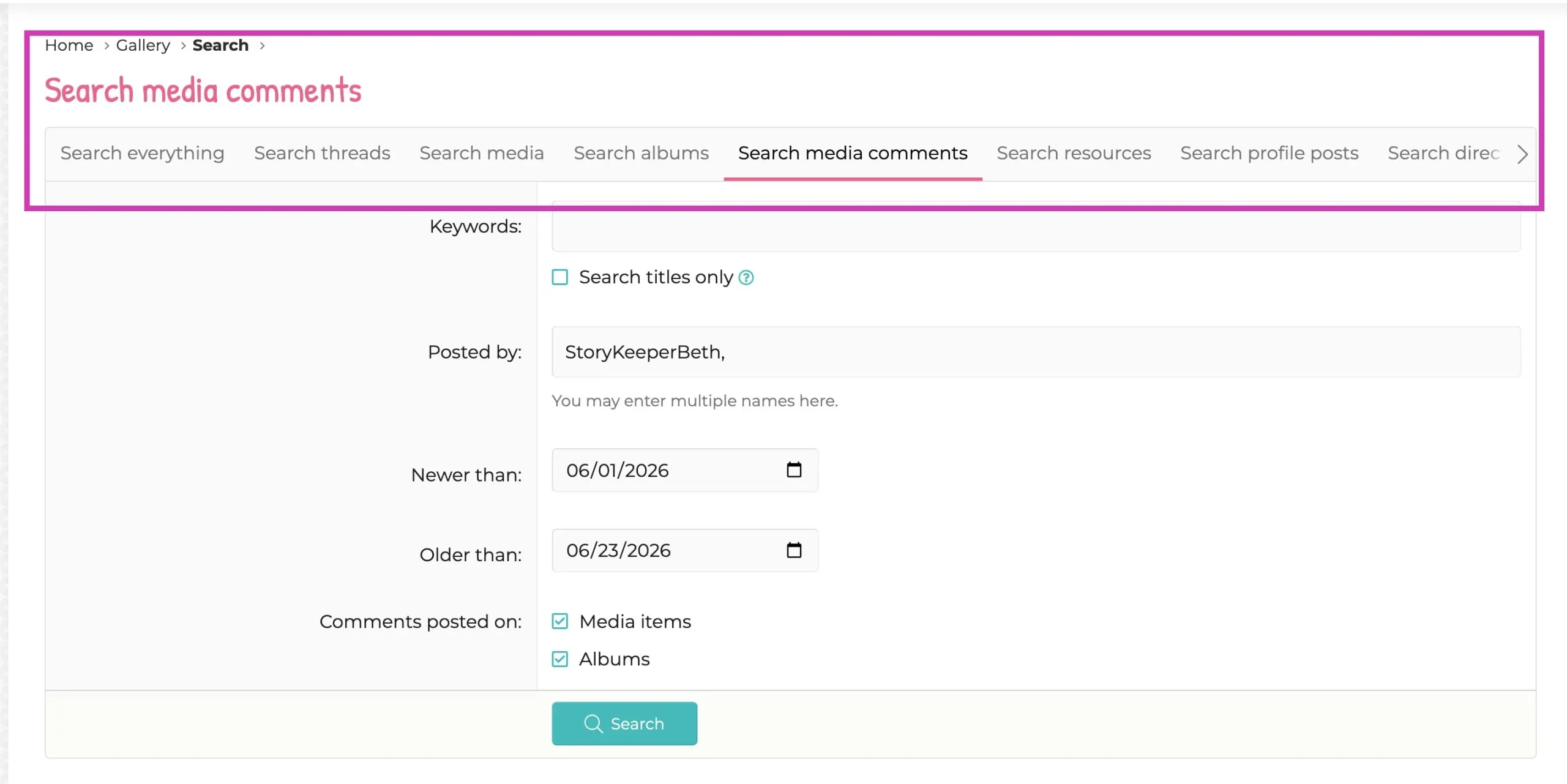
Example 3: I'm looking for all the comments I've left on Media in the Gallery so far in the month of June. This is easy to do using the Advanced search. First I choose Search media comments from the options across the top, then I enter my Lilypad name "StoryKeeperBeth" under Posted By. Next I enter the date range, and then click on search.
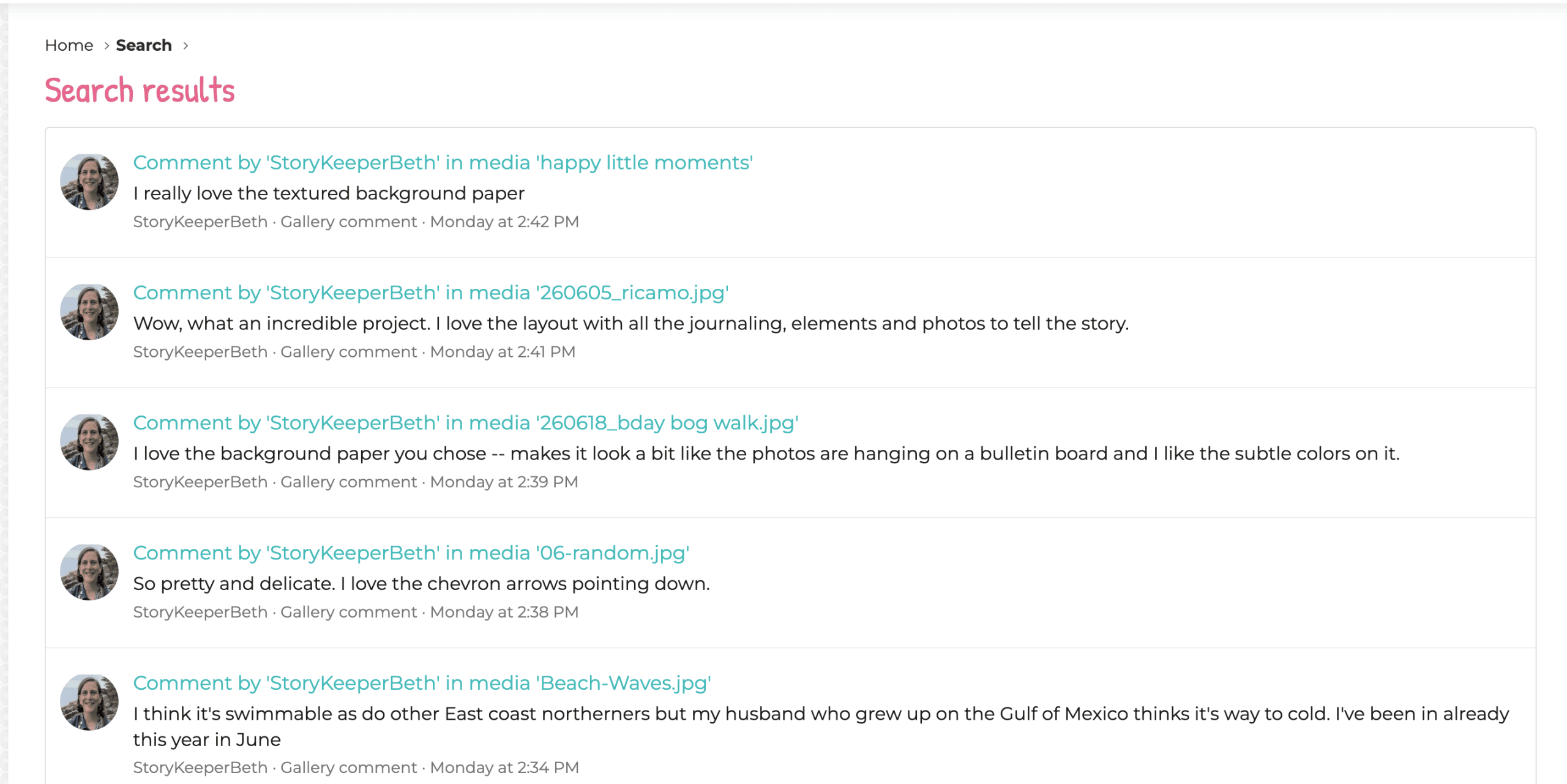
The results show all the comments I've made in this date range. If I'm looking for a particular one I can browse through them, then click on the link to go to that media item.
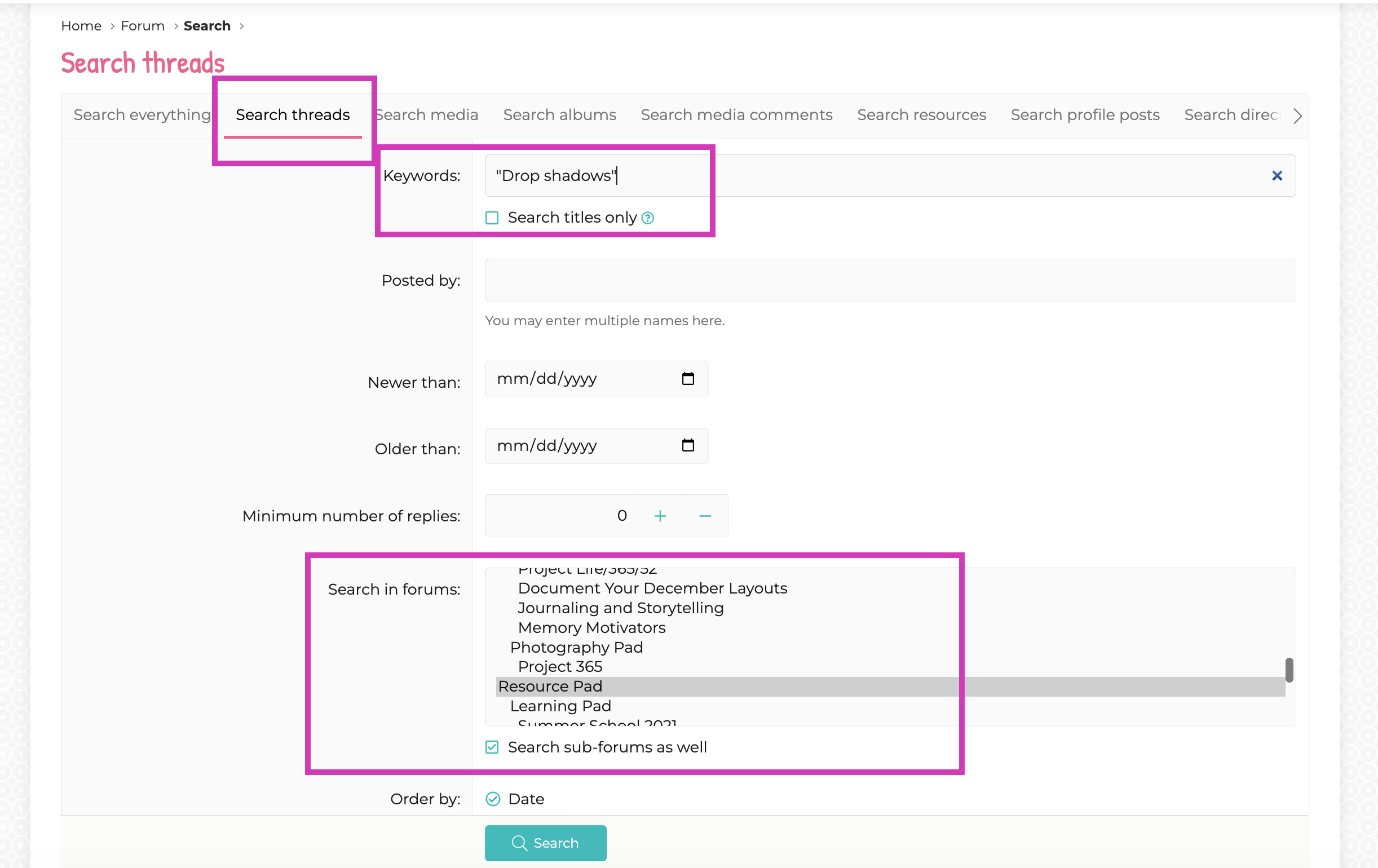
Example 4: The Forum is full of great information but it can be hard to find or to find a thread that answers your question, or is on the topic you want to read about. You can use Advanced search to find information in the Forum. For this example I've selected to search only threads in the Forum. by selecting Search threads. Then I entered a keyword for the topic I'm interested in -- in this case "drop shadows". If you want both words to appear together, which I do, then enter them in quotation marks., otherwise you will get results for both "drop" and "shadows" not necessarily the two together. I could enter a date range but in this case I've left it blank. I can search everything in the forums, or, as I've done here I can select a particular part of the forum -- I can also chose more than one section to search at the same time. I selected the "Scrapping pad" and the "Resource Pad".
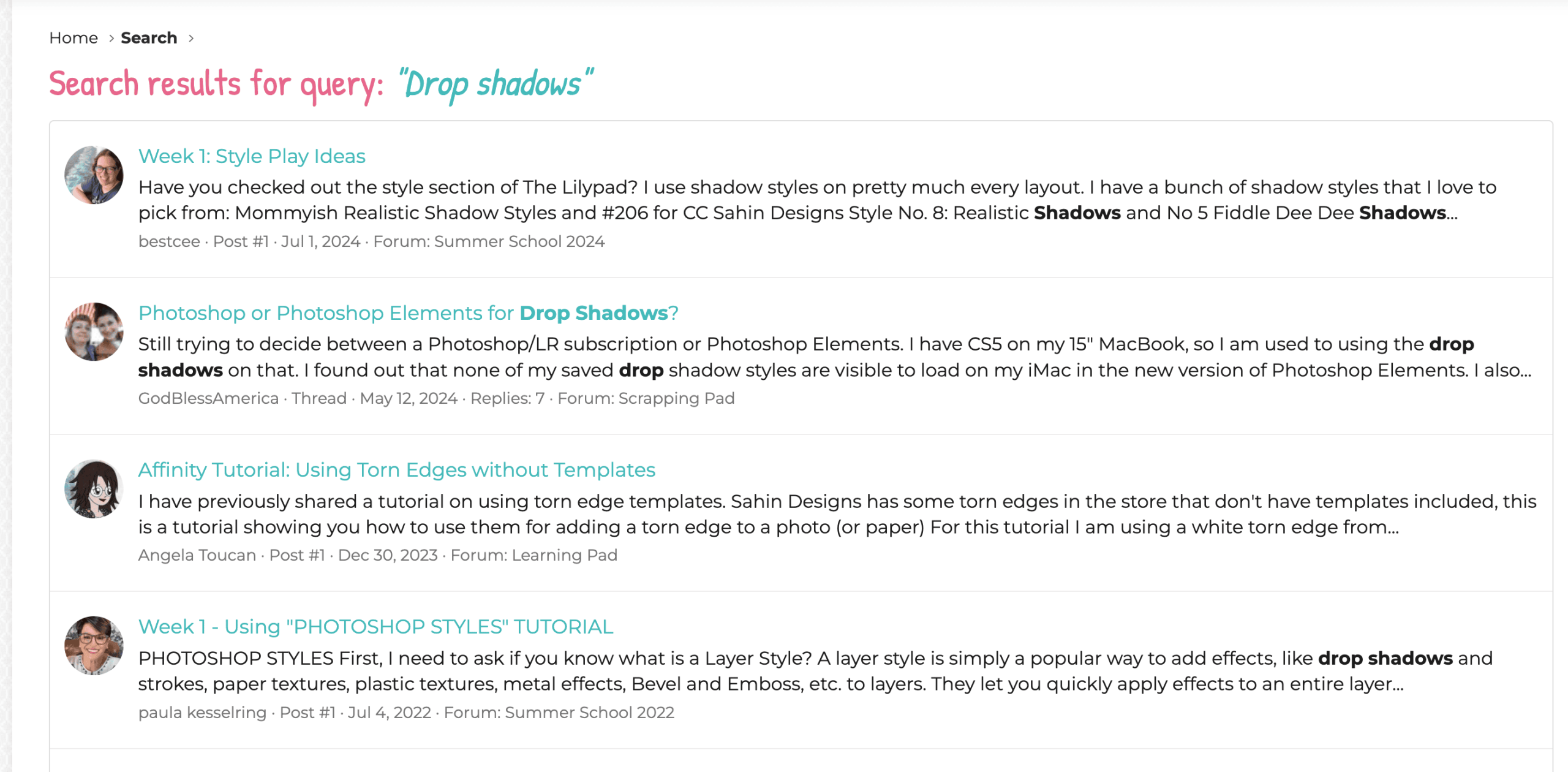
Instead of browsing through multiple forum threads I can start with these search results to find posts related to "drop shadows".
I've only scratched the surface of what you can do with Advanced search -- I encourage you to play around with it in both the Shop and the Community. I'm happy to answer any questions you have as you use this feature. Happy Hunting!
I was born in North Carolina and grew up all over the place because my Dad worked for Citibank and was transferred every few years. I lived in: New York State, Ireland, England, Belgium and finally Baltimore, Maryland which I call home. My husband was in the Navy, so we moved around a lot for those 8 years but now we have settled down in Barrington, Rhode Island with our Pug dog. Our only child, a daughter, lives with her husband and daughter in Pennsylvania -- I wish they were closer! I had a 30+ year career as a Law Librarian and an Academic Librarian which I loved, but took early retirement last September which has freed me up to be a Grandma and to really get in to all of my hobbies -- digital scrapbooking, as well as knitting, reading, taking walks, and hanging out with my dog. I'm also learning to play Mah Jongg.
My creative style is primarily clean and simple, but I do enjoy trying out new styles but am uncomfortable using lots of elements on my pages. My primary motivation for scrapbooking is to document my life and to tell stories, so my layouts always have at least what the photo is and a date, and often there is a whole story. My default style is either using one or two photos only and making them the star of the layout or using a lot of photos to document an event with minimal elements and journaling. Templates are great for this and for many years I always used templates as a starting point, but lately I have either not been using them, or I will take one as a starting point and then change it to suit my needs.
My words of advice for new scrapbookers are: You can't do it wrong, just get started and enjoy the process. Be patient with yourself as you learn new techniques and skills.
I am inspired by my fellow scrapbookers at the Lilypad, and by our designers’ products. I love color and am drawn to art, layout, products and images with lots of color. I start with the story I want to tell and the photos that document it and draw from the colors in the photo and from the theme of the story. I use Lightroom to organize supplies, and Photoshop to create layouts.
Hi, this is Polly Beth. I use the Advanced Search feature quite a bit in both the Shop and in the Community, so I thought I’d show some of the ways that Advanced Search can assist you in finding both…
Hi, It’s Polly Beth and I’m back to share more products that you can use to create layouts about weddings and anniversaries. The “Fairytale” kit and pocket cards by One Little Bird can be used to create layouts on love,…
Hi, this is Polly Beth and I can’t believe that June is more than half over already. June is a big month for Weddings and Anniversaries, so I decided to highlight some products at the Lilypad that are great choices…
Hi, this is Polly Beth. Here in the United States today is Memorial Day. This Federal holiday honors the men and women of the U.S. military who died while serving their country. Many Americans mark the day by visiting cemeteries…
Hi, this is Polly Beth and today I’m highlighting the Monthly Froggy Favorites thread in the Scrapping Pad. You’ve probably seen the comments on layouts saying that it’s been chosen as a Froggy Favorite but did you know there is…

This is Polly Beth. I’d like to share my system of organizing all the yummy digital scrapbooking products I’ve collected over the years so I can easily find what I want for my layouts. Before I get to the specifics…

Happy Tuesday from Polly Beth and Polly Nancy. We are joining forces today to illustrate how versatile templates can be. We will be using the Grow Templates from Lynn Grieveson Designs. We also thought it would be fun to use…
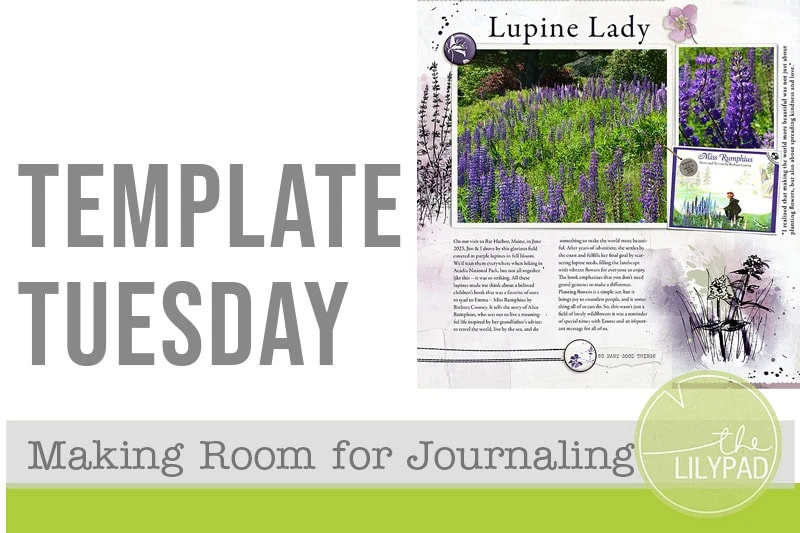
Do you struggle to find room for journaling on your layouts? Here are some tips & tricks you can use.
Hi, this is Polly Beth (aka StoryKeeperBeth) and I’m so excited to be writing my first blog post as a new Polly. Since it’s National Exercise Day today, at least in the United States, I thought I’d highlight products that…