Shadowing Magic
Hello everyone and happy “almost” Fall/Autumn! I’m just dropping in with a a new Autumn inspired layout and a quick shadowing tip to share with you.
Here is a layout I made with kits from today’s SOSN sale:
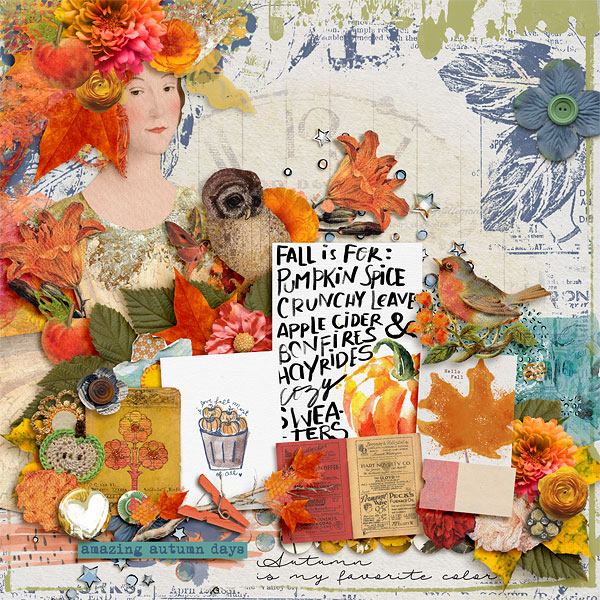
Notice that many of the drop shadows are warped? I want to share a tip with you on how to quickly add some random dimension to your shadows to make them look more realistic. You may be familiar with the Wave filter, but I am going to share the settings I generally use and a shortcut to help you warp all of your shadows quickly so you can move on to creating your next digital page.
Wave Filter
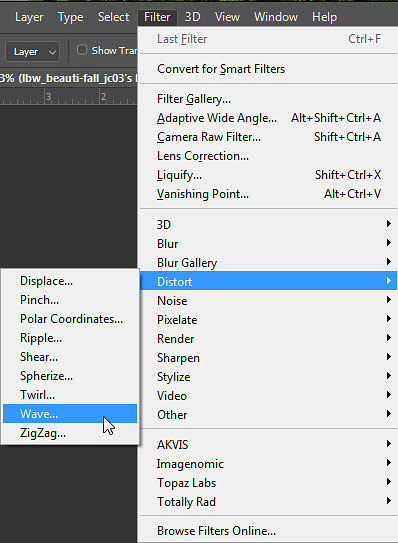
The first step is to enter the Wave filter settings. The Wave filter can be found under the Distort category in the filters panel.
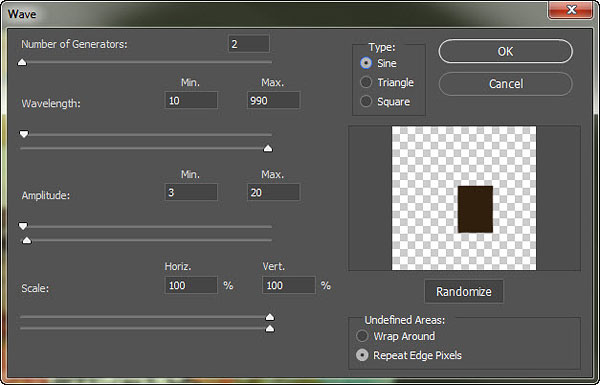
When you click on “Wave” a settings box will pop up. When it does, enter the following settings and click OK:
Now all you have to do is separate the shadow layer from each element that you want to warp. In Photoshop, you can do this quickly by right clicking on “drop shadow” in the layers palette and then choosing “Create Layer” from the pop up menu.
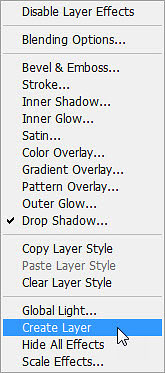
Select the shadow layer in the layers palette and apply the Wave filter with the settings you previously set. Once you have applied the Wave filter to one shadow, you can quickly apply it to other shadows with the shortcut Ctrl>F. This shortcut activates the last filter you applied (in our case, the Wave filter).
I like to apply the Wave filter to flat elements and dimensional elements such as leaves and flowers. You can also make adjustments to the shadow after you apply the filter by moving the shadow with the arrow keys. If the shadow seems too dark, you can adjust it by reducing the opacity of the shadow with the opacity slider at the top of the layers palette.
Here is a comparison of my layout with regular drop shadows and with the warped shadows achieved with the Wave filter:
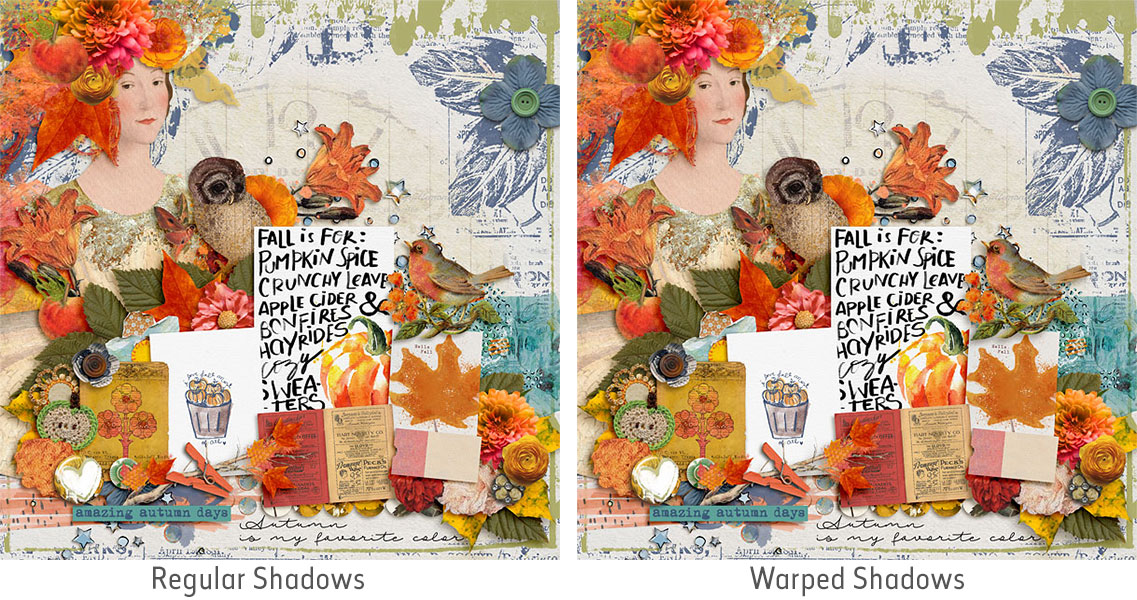
Notice how the warped shadows make the elements look a bit more realistic and adds overall dimension to the layout.
As always, I hope you have fun playing with this technique!
Until next time ~
Judie (HeyJude)