Create a Card – Baby Edition
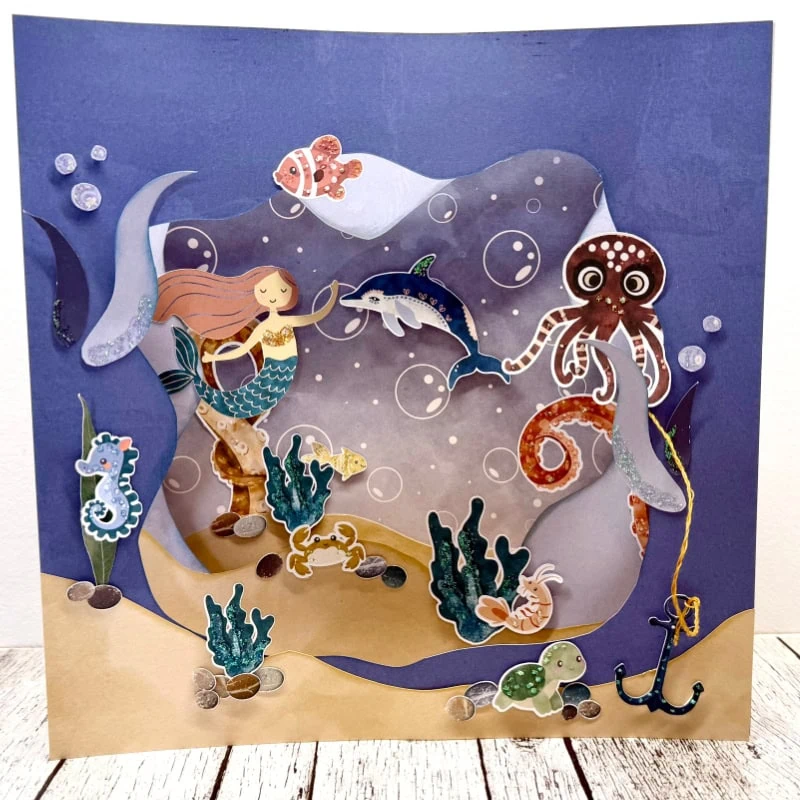
I really enjoy giving cards to family and friends. Cards are perfect way to send birthday wishes, celebrate a special event, or even to just say hello to someone. I always try to have a selection of homemade cards on hand to give out for any of these occasions. I’ve noticed my supply of cards has been getting a bit low and committed myself to making a few cards to bolster it up. Today I’m going to show you a step by step tutorial on how to create a cute baby card to add to your stash of homemade cards.

To make this card you will need the following supplies:
- Boxed In 2 Template Duo by Gina Miller
- Reverie {papers} by Sara Gleason
- Accident Prone | Papers by Pink Reptile Designs
- Oh Baby Papers by Quirky Heart
- Oh Baby Elements by Quirky Heart
- Presentation Paper
- Card base
- Cutting Machine or scissors
- Extra embellishments
- Glue or tape runner
- Foam adhesive
1. Open up the template by Gina Miller in photo editing software.
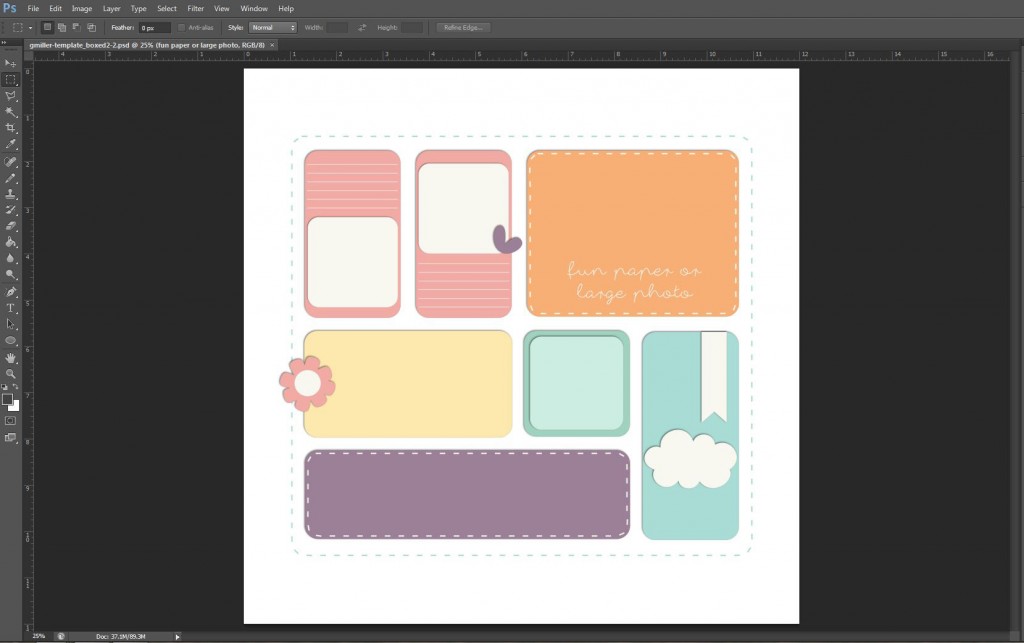
2. Resize the template to 5.5 x 5.5.
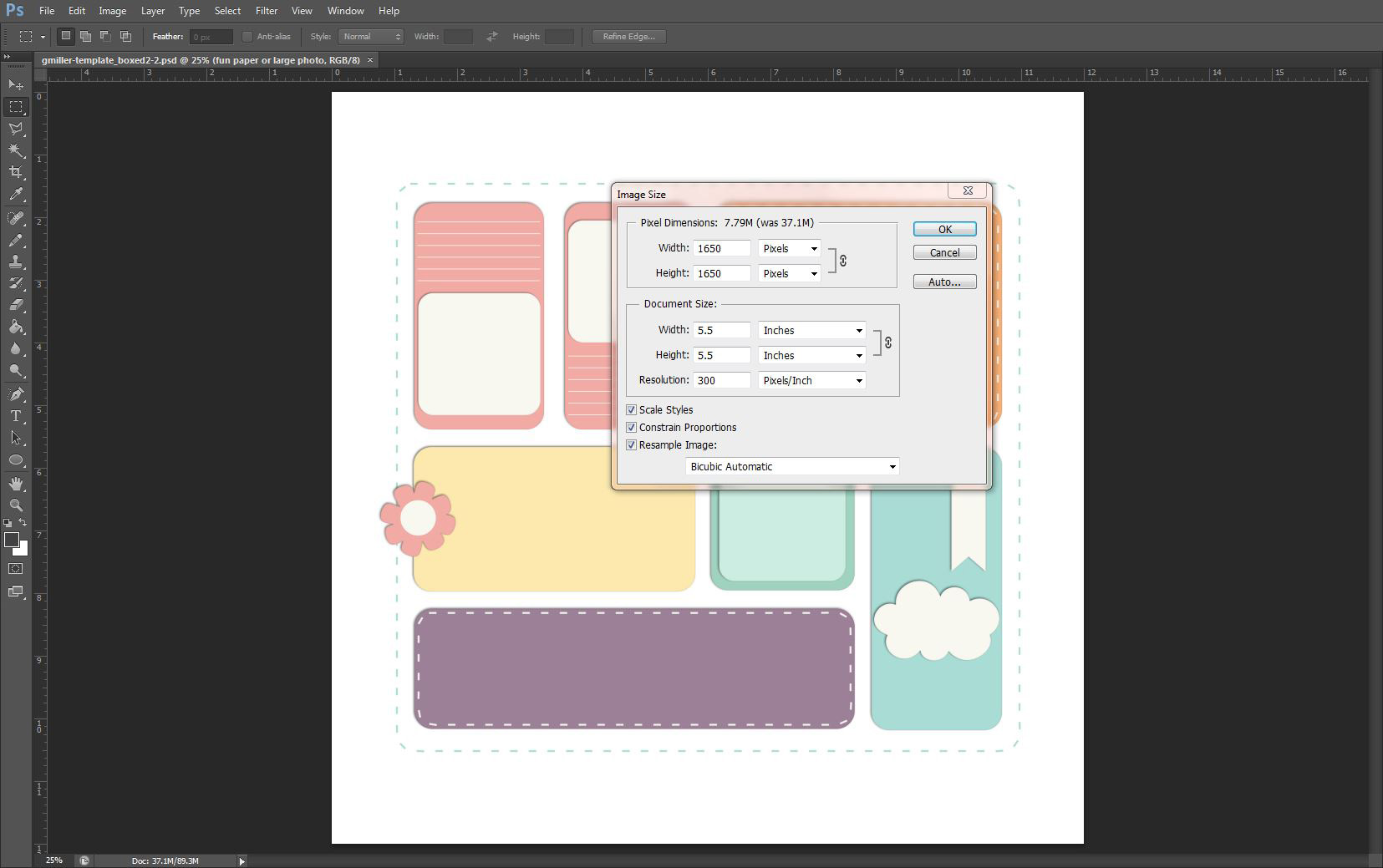
3. Resize canvas to 4.25 x 5.5. Then resize the layers to fit the canvas.
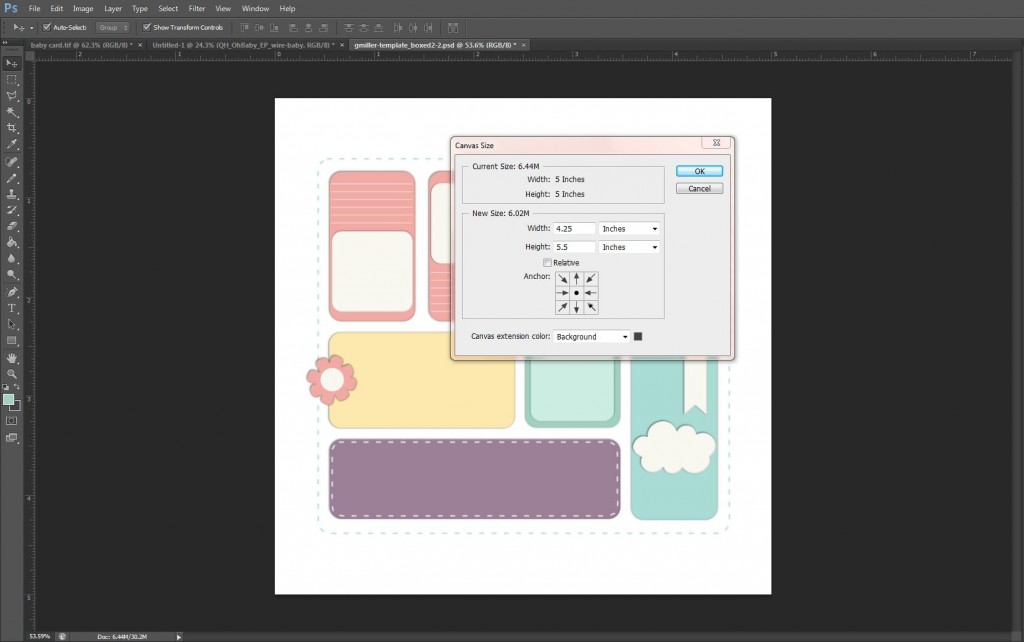
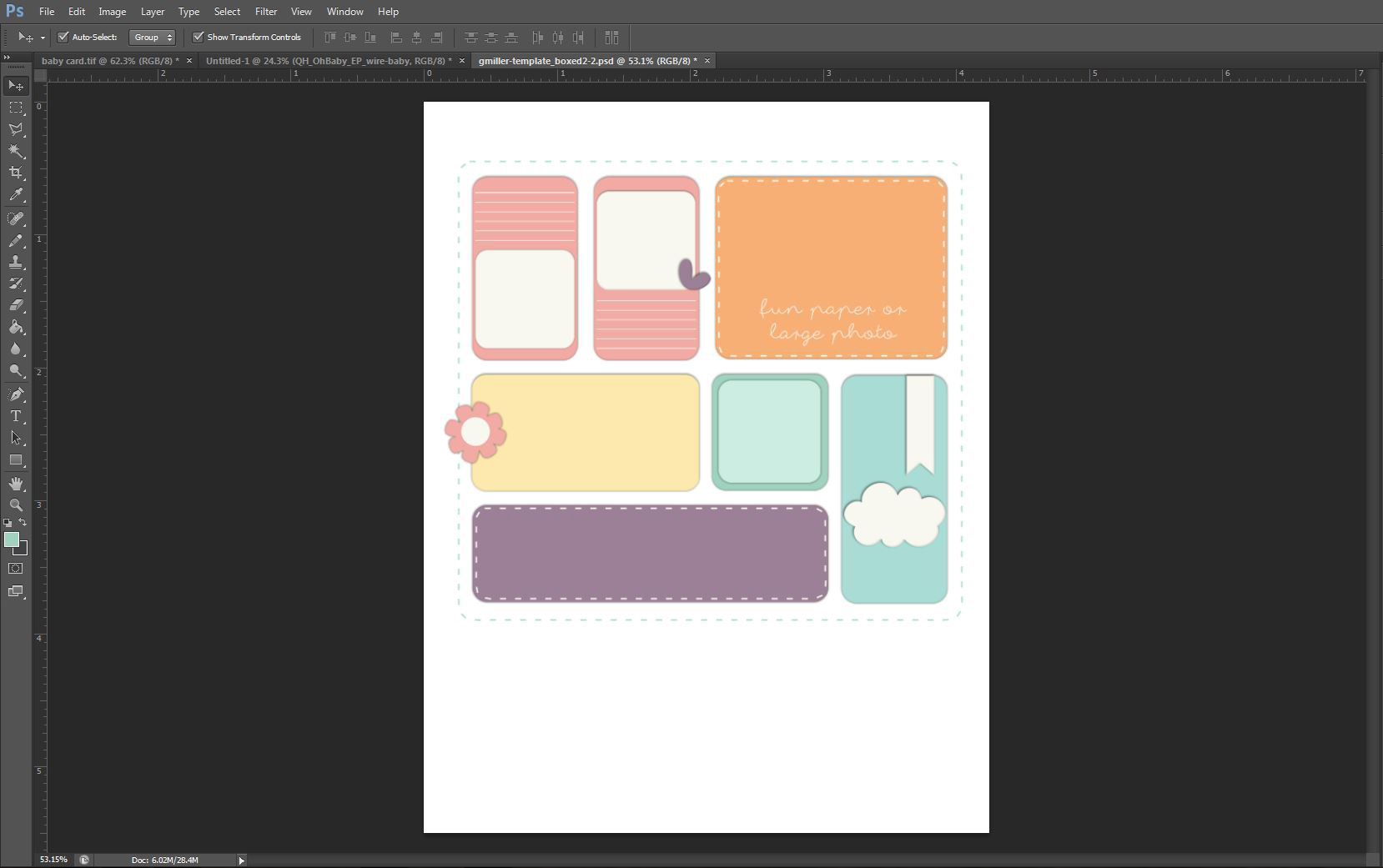
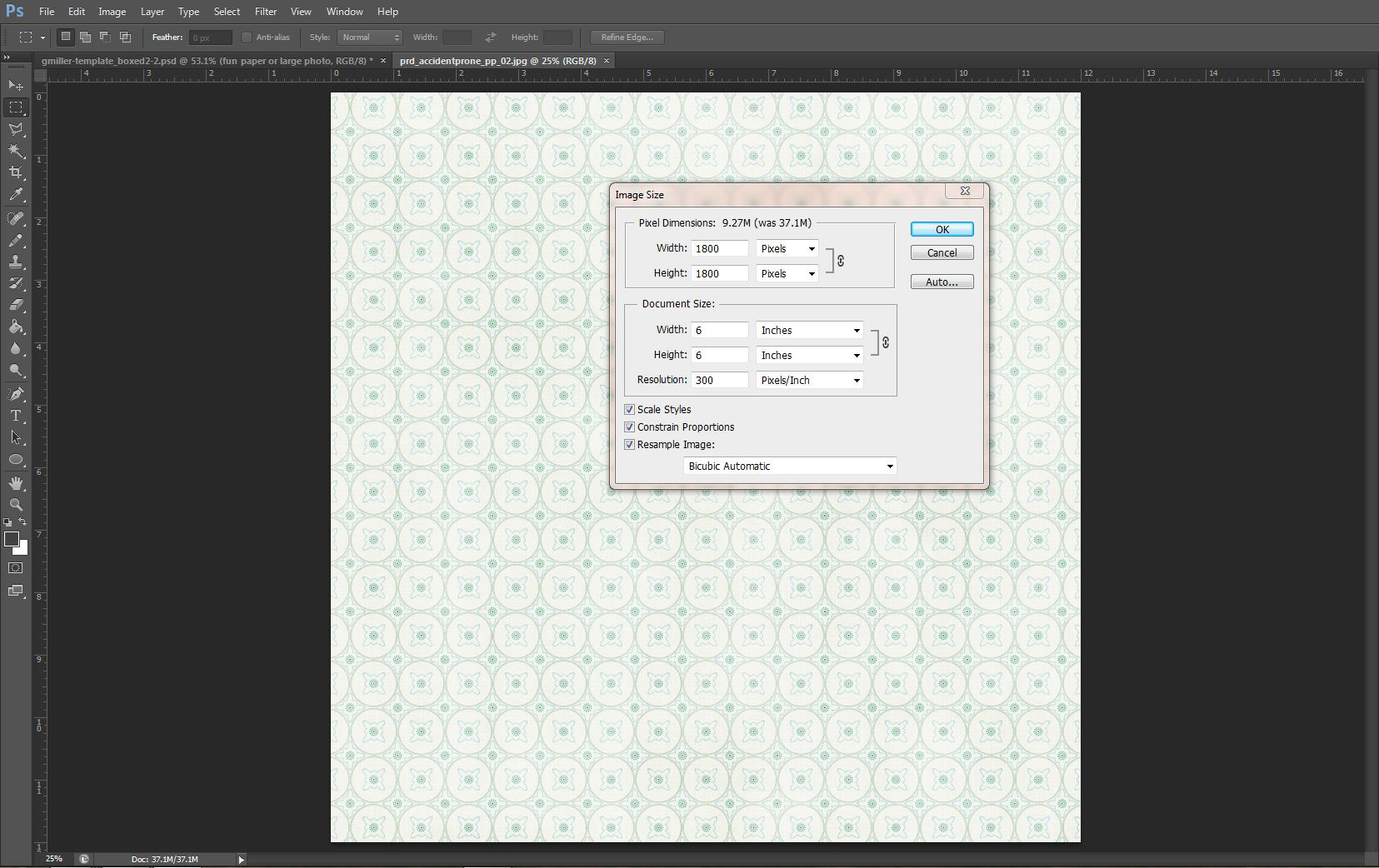
4. Add digital papers and embellishments to the template. Be sure and resize your papers to be 6 x 6. This scales the patterns to look more proportioned for cards.

5. Duplicate all layers of your card to a new 8.5 in x 11 in new document. Spread the pieces out so they are not touching.
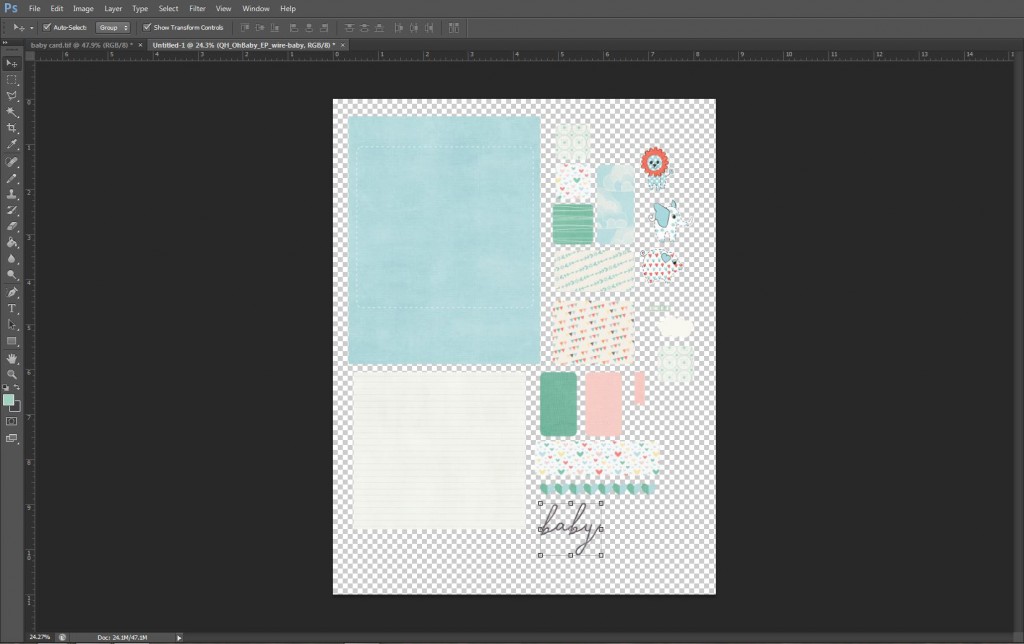
6. If you have a cutting machine, save this file as a png. Then use your cutting machine software to print and cut your file. If you DO NOT have a cutting machines print this sheet and use your scissors to cut out the card pieces.
7. Assemble your card using your original file as a guide. Add additional embellishments as needed. Be sure and use a few foam adhesive for a bit of dimension on your card. Just as simple as that you have a homemade card to add to your stash!
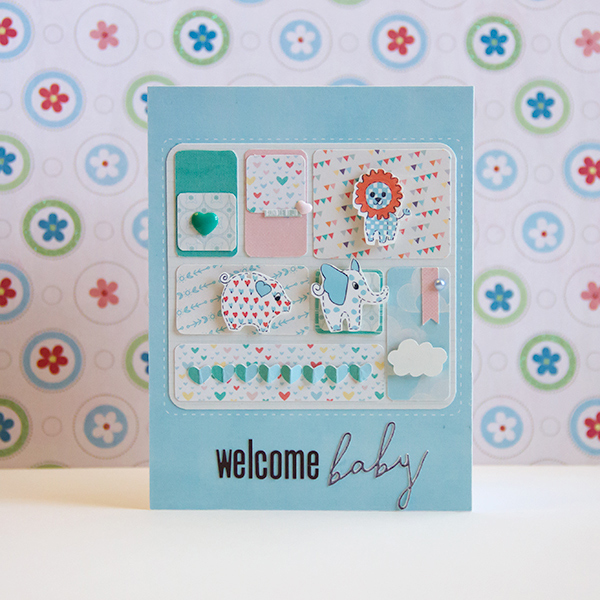
I hope you’ve enjoyed this short tutorial! Stay tuned next month for another Create a Card Tutorial. Be sure and share any cards you make with us! We love to see your creations in TLP gallery!