None Destructive Modifications
Hi everyone, Dalis here with another short tutorial (big on photos, but short in time… I pinky promise).
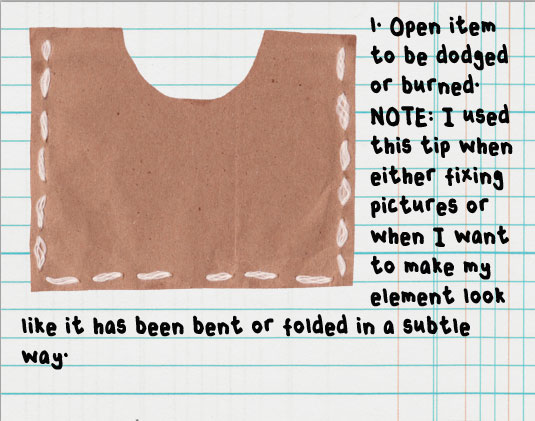
We often have to modify either a picture or an element to suit our needs or to fix lighting or distracting shadows or objects. I usually play a lot with the dodge/burn tools in Photoshop. I like how easily you can create some dimension with just those 2 tools. Of course if you have ever tried to burn or dodge, you may have done it directly on top of your picture or element. Doing this will change your element or picture. I once was watching videos and saw this guy did this and I thought it was brilliant. He was doing it for other tools but I thought that it would work for my favorite dodge/burn combo.
Let me show you how to use the dodge/burn tool without modifying your original element or picture. (At the end of this tutorial, I am sure you can find many reasons and uses for this little tip). (Oh, before I forget, I use this tip to shadow my washi tapes using Peppermints tutorial, I just add this little step before I start).
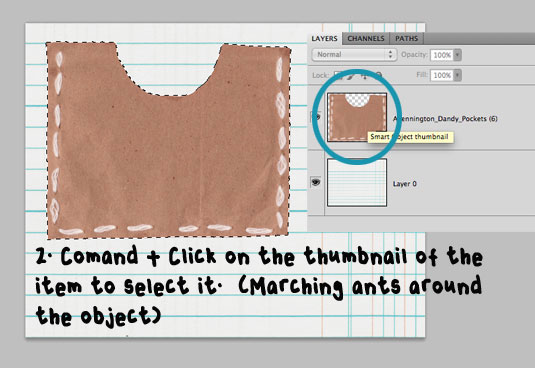
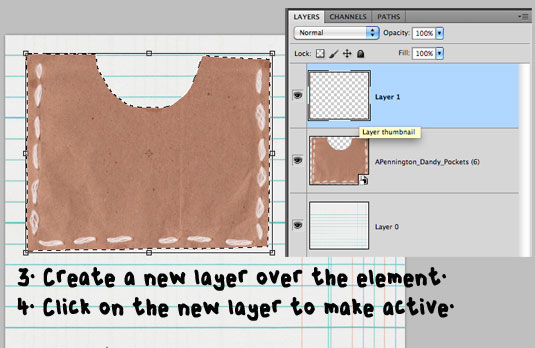
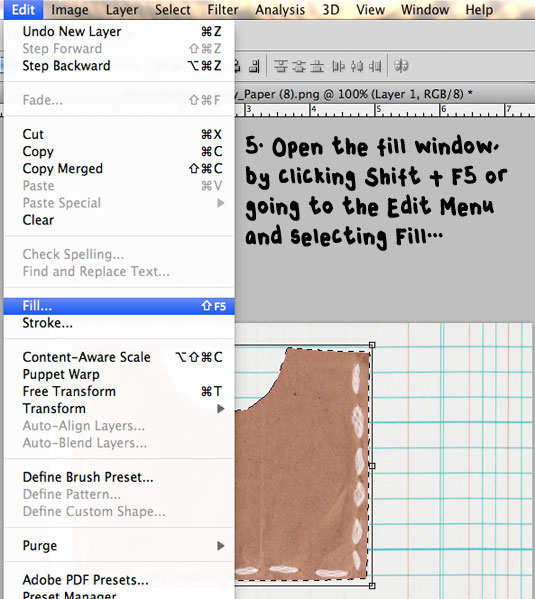
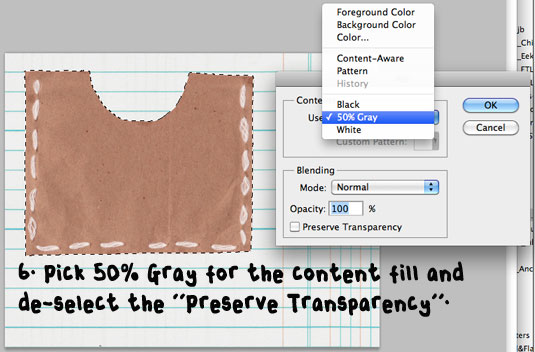
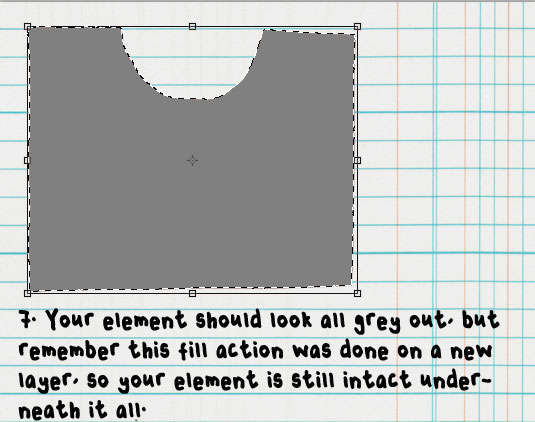
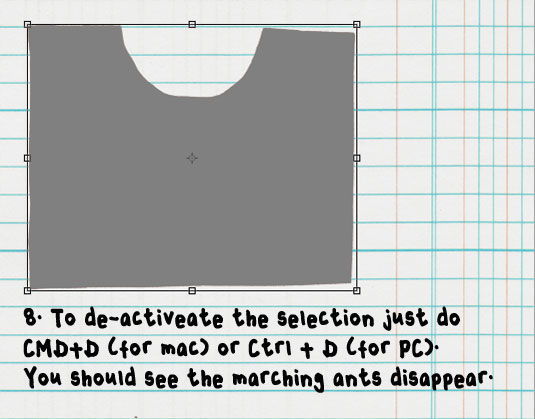
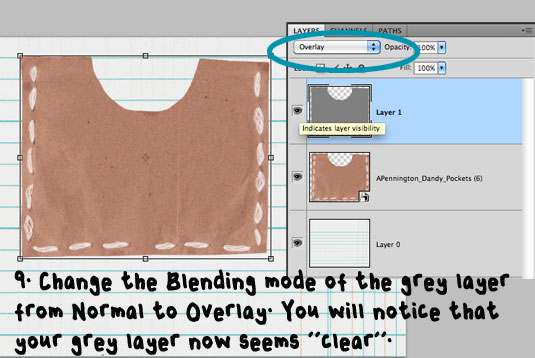
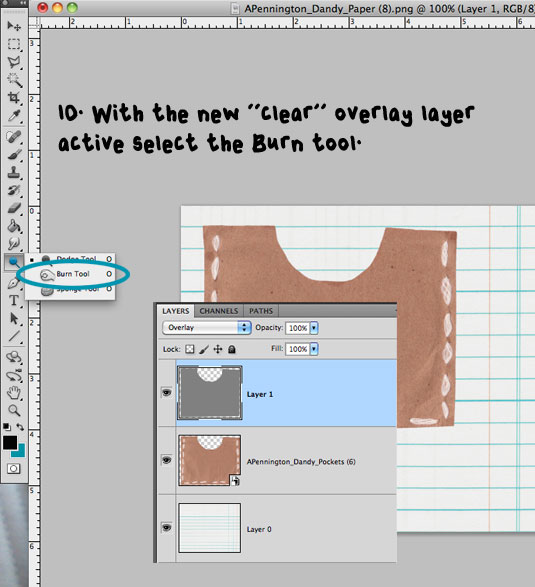
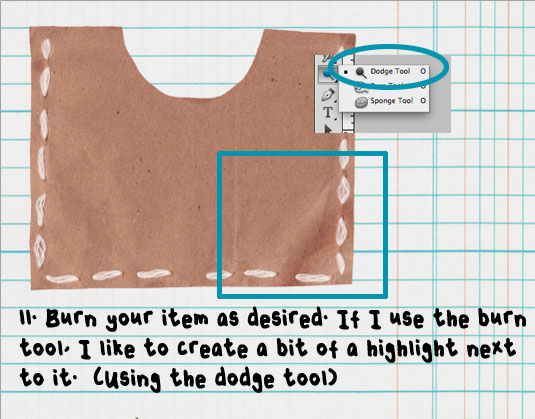
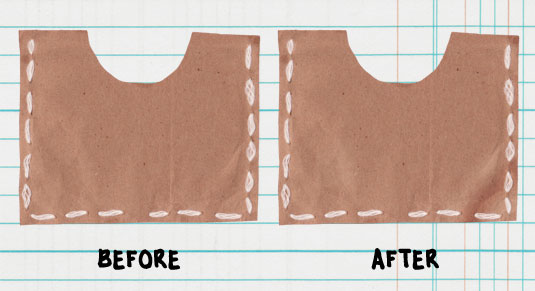 You see sometimes it’s all about subtle changes. Of course since we never touch the element, if you don’t like it or if you did too much you can just delete the “clear” layer and start again with no changes to your original item.
If you like these little pocket as much as I do, these are from the DANDY collection by Allison Pennington.