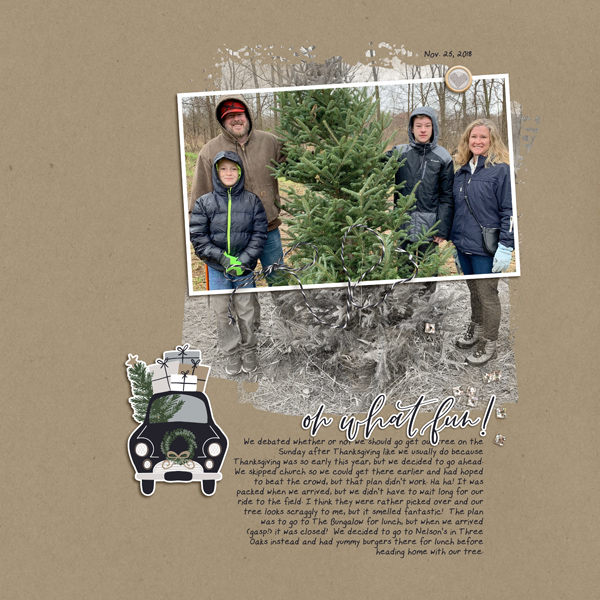
January 4: Blending Photo Technique

Love it, Christa! So one thing I didn't realize until this challenge was that my CC update messed up my brush settings. (I hadn't really played with brushes since updating. Just simple deletions and stuff rofl!) This challenge gave me a chance to delve into the Brush settings and see if I could figure them out again! :) And I love how my page turned out!
 
Had lots of fun playing with this technique! Thanks, Christa!

 
I LOVE LOVE LOVE this challenge. I've never done this before. Everyone's pages are so beautiful! My photo was not as big as I would have liked so it does not fill the page (and I'm a fill the page kinda scrapper!) but I really thought it was a fun photo and the technique really helps let the main topic stand out while putting it into context. So cool.
Thank you!

Just an FYI if you are using PS/PSE you can make the photo bigger with little pixelation by opening a clean workspace and then instead of dropping into your layout, go to File > Place Embedded and then it will open up your files so you can locate where your photo is located. It will place the photo in your layout as a "smart" object and then you can use the transform tool to make it bigger.
 
Here's mine:


What fun I had with this one! I hope the kids will think this is as funny as I do! :D

Huggles!!
~Sarah~
 
The blending and framed photo came easily, the layout did not... I am very happy with the final outcome, though. Thanks for the great step-by-step tutorial!!
 
Whew! Busy week/end! Glad to get the newest pages loaded!Thanks for a great challenge!
 
full
 
Thanks for this challenge! I have been waiting to learn more about masking and brushes. Still need to practice. Here's what I came up with:
 
2018_9_september_family_12x12_w.jpg


This is definitely different to what I do normally - nice to go outside of my comfort zone sometimes :-)
 
Back
Top