trekmom
Well-Known Member
- Joined
- Apr 30, 2015
- Messages
- 1,268
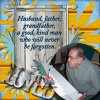
The title of this page is Loved, it's about my father in law whom I miss more than words can say.
The shape is a circle and he is blowing out birthday candles for a group birthday party at my house.
I used:
K AAgard Treasured Words, Sporty papers
A Pennington TFCOAN
Kim Jenson Against the Grain
Birthday cake word title LOVED and the best father in law who ever lived.
The shape is a circle and he is blowing out birthday candles for a group birthday party at my house.
I used:
K AAgard Treasured Words, Sporty papers
A Pennington TFCOAN
Kim Jenson Against the Grain
Birthday cake word title LOVED and the best father in law who ever lived.