Using the Pen Tool – A Hybrid Tutorial
Using the Pen Tool – A Hybrid Tutorial
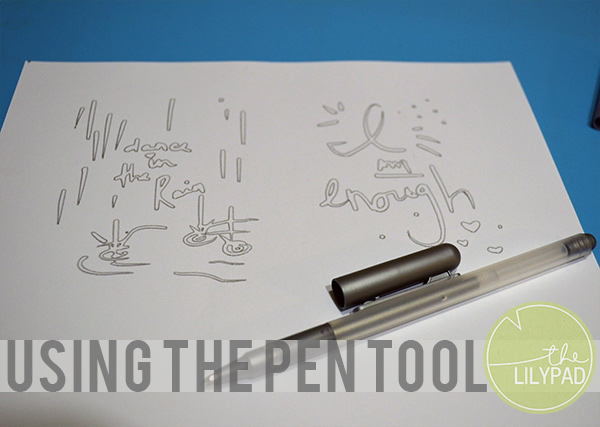
In this tutorial you will learn how to create journal cards using the pen tool with a Silhouette Cameo or other die cutting machine. While sketch pens are available for the Silhouette, I personally like the variety that the pen holder tool allows. Using pens or markers to draw images not only creates a dimensional look, but also gives you an opportunity to customize the images to fit your needs.
Supplies:
- Cardstock
- Digital journal cards
- Die cutting machine
- Die cutting machine software
- Pen holder tool
- Paper trimmer
- Various markers or pens
__________________________________________________________________________________________________________________
1.Open a blank letter sized project in your die cutting software.
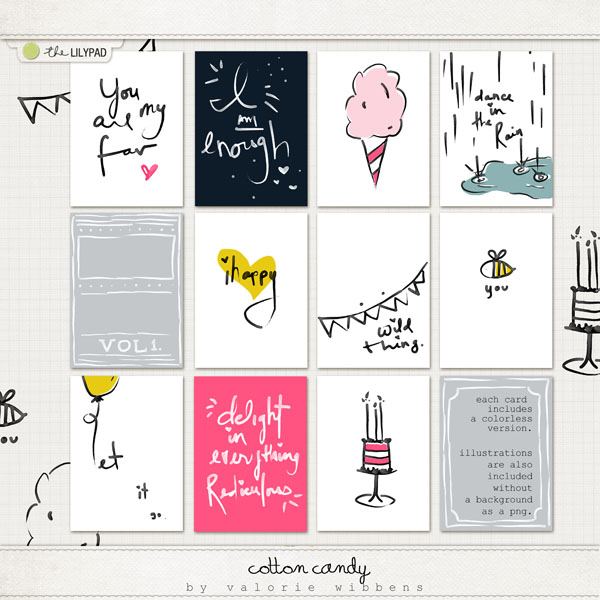
2. Drag and place a variety of journal cards into the die cutting software. I am using Cotton Candy from Valorie Wibbens.
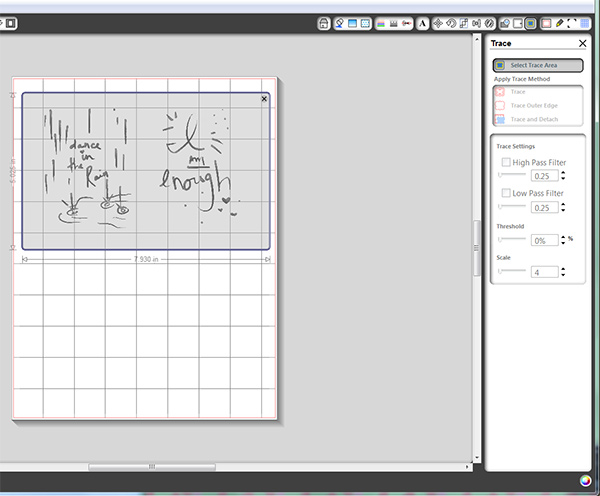
3. From the trace menu click on Select Trace Area.

4. Click and drag the mouse over the images to be traced.
5. Edit the Trace Settings as follows:
- Uncheck High Pass Filter
- Bump the threshold up
- Bump the scale down
- Select Trace
6. The cut lines appear along the edges of the image or text.
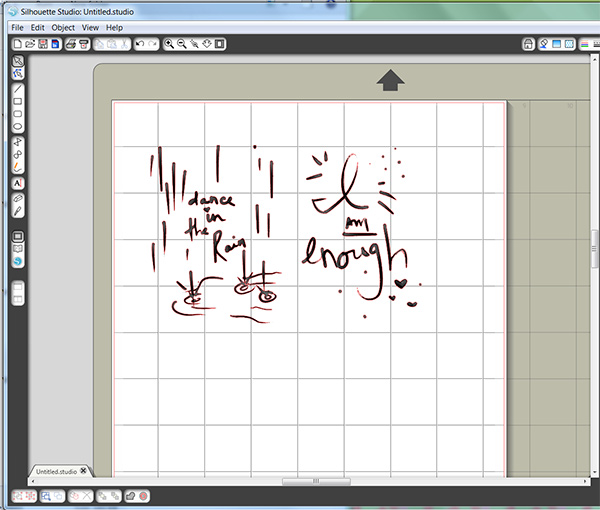
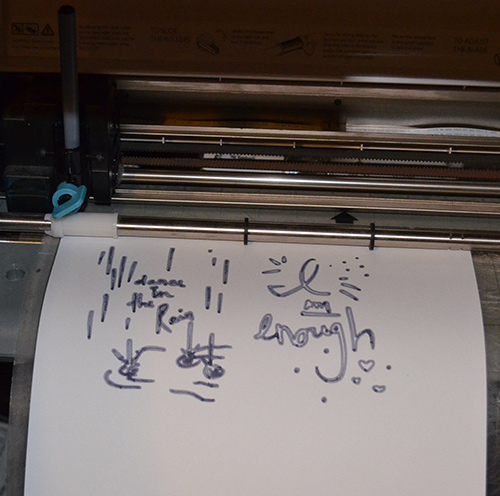
7. Before cutting, switch out the blade for the pen holder tool.
8. Load a pen or marker into the pen holder.
9. Load the cut mat with blank cardstock attached.
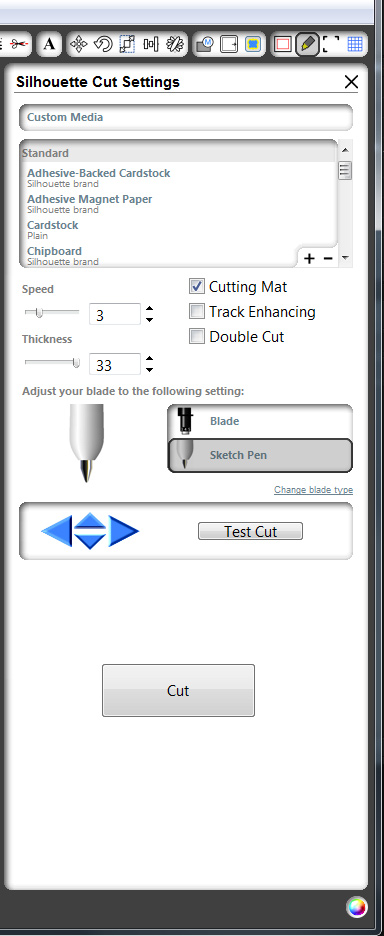
10. In the Cut Settings window, switch to the pen tool and click cut.
11. Once the machine is finished, unload the mat.
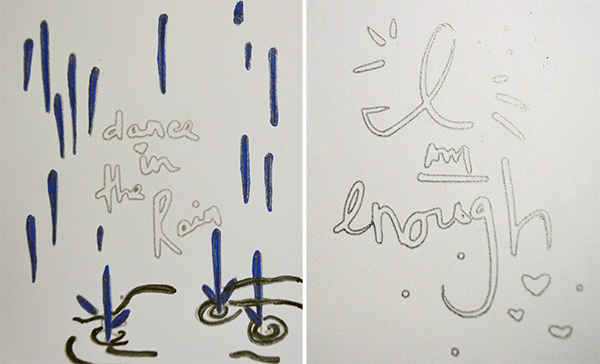
Notice how the marker lines are thicker and darker. (above) While the lines from the gel pen are thinner and lighter (below).
12. Trim the journal cards to size with a paper trimmer and feel free to embellish the cards to your liking.

Thanks for following along with this tutorial. If you are inspired to create something please share it with us in the gallery. We love to see what you create!