My original image is dark for starters . . . but there's also a distracting background. I used photoshop use edit the image, cropped it tighter and used elements to cover some of the distracting background.
Bad picture on many levels. It was blurry, washed out, and spaced badly. I turned it to b&w to improve contrast and then cropped it even though that didn't really help much.
It's very difficult to not have random people in your pictures when you visit the zoo or some other public place. In the pictures here we had a few extra people, not much I can do about that, So I cropped the top picture as much as possible, but you can still see the little kid in the red coat.
Road trip, every picture I took had a flaw...the first one is blurry and had a red thing on it, the second, well it speaks for itself, the third...the sun and the last one was taken from the car and you can see a reflection of the dashboard!
Imperfection: Supposed to be a cute selfie with me, my son and my mom's dog, but he would NOT cooperate. It's imperfect but ended up being absolutely hilarious, like he's scared of me. LOL
This photo is was taken by my husband as he raced out the door for work. It is so blurry, but you can still make out my eldest 4.5yo and youngest 11mo laying on top of me sleeping. This imperfect photo captures so much about life at the moment! These are moments that tire me now, and will be cherished in years to come!
I really really LOVE this photo but it was soooo overexposed (the building behind is supposed to be yellow) I darkened it as best I could and then turned it sepia and that salvaged the picture. I did add the before image to the layout so you could see just how bad it was at first!!
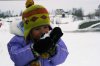
These pictures are "imperfect" only because my daughter is wearing a light purple jacket, her hat is green, orange, pink and purple and her mittens are black with leopard fur. I made the pictures black and white and absolutely love them!! Original --
These pics were soooo blurry and the lighting in the gym made them weird in color and I've been avoiding them as long as I've had them. However, now that you pushed me... I love this page! I did adjust them and crop them to minimize the horror that they were and they turned out perfect.
My photo is taken in a pub in Gothenburg, Sweden and the light was NOT made for iPhone photos.. The original photo is really dark and grainy so I played a bit using RadLab. We had a wonderful time so I´m glad I saved the photo. Thanks for a great challenge!
I will be back to add original photo - Photobucket is down at the moment.
Really grotty picture, taken with my old digital camera, which didn't cope well indoors, even more so because I have Shaky Hand Syndrome (there is a different more technical term for this btw). The original is dark and blurry and basically shows too much of an old manky carpet that was due to replaced. I did consider extracting, but it is such a fussy subject that I knew it was beyond my skills and patience. I ran define and sharpen action and a couple of others to try and brighten it up without it getting blown. I also cropped in close for the smaller picture and added some embellishments on the larger picture to try and cover up said manky carpet without obscuring the 'lion'.
I love the memory and story behind it though so thanks for the challenge, I have skipped over scrapping this page for several years because of how bad the photo is.
This site uses cookies to help personalise content, tailor your experience and to keep you logged in if you register.
By continuing to use this site, you are consenting to our use of cookies.