January 3: Mood Board Challenge (Inspiration)

great challenge!!! this is my FIRST mood board, hope it's acceptable

FgdbGua.jpg


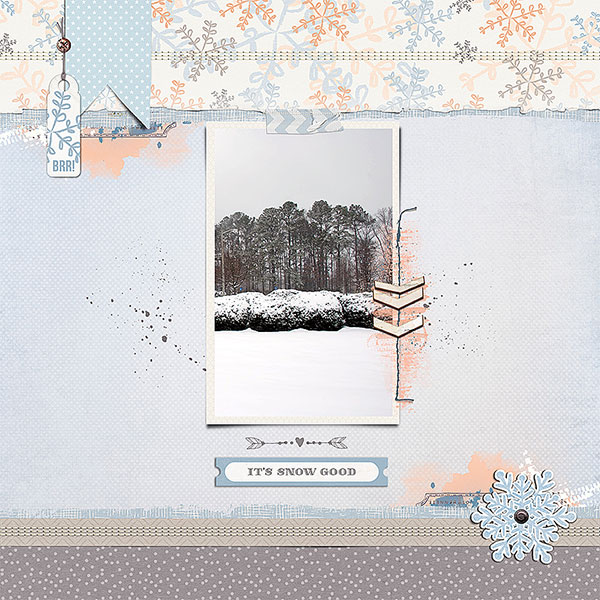
my page...

 
here is mine, I wanted to create a mixed media mood board and page based also in the composition of the moodboard, hope is fine:

my page:
 
Oh goodness I have never created a mood board and am actually a little lost on how to do this.

I hadn't done this before either. Still working on my page, but I just saved images from pinterest to my downloads folder. Then opened them up in photoshop as I would any other photos for a layout. Then arranged them on a 12x12 page. Nothing fancy, but it gets the job done. Hope this helps. :)
 
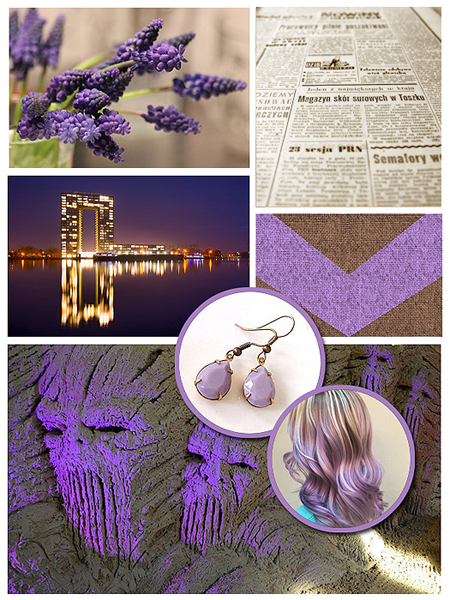
inspiration Mood board to day 3.jpg

My mood board and my second page for this challenge, Didn't like the first one much, ( didn't upload it )and I have time today, so made another, can not believe tat in all this challenge took me 3 hours !! But I enjoyed it just the same ;-)
 
Last edited:
here is my moodboard, I searched through pinterest and loved looking at all the warm festive colours, here is my moodboard I have made, and the link to my pinterest moodboard, I keep finding more colours and festive scenes that I want to use in my page https://www.pinterest.co.uk/mummydscraps/christmas-mood-board/


and my page, i took inspo from the Christmas colours, wreaths, wood and the wording.
 
Last edited:
For those wondering how to create a mood board, it's really just a collection of images put into a layout format. What I did (and what I think others have done as well) is I found images on the internet (pinterest, google, anywhere), saved them to my laptop, and then created a "layout" in photoshop. I think everyone is getting hung up on the title "mood board." It's really just a layout of images you find interesting and inspiring.
 
For those wondering how to create a mood board, it's really just a collection of images put into a layout format. What I did (and what I think others have done as well) is I found images on the internet (pinterest, google, anywhere), saved them to my laptop, and then created a "layout" in photoshop. I think everyone is getting hung up on the title "mood board." It's really just a layout of images you find interesting and inspiring.
Yup! Call it an INSPIRATIONAL COLLAGE if that sits better with you. 3 images that are inspiring to you! That's all you need! :beat
 
I am really struggling with this challenge...

Jennifer, I love your board. Those neutral colors remind me of several kits I have seen here. One Little Bird's Chestnut Lane comes to mind. I am sure there are others. Go with your quote and use the colors, regardless of what the kit is called. Then if you really want graduation items, get them from a theme kit and recolor them to match. Can't wait to see what you come up with!
 
so to clarify - we create the board and post the actual board, not a pinterest board? Hmm... here's my first challenge of the month. hahha. I've never been one for mood boards. I guess I don't always understand how to create them, though I LOVE looking at other peoples.
If you want to create a new Pinterest board with a few images just for this challenge and let Pinterest do the work of "displaying it" - I'm fine with you adding the image sized to 600 pixels here. Do not just add a link for your actual challenge entry. I'm not looking for anything fancy - I really just want to see your collection of at least 3 images ... that will then inspire a page. :)

Jennifer was just asking for help that's why she linked hers.
Ok. Then I may use snip it to get an image from pinter estate. I'm still struggling with how to even begin a mood board but I'll get there. Lol
 
I hadn't done this before either. Still working on my page, but I just saved images from pinterest to my downloads folder. Then opened them up in photoshop as I would any other photos for a layout. Then arranged them on a 12x12 page. Nothing fancy, but it gets the job done. Hope this helps. :)

My mood board is done, my layout is "almost" done. Just have to gather the credits and maybe tweak it a bit more. But dang, work got in the way & I had to take my shower, etc., etc. Can't wait to finish it when I get back home.

A suggestion, rather than download the pics from Pinterest, open them up so that they are enlarged, RT CLICK and select COPY, then go into your mood board in Photoshop and RT CLICK to PASTE. Your images will be tiny, enlarge so that you can see them & place them where you'd like.
 
Moodboard:
Ireland-Travel-Moodboard-web.jpg

I ended up using the three colors to the right from the moodboard. But the other colors are in the photos! This was something different for me. Fun.
 
Back
Top