sbpoet
Well-Known Member
- Joined
- Jul 18, 2012
- Messages
- 1,213
Must do a medical appointment today so won't get back to this till tomorrow. Thank you all so much for your help!
Follow along with the video below to see how to install our site as a web app on your home screen.
Note: This feature may not be available in some browsers.





 ) .... but she is


here is the layer style I made for the "no font float" in CS3 and I tested it in PSE11 and it works.
***if you want to get rid of the layer style on your element once it is applied, either click on the style box with red x or right click on your layer in the layer palette it was applied to and select clear layer style.***
1.Download style and place in your download folder on your windows PC. (I have windows - no Mac so someone may need to indicate changes if it is different on a Mac.)
2. have your workspace going with whatever font or element you do not want floating open and selected in the layer palette.
okay here we go, as we need to load layer style: (It works in both CS3 & PSE11)
3.To load in PSE11 go to windows > effects > and make sure styles tab is highlighted.
4.In the top right of the effects palette is a little arrow with lines. Click on that and it will bring a drop down menu. In the drop down, select Load Style.
5.Locate the download or wherever you saved it to and then select it. It will remove all other styles and put this in its place. (your previous styles are saved in the drop down so do not worry!)
6.now go to your font layer or element layer that you do not want floating and apply the no font float style.. voila!
Let me know if you need full screen shots but I think looking at Anne's tutorial and the info above you should be good to go.
Here is the link for the "No Font Float" style for PSE11 (the style will also work in CS3 and above too!!)... enjoy
https://app.box.com/s/uh6r0mmgkx5pq0jgb2m4
here is the layer style I made for the "no font float" in CS3 and I tested it in PSE11 and it works.
***if you want to get rid of the layer style on your element once it is applied, either click on the style box with red x or right click on your layer in the layer palette it was applied to and select clear layer style.***
1.Download style and place in your download folder on your windows PC. (I have windows - no Mac so someone may need to indicate changes if it is different on a Mac.)
2. have your workspace going with whatever font or element you do not want floating open and selected in the layer palette.
okay here we go, as we need to load layer style: (It works in both CS3 & PSE11)
3.To load in PSE11 go to windows > effects > and make sure styles tab is highlighted.
4.In the top right of the effects palette is a little arrow with lines. Click on that and it will bring a drop down menu. In the drop down, select Load Style.
5.Locate the download or wherever you saved it to and then select it. It will remove all other styles and put this in its place. (your previous styles are saved in the drop down so do not worry!)
6.now go to your font layer or element layer that you do not want floating and apply the no font float style.. voila!
Let me know if you need full screen shots but I think looking at Anne's tutorial and the info above you should be good to go.
Here is the link for the "No Font Float" style for PSE11 (the style will also work in CS3 and above too!!)... enjoy
https://app.box.com/s/uh6r0mmgkx5pq0jgb2m4


You are so welcome Jan!!Thank you!!!

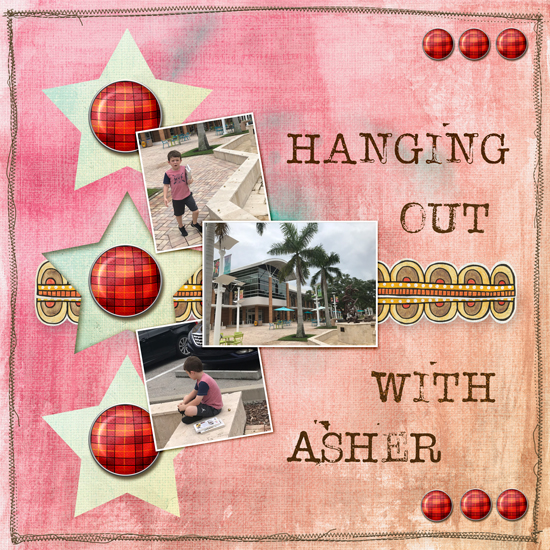
Looks great Cheryl!!!Thanks for all of the encouragement @cfile Christa. Here's the first font I tried your instructions on. It was "chunkier" and I think I noticed the difference more.