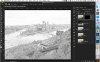
January 25: Photo Treatment/Technique: Artistic sketch (Photography challenge)

Anyone know how to do this in Artisan 4?

If not, I'll have to try this in Gimp. Oh my!!

Now this is way outside of my comfort zone!! Your page is beautiful, Farrah!! I'm nervous... :huh
I want to say there's a way. I'm not at home, but let me check this afternoon. If I find it, I'll post it
 
Thank you for the link for GIMP! I love learning new things!
 
full


Totally in love with my page, thank you for the challenge!!
 
I was fine until step 8. I'm using PS CC. I know I've done this before, but I can't seem to add back some color.
 
everyone's sketches are great! hope mine turns out that good. need to find the right photo probably too :)
 
Anyone know how to do this in Artisan 4?

If not, I'll have to try this in Gimp. Oh my!!

Now this is way outside of my comfort zone!! Your page is beautiful, Farrah!! I'm nervous... :huh
I'm pretty sure there is a filter that does this in Artisan. If not, you can use some of the filters to create the same effect in layers. I'm not at home right now, but I think I have used it before.
 
Back
Top