January 11: 2020 The Perfect Storm
(528 words)
Weather or Not {Elements} by Paula Kesselring
Weather or Not {Papers} by Paula Kesselring
Weather or Not {Paper Pieces} by Paula Kesselring
Weather or Not {Weather Icons} by Paula Kesselring
In the Pines - Alpha by Paula Kesselring
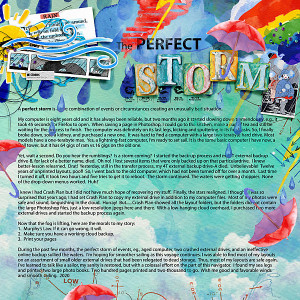
The Perfect Storm
A
perfect storm is a rare combination of events or circumstances creating an unusually bad situation.
My computer is eight years old and it has always been reliable, but two months ago it started slowing down tremendously. e.g., it took 45 seconds for Firefox to open. When saving a page in Photoshop, I could go to the kitchen, make a cup of tea and still be waiting for the process to finish. The computer was definitely on its last legs, kicking and sputtering in its final tasks. So, I finally broke down, sold a kidney, and purchased a new one. It was hard to find a computer with a large two-terabyte hard drive. Most models have a one-terabyte max. Yes, a lightning-fast computer, I’m ready to set sail. It is the same basic computer I have now, a Dell tower, but it has 64 gigs of ram vs.16 gigs on the old one.
Yet, wait a second. Do you hear the rumblings? Is a storm coming? I started the back-up process and my 4T external backup drive-B, for lack of a better name, died. Oh no! I lost several items that were only backed up on that particulardrive. I knew better-lesson relearned. Drat! Yesterday, still in the transfer process, my 4T external backup drive-A died. Unbelievable! Twelve years of unprinted layouts, poof! So, I went back to the old computer, which had not been turned off for over a month. Last time I turned it off, it took two hours and five tries to get it to reboot. The storm continued. The waters were getting choppier. None of the drop-down menus worked. Huh?
I knew I had Crash Plan but I did not have much hope of recovering my stuff. Finally, the stars realigned,
I thought. I was so surprised that years ago, I had set Crash Plan to copy my external drive in addition to my computer files. Most of my photos were safe and sound, languishing in the cloud. Hurray! But......Crash Plan showed all the layout folders, but the folders did not contain the large Photoshop files, just a low-resolution jpegs here and there. With a low-hanging cloud overhead, I purchased two more external drives and started the backup process again.
Now that the fog is lifting, here are the morals to my story:
1. Murphy’s Law. If it can go wrong, it will.
2. Make sure you have a
working cloud backup.
3. Print your pages
During the past few months, the perfect storm of events, eg., aged computer, two crashed external drives, and an ineffective online backup sullied the waters. I’m hoping for smoother sailing as this voyage continues. I was able to find most of my layouts on an assortment of small older external drives that had been relegated to dead storage. Thus, most of my layouts are safe again, I’ve learned to talk like a sailor, my sanity is restored, but with a colossal effort on the part of this navigator. I found my sea legs and printed two large photo books. Two hundred pages printed and two-thousand to go. Wish me good and favorable winds and smooth sailing.