
What's new
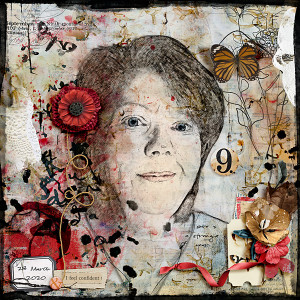
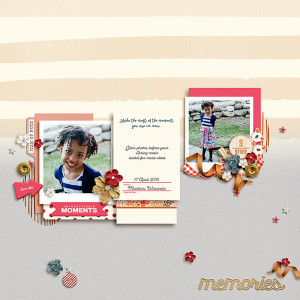
@Cherylndesigns wow Cheryl, you really suprised me.. thank you so much for your wonderful comment and for the Froggy Fav... the tutorial is from the Photo Shop Training Channel on YouTube 5 EASY Steps to Create a REALISTIC Line Drawing From a Photo In Photoshop by Jesus Ramirez ... it is a video and real easy to follow.. I really had fun and then I just painted in a few things adding a layer above the drawing and set the blend mode to color .. for each color (example eyes blue on one layer with fill to 14%, lips red shade on another layer again color blend mode and then the same with the hair just to faintly add in some color) Thank you again my friend!!! I am honored for the froggy fav!
 
@cfile I was just blown away, Christa! I HAD to FF this! You really woke up my "tired eyes". Thanks for the information on how you achieved this! Your page is absolutely wonderful and you're very welcome, my friend! Well-deserved!!:heartlub:heartlub:heartlub:heartlub:heartlub
 
@cfile I can't wait to HAVE time to play. LOL It seems like all I get done is what I have to get done. It will be great though once we're settled!
 
Well deserved Froggy Fav! Wow, this is just so fun to look at. Love how you made your picture into a drawing. Love the grunginess and the pops of red! Brilliant! Thanks for the "tutorial," too. I'd like to try that. It would be a fun art journal challenge!
 

Media information

Media category
Pollywog Team Layouts
Added by
cfile
Date added
View count
664
Comment count
15
Rating
0.00 star(s) 0 ratings

Image metadata

Filename
20200910rjDraw.jpg
File size
244.7 KB
Dimensions
600px x 600px

Share this media

Back
Top