Tutorial: How to create your own overlay
How to create your own OverlayBy Dalis Acevedo |
 |
Hi everyone! If you have ever played with me in the Art Journal section of our forum you know that I am fascinated and a bit obsessed with transparent Overlays. They are fun and can add just the finishing touches or starting touches to a page. Overlays are NOT only used in Art Journal but in any page or project.
Create your own Overlay by using a mix of brushes and or png files to create more texture or interest in your page. After you create your overlay then just use some color to make it look like paint or clip a paper to it to blend it.
I created a video tutorial for you. In this tutorial I am using Photoshop CS5 but the steps can be translated to most of the other programs.
Let me show you my before and after pictures of my page so you can see the difference an Overlay can make in your page.

Final page:
Second sample:
With the Overlay in place:
… and here is the video:
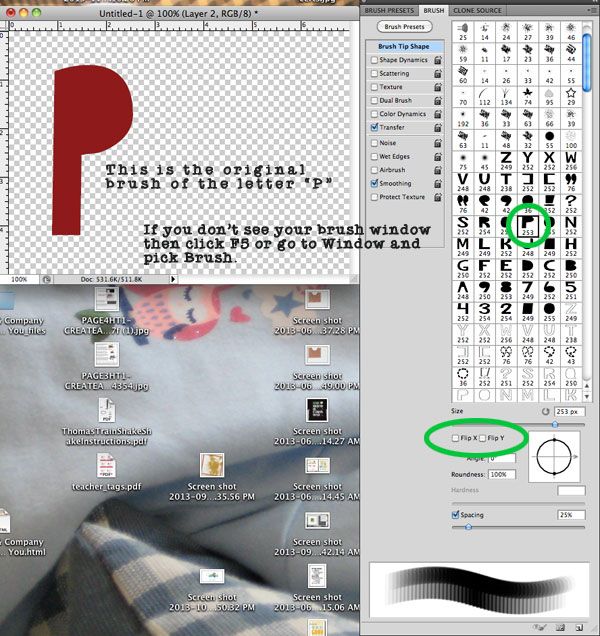
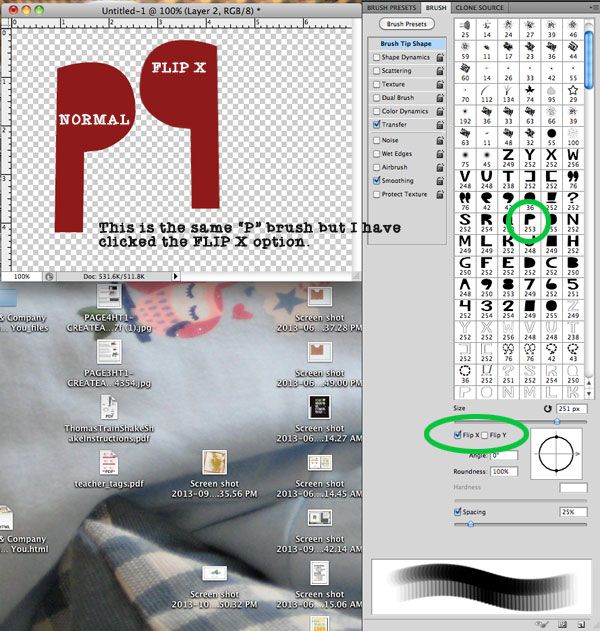
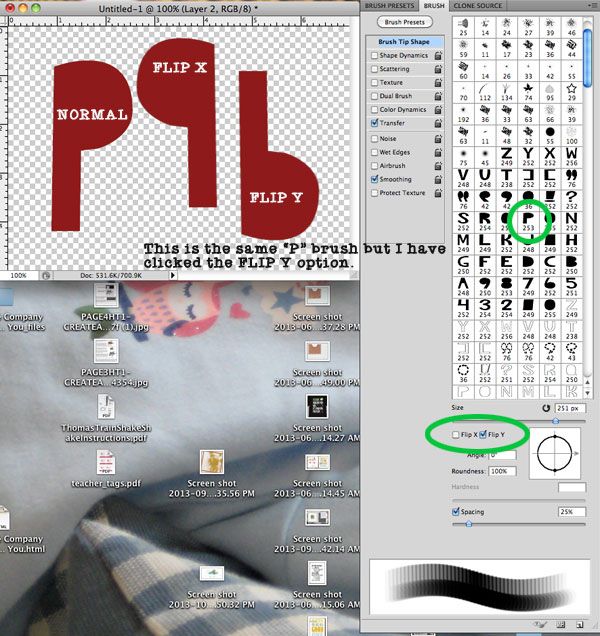
I got an excellent question, in the video I talk about flipping on X or on Y but is not clear, here are some captures to help out with that idea.