Navigation
Install the app
How to install the app on iOS
Follow along with the video below to see how to install our site as a web app on your home screen.
Note: This feature may not be available in some browsers.
More options
Style variation
You are using an out of date browser. It may not display this or other websites correctly.
You should upgrade or use an alternative browser.
You should upgrade or use an alternative browser.
What do you want to learn?
- Thread starter bestcee
- Start date


- Joined
- Oct 10, 2010
- Messages
- 17,358
i don't even know how to change perspective in PS - i am assuming it's doable from your reply but don't knowI wonder if it's a perspective thing? @bellbird

- Joined
- Sep 2, 2011
- Messages
- 25,805
Gaelle @Ga_L you can use the hue adjustment layer to adjust the color of the kit to match your photoslove the gradient idea.
one of the technique I would learn is change color to match with the kit's colors. as my pictures have never the colors of the kit, I work with black and white but sometimes I would like to have color pictures.
and the second technique is to learn how to make shadows like @Isa Marks . they look so realistic. I know how to curve the shadow with the wave or with the deformation tool, but hers have something more and I want to learn that.

- Joined
- Sep 2, 2011
- Messages
- 25,805
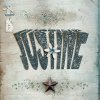
That is neat.. It is fairly easy to do... it is perspective but it is also copying and transform stretching.i never know what i want to know until i see something i can't do that i want to do... it usually starts down the rabbit hole of pinterest - 1 thing tht comes to mind (because i saw someone do it in the MOC throwback/scraplift challenge gallery but i can't find it now - of course) is bent text for big or graphic titles like this:

i think it probably has something to do with warp but i've never tried
- Joined
- Sep 2, 2011
- Messages
- 25,805
i never know what i want to know until i see something i can't do that i want to do... it usually starts down the rabbit hole of pinterest - 1 thing tht comes to mind (because i saw someone do it in the MOC throwback/scraplift challenge gallery but i can't find it now - of course) is bent text for big or graphic titles like this:
i think it probably has something to do with warp but i've never tried
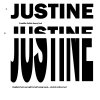
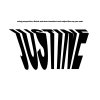 Simple way of how to do it using transform tools
Nemla
Stretching my skill set
- Joined
- Apr 24, 2013
- Messages
- 6,591
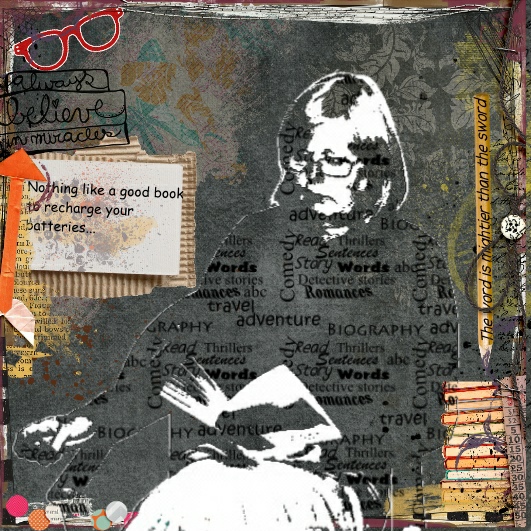
Re earlier text over face. This is done in Craft artist , but it is just a simple clipping mask attached to the shape ( in This case me lol )and then black and white filters and layer transparency.
- Joined
- Oct 10, 2010
- Messages
- 17,358
Thanks! Wouldn't have thought to rasterize text and cut it to transform! Great visual explanation Christa!View attachment 247434 View attachment 247435 View attachment 247436 Simple way of how to do it using transform tools
- Joined
- Sep 2, 2011
- Messages
- 25,805
You are so welcome! I made that just for youThanks! Wouldn't have thought to rasterize text and cut it to transform! Great visual explanation Christa!