Navigation
Install the app
How to install the app on iOS
Follow along with the video below to see how to install our site as a web app on your home screen.
Note: This feature may not be available in some browsers.
More options
Style variation
You are using an out of date browser. It may not display this or other websites correctly.
You should upgrade or use an alternative browser.
You should upgrade or use an alternative browser.
January 6: Dispersion (Technique Challenge)
- Thread starter IntenseMagic
- Start date

cookingmylife
Pizza would be my last meal, except ...
- Joined
- Aug 1, 2012
- Messages
- 5,367
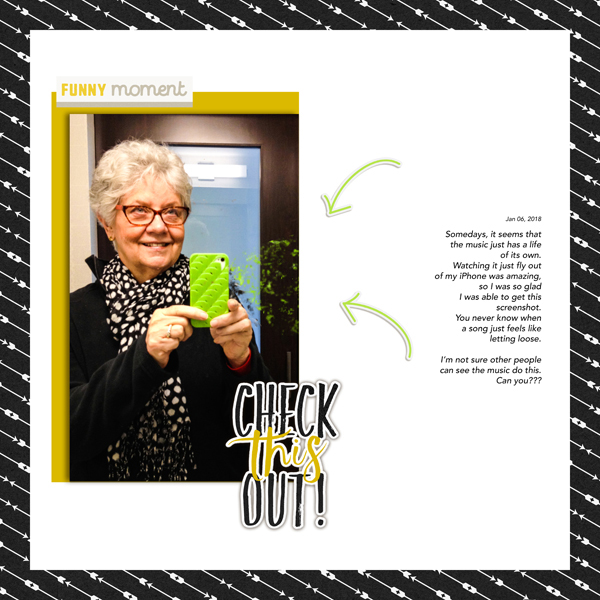
This was really hard for me and I think I'll do another one after following the tutorials for PSE (Thanks Kayla @keepscrappin ) That really is dispersion!

berniek
I have a girl crush on the Naming Fairy
- Joined
- May 3, 2012
- Messages
- 2,224
Here is my page!
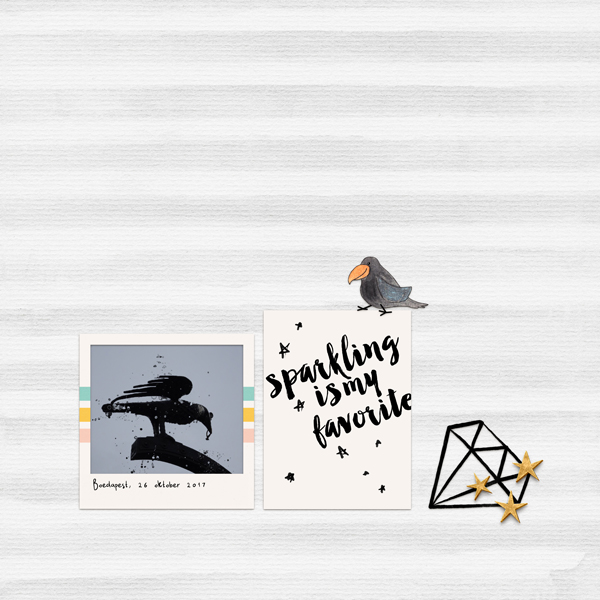
I am not completely in love with my dispersion, but I might try again after MOC.
I am not completely in love with my dispersion, but I might try again after MOC.

KayTeaPea
I carried a watermelon
- Joined
- Aug 3, 2013
- Messages
- 2,841

rdjrneace
Following the yellow brick road on foot
- Joined
- Dec 16, 2015
- Messages
- 1,178
maybe my problem is I don't know how to use brushes - when I get the white mask to scatter nothing shows up on it when I click around

Roxana
Bananas for radishes
- Joined
- Dec 31, 2015
- Messages
- 2,070
That was quite a challenge! Luckily, GIMP helped me this time, and I managed to complete it, even if I am not completely happy with the result. But, I learned something new today, and, in time, I will probably improve it.

cookingmylife
Pizza would be my last meal, except ...
- Joined
- Aug 1, 2012
- Messages
- 5,367
@rdjrneace White mask needs a brush with black (paint); black mask needs a brush with white (paint). I'm going to think about why each of these layers works and what they do. My brain isn't there yet!

gduncan
Well-Known Member
- Joined
- Apr 27, 2013
- Messages
- 542
I couldn't do it but I did try. This was way too stressful for my taste. I didn't realize we needed to be advanced in Photoshop to do these layouts! I didn't even know how to do the masks, mush less the dispersion. I do hope no one drops out because of this challenge. Mine did not turn out the way I wanted it, but here it is . . . sigh . . . LOL!

Last edited:

Kate W
And justice for all ...
- Joined
- Apr 11, 2015
- Messages
- 1,165
Here's mine - I did the best I could to get the right look, without being able to use photoshop! Hope it's ok.


L
lou
Guest
Oh boy! Now, THAT was a challenge!
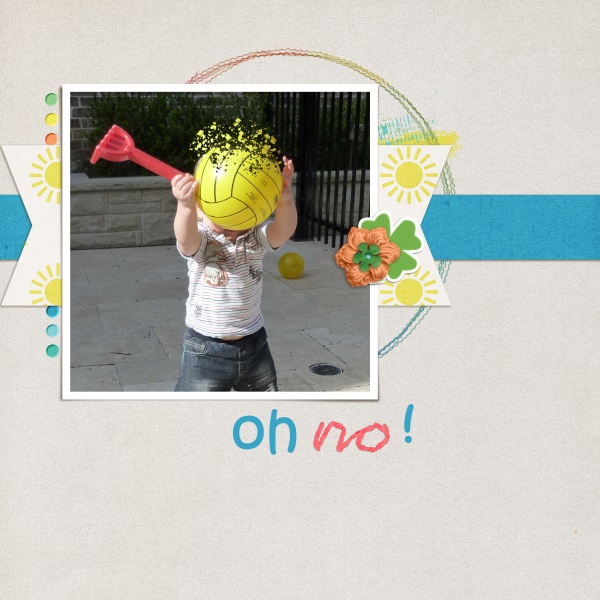
Did I enjoy this? nope! Would I do it again? probably not! Did I feel much like scrapping after that? nope :-(
The struggle was as much finding the right picture (with a good contrast in color) as applying the technique itself.
Did I enjoy this? nope! Would I do it again? probably not! Did I feel much like scrapping after that? nope :-(
The struggle was as much finding the right picture (with a good contrast in color) as applying the technique itself.

bestcee
In love with places I've never been to
- Joined
- Dec 18, 2013
- Messages
- 19,337
PS: @IntenseMagic is still in the chat room right now! @jesskab
bestcee
In love with places I've never been to
- Joined
- Dec 18, 2013
- Messages
- 19,337
But you did it! I love the ball idea!The struggle was as much finding the right picture (with a good contrast in color) as applying the technique itself.

amien1
I do enjoy a good exclamation point!
- Joined
- Dec 14, 2015
- Messages
- 3,309
I have to say that I wasn't a big fan of this technique. Maybe it was the photo I chose- but I had issues with his head looking funky!  Thanks for the 'outside of my comfort zone' challenge tho!

Thanks for the 'outside of my comfort zone' challenge tho!
bestcee
In love with places I've never been to
- Joined
- Dec 18, 2013
- Messages
- 19,337
I don't have 15, but in 14 right above the layers palette is a square with a hole in the middle. Clicking that makes a layer mask for me.@bestcee making it. I thought I had it, but nope. I'm on PSE 15.
And then, I go simple. To turn it black, I click the layer mask, then click the paint bucket with the foreground on black. That turns it black for me. Switch your foreground and background brushes again, and start painting. Making sure you still have the layer mask clicked.

A-M
Not a lot of hustle in my hustle anymore
- Joined
- May 3, 2016
- Messages
- 3,931
Debbie make sure you have clicked on the actual mask area ( so it is active - the border around the mask in the layer panel will change a little to show this) before you then start clicking on the image.maybe my problem is I don't know how to use brushes - when I get the white mask to scatter nothing shows up on it when I click around

sbpoet
Well-Known Member
- Joined
- Jul 18, 2012
- Messages
- 1,213
bestcee
In love with places I've never been to
- Joined
- Dec 18, 2013
- Messages
- 19,337
Here's my layer mask trick: White Conceals; Black Reveals.