Becky
Well-Known Member
- Joined
- Sep 29, 2016
- Messages
- 327
What a fun challenge. SO MANY beautiful pages everyone made!!

Follow along with the video below to see how to install our site as a web app on your home screen.
Note: This feature may not be available in some browsers.


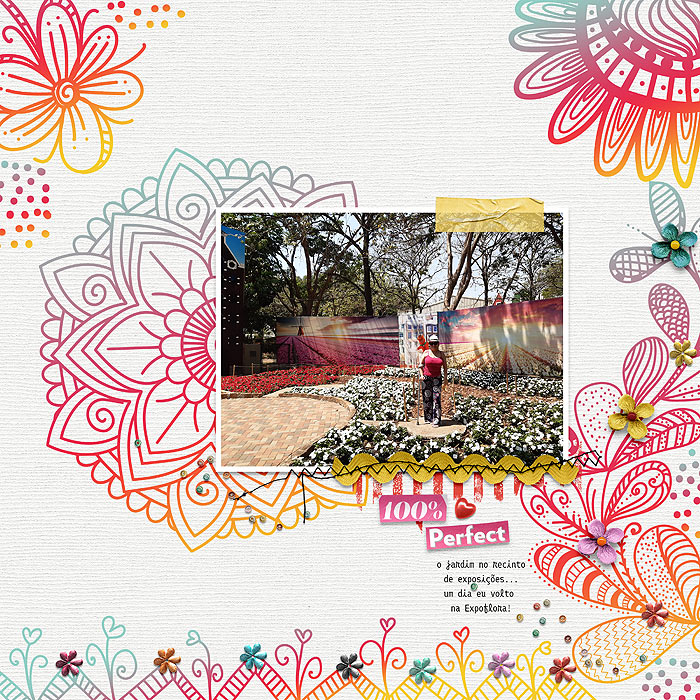
i'll be back to comment later but for the die cut, in Photoshop, i clicked on and made the mandala doodle layer active in the Layers Palette and then used the magic wand to select the area outside the mandala (so there's marching ants around the outer edge of the doodle. Then I went Select > Inverse (Shift Ctrl I) so now i have the whole of the mandala area (including all the detailed bits inside the main shape of it) selected, to make it a bit bigger (more diecut style) I then went Select > Modify > Expand and I think I ended up expanding it by 20 pixels but i played around with the number until it looked right. I then just make a new layer below the doodle & Edit > Fill the shape with white (I can't remember if i clipped a paper to it then but that's basically it - hope that helpsI love this challenge, thanks for the doodles, Val!!
@bellbird I know you are busy with the challenges, but maybe later you can point me out to how you did the die-cut look to the mandala? I could get the gradient effect, and it was not difficult...thank you for any help!!


 )
)