
trekmom
Well-Known Member
- Joined
- Apr 30, 2015
- Messages
- 1,260
Follow along with the video below to see how to install our site as a web app on your home screen.
Note: This feature may not be available in some browsers.




You're the best Stefanie!!@bjc This post from the Art Journal Must Challenge in May 2025, includes some downloadable free templates for bookmarks.
Free Bookmark Templates:
Here are some bookmark templates I have created if you would like to download and use them.
Dropbox link is: https://www.dropbox.com/scl/fo/13u31nkk9sqcxsfi4lboj/h?rlkey=de0rizu9xs6wfvd6lla86fd3c&dl=0
The idea is to open the template save it straight away with a new name, hide the title layer and then turn on the layer visibility for the one (s) you want to work with. You can either just leave the other layers hidden or just delete them and save again


Michelepixels shared the best & easiest way to produce a rounded corner for your bookmarks/tags. If you were looking to do something like clipped corners at the top, here is how I accomplish this in Photoshop.Can you explain or show me the tools you used to made them cutting off the corners, adding a circle punch out. I use Photoshop but not sure how to do this. Thanks


Oh wow! Your bookmarks turned out stunning Christa ♥, and you are very welcome!!! I may need to make one myself, haven't made one in ages!!!I had fun, Natty.. Thanks for the challenge, and thanks to Ona @wombat146 for the free bookmark templates!

Thank you so much!! I usually make just rectangle ones.. I really love the shape of your templates, so thank you so very very much, and for your sweet comments too!Oh wow! Your bookmarks turned out stunning Christa ♥, and you are very welcome!!! I may need to make one myself, haven't made one in ages!!!

Knocked it out of the park, Anne!what a fun time- thank you
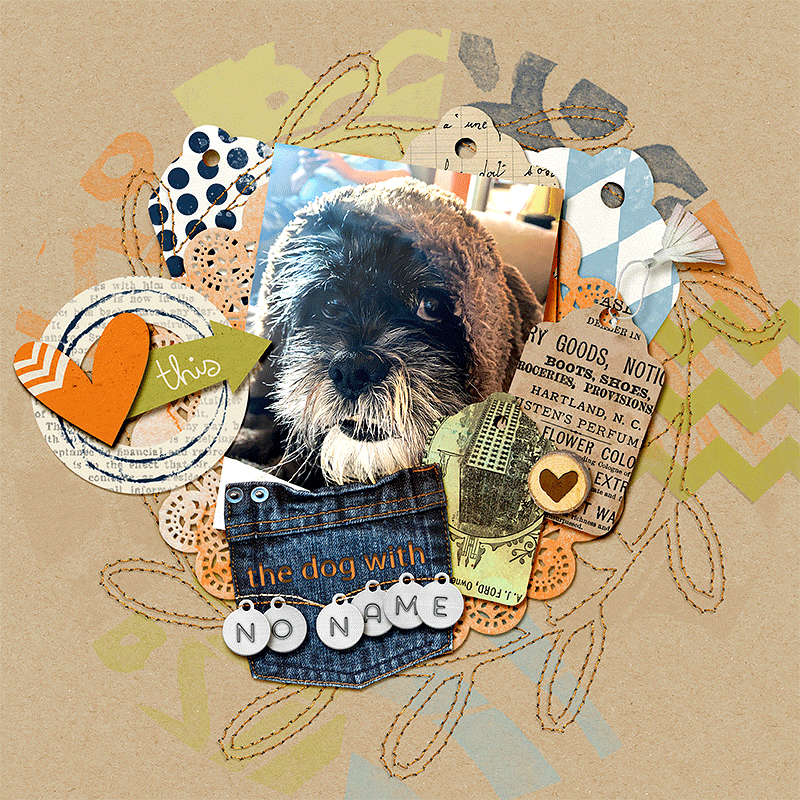
02-26-dog-no--name.gif
My pup! Rescued 2 years ago, but she really rescued me. Still has no name, but I love her
