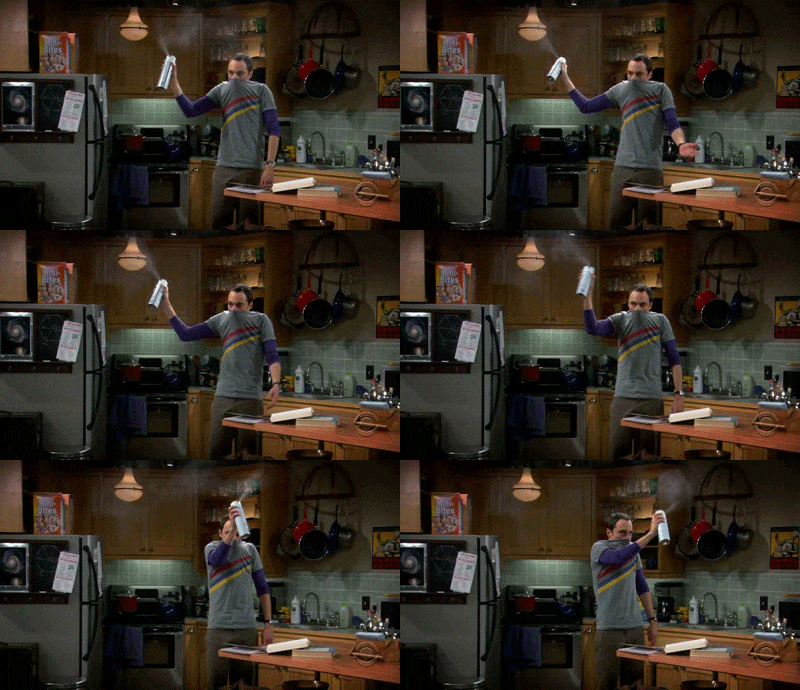
Caught it from Karen? ;-)

cookingmylife

Pizza would be my last meal, except ...
Joined
Aug 1, 2012
Messages
5,367
Another computer seems to have bit the dust. My dear iMac (2011 version) just swished into the blue screen of death on Sunday. No warning just blue. I tried via my iPad to bring it back with all the techy ways suggested on line. No luck. So Monday I called Apple and we more or less did the ones I did plus another. Nada.

Since my dh is off fishing in Alaska, I could not manage to get that 27" beauty into the car myself. That is the only drawback I've ever had to that love of mine. I do have a Genuis Bar appoint for Saturday when he'll be back but the phono tech thought it might be the hard drive gone. I suspect it is the graphics card which to replace is around $600. I'm up in the air about that ...

But I did make the decision to get myself a 15"MacBookPro. I thought a bit more about it (though I have been seriously thinking about it since my hand me down one died...this year?). I ordered it Monday night so it's a refurbished one and the dark gray not silver. I am writing on it now but...I have to got get a USB to Thunderbolt adapter before I can plug in my EHDs one at a time. God willing the backup will transfer as easily as prior ones have. I can just about see myself being content with just this one. The screen seems so much larger than my husband's 13' Air. I suspect that it's also that the MBP screen is so much closer to my eyes than the 27" screen was.

One more reminder ladies ....BACK UP back up back up! and do it often if it's not automatic with an EHD that's always attached. Back to y'all when I get my goodies on this baby. Prayers and Happy Scrappy thoughts greatly appreciated!
 
Oh no! I hope it's not catching because I can't afford to replace my 2011 iMac. Glad you could get a MacBook. Good luck with the data transfer!!!
 
This makes my skin crawl. Ouch ... sorry you caught that nasty computer bug thing!!! Lots of luck with the EHD transfer and the Genius bar appointment. Let's hope the guy on the phone was wrong. Fingers crossed for you!
 
Ugh, I always hate to read about when these things happen. I'm glad you have a new toy to play with though! Have fun!
 
giphy.gif
 
Oh man :( I hope everything goes smoothly!! $600.00 for a graphics card made my jaw drop!!
 
Oh boy.... I'm hoping the transfer goes well! Wishing smooth sailing for you, Maureen!
 
Oh no! But I'm glad you're liking the MBP. My DH had one and loved it.

I'll cross my fingers the transfer goes smoothly!
 
Oh no! I hope it stops! No more dying computers.... Although the way we digi scrappers give them a workout, it's not surprising!
 
Must be the year for computer breakdowns. I had 2 breakdowns and finally have a new one but my laptop needs upgrades now...it never ends lol.
 
Oh geez! I'm so sorry if my dead computer infected yours too! @cookingmylife :shemademe

I sure hope everything transfers okay for you once you get your new laptop. It's awful when it happens, but I will say that now that I have a brand new shiny computer, I am so happy! I love knowing that it'll be a good long while before I have to buy another one... AND I did get my old one back up and running with a new power supply. Hopefully you can get lucky with a small repair and you'll have two good working computers again! good luck and keep us posted!!
 
I hope you love your MBP! It's the only way I've done my digital scrapping. I'm on my second one. 15-inch is so much better than 13. I have a 1T HD and lots of RAM so that all my scrapping stuff can live in it and I don't have to worry about plugging in an EHD all the time. I just grab it and my mouse and I'm ready to scrap.
 
Well I am still transferring files from my backup to the MBP and avoiding iCloud storage! One thing I could not get to transfer fully/correctly was PSE13. I've read that there is an issue with Mac's Sierra so that may be it but it also means that I can certainly get myself to learn PSCC. I had no problem with my LRCC and the old catalogs (.lrcat files) loaded just fine with ALL the keywords! I've always heard that should work and it did!!!

Now I just need my dh to get home, take me and the iMac to the Apple Store and see what gives. When I went in to buy the adapter cable I was talking to one of the floor genius ones and he said that 2011s are at the end of their time. At the end of this year they are considered legacy and no work is done on them. I knew that was the case but somehow imagined my baby would last till mid 2018, also because I like this model better than the new ones.

God willing I will be ready to seriously try PSCC and scrap next week! Gotta load all those styles and actions! Is it still one by one in PS?!?!?
 
Well I am still transferring files from my backup to the MBP and avoiding iCloud storage! One thing I could not get to transfer fully/correctly was PSE13. I've read that there is an issue with Mac's Sierra so that may be it but it also means that I can certainly get myself to learn PSCC. I had no problem with my LRCC and the old catalogs (.lrcat files) loaded just fine with ALL the keywords! I've always heard that should work and it did!!!

Now I just need my dh to get home, take me and the iMac to the Apple Store and see what gives. When I went in to buy the adapter cable I was talking to one of the floor genius ones and he said that 2011s are at the end of their time. At the end of this year they are considered legacy and no work is done on them. I knew that was the case but somehow imagined my baby would last till mid 2018, also because I like this model better than the new ones.

God willing I will be ready to seriously try PSCC and scrap next week! Gotta load all those styles and actions! Is it still one by one in PS?!?!?

Have you tried just installing PSE 13 on your new laptop instead of restoring/moving it over? That might help, although I'm sure you'd like to get learning your PSCC too since you're already paying for that subscription. Just a thought.

And yes, you have to install/load all the styles and actions one by one in PSCC, but it's easy. Just click on them. Unfortunately PSCC doesn't keep them separated like PSE does so it can get a little confusing to find what you want to use.
 
Oh no :groanHope the new purchase works out well. Let me know if there is anything of mine you need replacing :-)
 
Thanks Lynn! xoxo.

@keepscrappin re reinstalling PSE 13 and I do also have the PSE 15 discs that I had planned to use. However, the new computer does not have a cd/dvd slot which is one of the reasons I really had to think a lot about buying one. DH has a plug in cd/dvd drive which is another bit of clutter on the desk but necessary for him and his work. I decided to wait till he gets home and do that over the weekend. (btw, I just noticed your link to your monthly challenge layouts. What a great idea!)

One step forward, two steps back.
 
. . . and he said that 2011s are at the end of their time. At the end of this year they are considered legacy and no work is done on them. . . .

:eek:

I need to really baby my 2011 iMac then. Anyone have any suggestions for improving the chances my 6 year old computer will last for YEARS longer?

One silver lining to Apple no longer servicing 2011 iMacs is that they are HEAVY to lug into the store! (Mine is the 27".)

I bet my local generic computer service store (which has serviced my iMac once before, 2 years ago) would still help me too, if my computer needs it, right?
 
Thanks Lynn! xoxo.

@keepscrappin re reinstalling PSE 13 and I do also have the PSE 15 discs that I had planned to use. However, the new computer does not have a cd/dvd slot which is one of the reasons I really had to think a lot about buying one. DH has a plug in cd/dvd drive which is another bit of clutter on the desk but necessary for him and his work. I decided to wait till he gets home and do that over the weekend. (btw, I just noticed your link to your monthly challenge layouts. What a great idea!)

One step forward, two steps back.

oh yes, not having a CD drive would make it hard to install the software from a CD. You can download the trial software from Adobe and then put in the serial number from your CD to activate it, if you don't want to wait for hubby to get home.
https://helpx.adobe.com/photoshop-elements/kb/photoshop-elements-downloads.html
 
Good idea @keepscrappin but I'm so done today, that I'm up to here with my tech toys. My iPhone died this afternoon. It's due for replacement also but I was hoping it would last till the iPhone 8 is out so I can see if it's really different than the iPhone 7. swim?
 
Back
Top