Organize, Organize, Organize

If that's how YOU think of kits, then yes. If it's not, then no. If you ever have thoughts like, "where is that kit that was released in 2012 that...." or "there was that kit released in the spring by...." then release dates are handy. If you never have those thoughts, then they aren't.

That's why any organizational system needs to fit you. If you never go, "I want a kit by Gina Miller" then organizing all your kits by designer doesn't make sense, no matter how many people in this thread say they do that.
Ditto! Think HOW you'll find your goodies and you'll know how you need to organize them!
 
I keep everything on my 3 TB EHD, and work from it when scrapping. I keep my photos organized in folders first by year, then folders within those for each month.

My templates are in a folder called "DIGISCRAP TEMPLATES" and then organized in folders. I have a folder for each designer that I have collected multiple templates from. Now, I also have a folder called "RANDOM TEMPLATES" and in there is single oddball templates I have downloaded over the years like freebies etc from designers who I don't buy from regularly.

My kits are in folders titled "DIGI SCRAP KITS and numbered 1-21. Each folder has 100 kits in it. And this is COMPLETE KITS/COLLECTIONS, NOT paper or ellie packs. I make a folder for each kit called "kit name - kit designer(s)" and I when I put the kit in there, I unzip everything (all parts, elements papers cards etc.) and put it all in the one folder. The only thing I leave in another folder in there is an alpha.

I also have a folder called "DIGISCRAP EXTRAS - RANDOM BITS" and in here is where I put anything I buy or download that is a separate pack like stitches, paints, paper packs, word art, etc. that aren't part of a kit or collection.

I'm on folder 21 for kits right now, and it has 46 kits in it so far. I don't delete anything, I am very choosy when buying and rarely download freebies unless it is a full kit by a designer I love, or templates. Oh, and also when I follow a blog hop or FB hop and download all of the parts, I unzip everything from everyone that goes with it and put it all together in a folder. Like the Digiscrap Parade, for example. I put it all together in a folder, called "theme title - digiscrap parade - month year.

I wish I had started organizing by store and designer years ago, but since I didn't I am just sticking with the way I do it now. It works really well for me.
 
This thread is full of awesome organizing tips! I can't seem to wrap my head around ACDSee, but maybe I'll try again. Maybe I didn't give it a good enough chance. :) I got a new laptop in August and it runs so much faster that it would be worth trying to really organize everything.
Right now I have an Excel spreadsheet for kits so I can find a certain theme or color easily (or make sure I don't re-buy a kit rotfl!). I can sort by kit name (my default), designer(s), store, themes, or colors. I have a "Misc" column for stuff like "CT," or "BYOC [then the year and month]" or "Coordinates w/XX kit" (I use that a lot on Bella Gypsy's kits cuz they do so many fun FWP mini kits!). Whenever I update it I rename the file "Kit List updated XX" so I know if the file on my EHDs is the same as my laptop's version. Also, I have a Pinterest board, DS I own (and should use!). :) That's such a great visual plus I can CTRL+F and search for a kit or designer name.
For photos and LOs, I use Tags in the Properties. I should probably set up a spreadsheet like others have mentioned. Oh, I also have Tags attached to the preview of kits so I can search for a tag in my Kits folder and the preview will pop up. But I have so many darn kits that a tag search can take some time. And I'm impatient!
 
I have so bought a kit three or four times. LOL!!

My files are totally unorganized. One of my issues is that I am constantly going back and forth between my desktop and my laptop. Ok. Well that is an issue but really:
I, Chel, admit that I am lazy and don't spend the time to organize even though I know it would help in the long run.
 
I use the Photos App (Mac) for my photos. I create a folder for each year and then an album for each "event". Sometimes an event might just be something like Winter 2015. I do wish I had tagged my photos better - I still don’t actually. I usually know what I'm looking for and the album title is usually enough to get me a short search list but every once in a while, I do have trouble finding a specific photo.

Digi supplies are on a portable external hard drive that gets synced with another external hard drive every now and then. I sort by store, then designer, then kit. Since I am primarily a kit scrapper, I tag the previews with anything that will help me when I'm looking for a kit down the road. For example, I just type "preview kit birthday" in my search bar and I get a preview of every kit that I've tagged with the word birthday.

Finished pages are printed and included in my albums, which are chronological. I try to scrap somewhat chronologically too but sometimes I end up having to shift pages to fit in a new page.

Finished psd's and printable jpg's are saved to my external hard drive. The psd's take up a lot of space but I keep everything. In the 8+ years I've been scrapbooking, I've only had two layouts re-printed. One had two typos (a spelling error and an incorrect date) and on the other, the photos were way too dark. I was so glad I had kept my psd's. I am much better at proofing my layouts before printing now, but I still hold on to the psd's just in case. And I will never delete my printable jpg's. If my albums ever get damaged or destroyed, I can re-print every single one of my layouts.
 
I don't see a first step, even to start backwards.
? do i have kit, or just paper or elements
? did i buy with newsletter discount, as they don't show purchased in store
? what i bought here, and can't use here, as designer left or kit retired
? if i move from the monthly lily folder will i be sorry, as when time ever some to go to back ups

tried excell don't know what i doing, tried access, more lost there (?? i was a wiz with old superbase, it was old fashion basic code)
 
I don't see a first step, even to start backwards.
? do i have kit, or just paper or elements
? did i buy with newsletter discount, as they don't show purchased in store
? what i bought here, and can't use here, as designer left or kit retired
? if i move from the monthly lily folder will i be sorry, as when time ever some to go to back ups

tried excell don't know what i doing, tried access, more lost there (?? i was a wiz with old superbase, it was old fashion basic code)

Access is pretty involved! I used it once for recipes, but it was too much for me!

I would say start where you are. How do you want to be able to find kits? By color? or by theme? or something else?
And what are you going to use to organize? Visual? or text?
I'm a visual person, so I know I need to utilize something that will bring the kit previews together for me. For MOC, I pulled previews of kits in the store into a windows folder. That's not a good plan for me going forward, just a temporary fix for this month. But, it tells me that I need to be able to look at previews together.
 
@bestcee, I agree, Access is a very intense program to learn, I've been taught it several times over the last 12-15 years and hated every time I have had to learn it.
 
? do i have kit, or just paper or elements
? did i buy with newsletter discount, as they don't show purchased in store
? what i bought here, and can't use here, as designer left or kit retired
Here's what I would do if these were my main concerns, and I had no special organizing software:

Have a folder for each designer, and put them in folders by store, and include one for those who don't design anymore. You will have, at a minimum, "TLP" and "retired".
TLP
  • Allison Pennington
  • Amy Wolff
  • ...
Retired Designers
  • Amy Martin
  • Sissy Sparrows
  • ...

In each designer's folder, have each product in a folder with the name of the product.
  • Pandemonium elements
  • Love the Life You Live full kit
  • Down the Chimney papers
  • ...
Right-click the preview of each product. Go to Properties. Click the "Details" tab. Next to "Tags" write things like "newsletter-discount" or "retired" when that applies.

If a designer retires, move their folder from "TLP" to "Retired Designers".

? if i move from the monthly lily folder will i be sorry, as when time ever some to go to back ups
I'm not sure what this means. What monthly folder?
 
wow thank you, i be back tomarow, was just getting ready to go bed, it cold outside.
I really want to study what you wrote
 
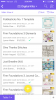
I use my mac tags for kits, grouped by kit and designer. I have a few temporary tags I use - "use me" and "current BYOC". I also have a spreadsheet but today I found a pretty awesome free upgrade to my spreadsheet - called Airtable - it is similar to google docs that it stores the spreadsheet online, but it also gives you color coded categories, images linked to each entry, check boxes, and an app to view it with from your phone too! This is what part of my sheet looks like from the app! The images were easy - drag the thumbnail. (You can tap it to see fullscreen the images)
 

Attachments

  • image.png
    image.png
    444 KB · Views: 45
oh my, i think i wanna Mac

I finally got bridge to work.
Lorry can i use that for preview tags
 
oh my, i think i wanna Mac

I finally got bridge to work.
Lorry can i use that for preview tags
Yes. It's a bit easier than using Explorer. It can be really slow if you have a very large stash, though. It was almost impossible for me to use because I have so much stuff, but lots of people are very happy with it!
 
darn darn bridge, wrote over the date my pictures were taken.....
 
Back
Top