My book for the first half of 2014 is here!

it looks awesome!!!
I love getting new layouts printed, it is always so motivating to me.
 
Thanks again everyone!

I finally worked up the nerve and trimmed my "inserts" today. I added a bit of washi like I saw on the Family Bees Blog to make it easier to turn the half pages...

webIMG_8635_zps96dcd5a8.jpg


IMG_86364x6_zpsd400fdac.jpg


webIMG_8637_zps893ea201.jpg


webIMG_8638_zps7e0bb34d.jpg
 
Oh I LOVE the washi tab! What a great idea! Those insert pages are awesome too!
 
Oh I love your book. I always love to "enjoy" the "fresh" printed book, the paper "smells" so good lol

Second, I know many of you girls who insert more pages to the book after printing by cutting them, but I'm a little bit curious, I don't really know why we need to do that?
 
Oh I love your book. I always love to "enjoy" the "fresh" printed book, the paper "smells" so good lol

Second, I know many of you girls who insert more pages to the book after printing by cutting them, but I'm a little bit curious, I don't really know why we need to do that?

Thanks so much!

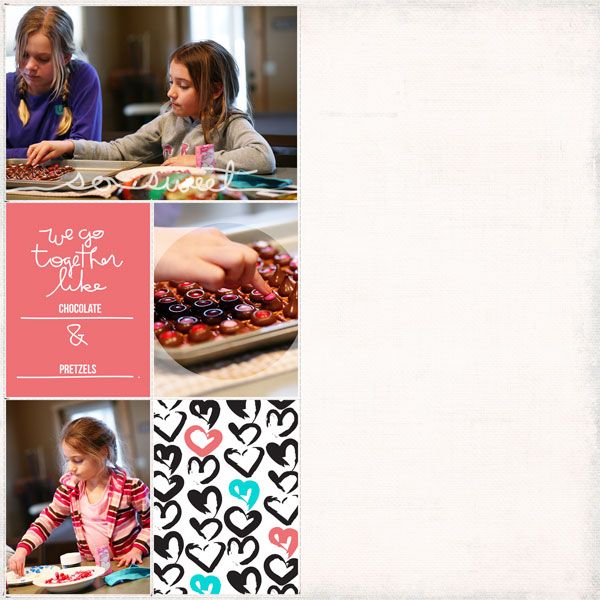
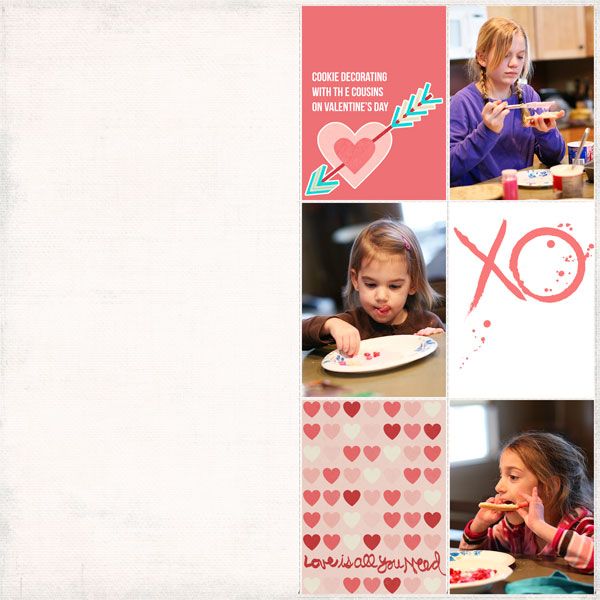
I can't speak for everyone, but the reason I do it occasionally is because I have enough extra/event photos for one page, but not two in order to keep my page count even. On my pages above, in the first example, I had some cute cookie baking photos that went with that weekend, but were sort of separate from all of the outdoor photos I was using. I didn't want to stretch them to fit a two page spread, so I did a small 6x12 "insert" with those photos. Same with the second set, with my daughter's school dance, I had several photos I wanted to use, but I didn't want to make it its own two page spread. If the event is big enough and I have enough photos, I will make it its own two page spread... but when I have just enough for one page, I split them up to fit a 6x12 template, print them back to back and trim the excess when my book comes in. I hope that makes sense! It's one of those things that makes sense to me in my head, but is hard to type out. :-)
 
Last edited:
Thanks so much!

I can't speak for everyone, but the reason I do it occasionally is because I have enough extra/event photos for one page, but not two in order to keep my page count even. On my pages above, in the first example, I had some cute cookie baking photos that went with that weekend, but were sort of separate from all of the outdoor photos I was using. I didn't want to stretch them to fit a two page spread, so I did a small 6x12 "insert" with those photos. Same with the second set, with my daughter's school dance, I had several photos I wanted to use, but I didn't want to make it its own two page spread. If the event is big enough and I have enough photos, I will make it its own two page spread... but when I have just enough for one page, I split them up to fit a 6x12 template, print them back to back and trim the excess when my book comes in. I hope that makes sense! It's one of those things that makes sense to me in my head, but is hard to type out. :-)


Thanks for your explanation, I understand what you say, as I also have trouble when deciding to scrap an event on one or two pages. The 6x12 page is a brilliant solution, however I always print my book at a local lab because it's cheap, and I'm not sure if they agree to print some more pages for me. Anyway, I will ask them and try this method ^^
 
The "inserts" aren't really extra pages... they're printed and bound in like the rest of the book, I just leave one half of the sheet blank and trim it after it's printed.

Here's an example of what my layouts looked like for the first insert...

week07page05_zps0d529fe7.jpg


week07page06_zpsa65983b2.jpg


When putting my pages in order to have them printed and bound, I put these so they would print back to back between the two main pages for that weekend.

I should have taken a photo of them before I trimmed them... but they're just regular pages in the book. The nerve wracking part is trimming them down, because if you make a mistake, the page is bound in. But I used a paper trimmer and it went just fine. I didn't trim it very close to the photos though. That way, if I made a mistake, I had some room to try to even things out without getting to my photos.
 
Last edited:
I did the inserts like that in my shutterfly book, too. And I love them!! Glad you finally worked up the courage to trim them!! It took me a few minutes to work up the guts to cut my book, too.
This looks amazing!!
 
Thanks again everyone!

I finally worked up the nerve and trimmed my "inserts" today. I added a bit of washi like I saw on the Family Bees Blog to make it easier to turn the half pages...

webIMG_8635_zps96dcd5a8.jpg


IMG_86364x6_zpsd400fdac.jpg


webIMG_8637_zps893ea201.jpg


webIMG_8638_zps7e0bb34d.jpg

I was going to ask what you meant by cutting your inserts, but I get it now. Your book is gorgeous!!!!
 
Okay I googled a little bit more and totally got it! Thank you a lot. No more thinking about one or two pages, so happy. But maybe more nervous when start cutting the page huh:dizzy
 
You inspired me to finish up a book that was "in progress" for so very long...I didn't get the same deal as you did (I was too late), but I did get a different discount. My 2012 book comes in 4 weeks -- my first time trying lay-flat pages. Now I'm frantically trying to finish my 2011 book (pages I created in 2011) before the current discount runs out (Sept 24).
 
Back
Top