
- Joined
- Jul 30, 2011
- Messages
- 10,473
January 7: Simple Template
Hello everyone and welcome to day 7 of MOC 2021!

This is the last day of the first week of MOC NINE...wohoo!!!
I hope you are having fun and you enjoy the challenges so far!
Today's challenge is a Simple Template Challenge
For this challenge you get a template which was created by Liz from Paislee Press.
I love her clean & simple style and I am very happy that she provides the template for us!
Thank you Liz!
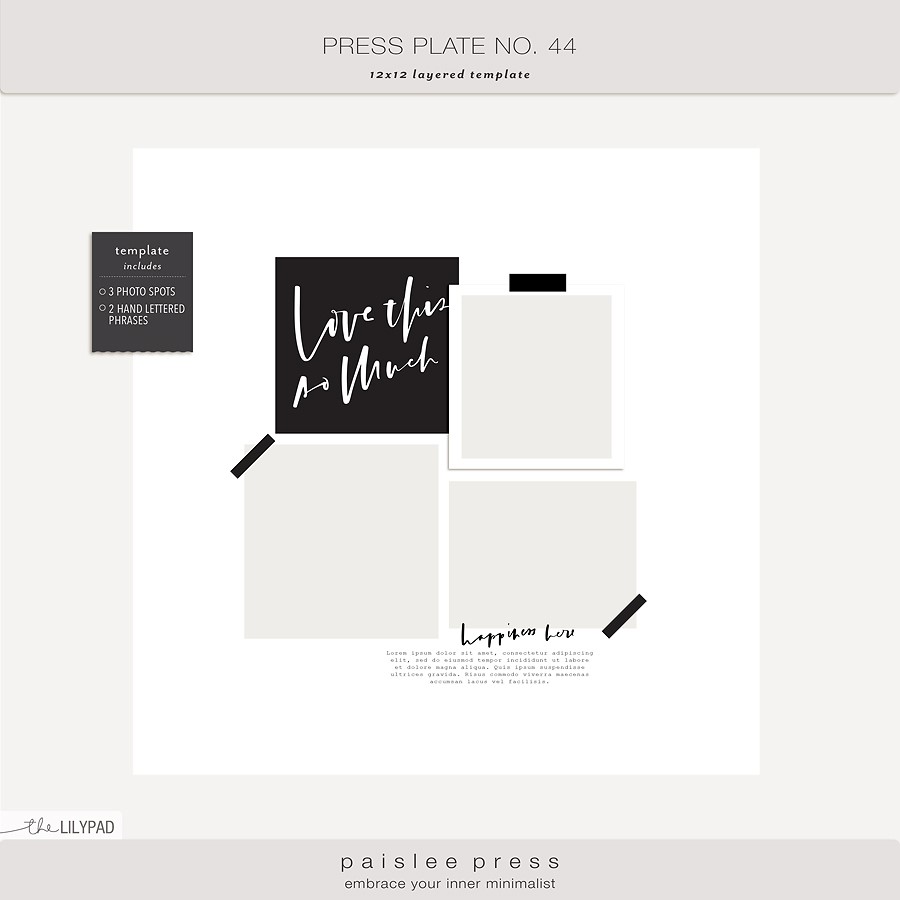
You can download it ***HERE***
For this challenge you must use this template,
but you are allowed to
- flip it
- rotate it
- add things
- erase things
- shrink or enlarge it
BUT make certain we can still recognize it as coming from the original template!!!
If you are new to using templates in digital scrapbooking or just need a refresher, here is a tutorial from Cheryl of Fiddle-Dee-Dee Designs to get you started: VIDEO INSTRUCTIONS FOR USING TEMPLATES
I made two example layouts for you as I had so much fun using the template!
This is the first layout where I used the template "straight/as is". I also used the journal card and only added a few wordarts and - of course - my pictures:
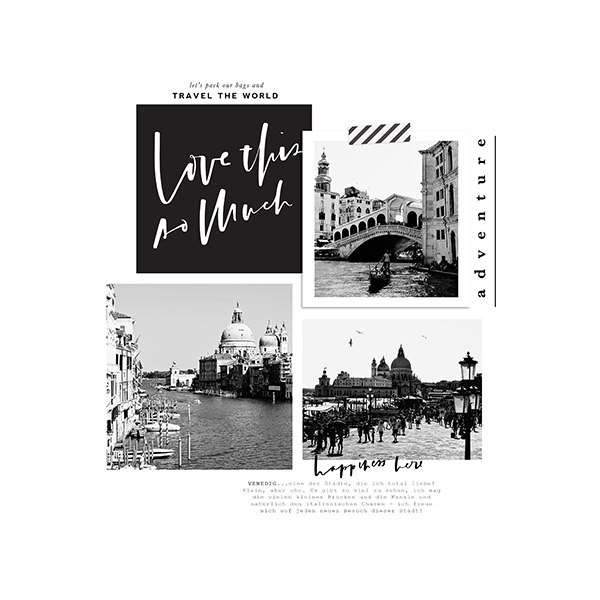
This is the second layout where I simply resized the template and moved it to the right upper corner. I love the clean & simple look/style of the template, so I only added a few elements to create this page:

For credits please simply click on my layouts...
You see...there are many possibilities to work with Liz' template!
The rules for this challenge:
Your page must be a new page in order to count for the Month of Challenges.
Your page must be posted in three places:
I can't wait to see what you create with this template!
Hello everyone and welcome to day 7 of MOC 2021!
This is the last day of the first week of MOC NINE...wohoo!!!
I hope you are having fun and you enjoy the challenges so far!
Today's challenge is a Simple Template Challenge
For this challenge you get a template which was created by Liz from Paislee Press.
I love her clean & simple style and I am very happy that she provides the template for us!
Thank you Liz!
You can download it ***HERE***
For this challenge you must use this template,
but you are allowed to
- flip it
- rotate it
- add things
- erase things
- shrink or enlarge it
BUT make certain we can still recognize it as coming from the original template!!!
If you are new to using templates in digital scrapbooking or just need a refresher, here is a tutorial from Cheryl of Fiddle-Dee-Dee Designs to get you started: VIDEO INSTRUCTIONS FOR USING TEMPLATES
I made two example layouts for you as I had so much fun using the template!
This is the first layout where I used the template "straight/as is". I also used the journal card and only added a few wordarts and - of course - my pictures:
This is the second layout where I simply resized the template and moved it to the right upper corner. I love the clean & simple look/style of the template, so I only added a few elements to create this page:
For credits please simply click on my layouts...
You see...there are many possibilities to work with Liz' template!
The rules for this challenge:
- Create a layout using the provided template
- The template has to be recognizable in your layout
Your page must be a new page in order to count for the Month of Challenges.
Your page must be posted in three places:
- Uploaded to the TLP Gallery (not an outside hosting site).
- Posted in your page thread you created in the MOC Layouts Folder. You should have one post per completed challenge page. If you complete all 31 challenges, your thread should contain 31 posts. Please do not comment in the participants’ page threads so we can keep them clean.
- Posted in this thread. People can comment here if they wish.
I can't wait to see what you create with this template!
Last edited:


