
- Joined
- Apr 2, 2010
- Messages
- 11,315
Hey, hey scrappers! Your challenge today, should you chose to accept is to use a photo as your background. Normally, a paper is used as the background layer, but today you are going to use a BIG photo as your background. So instead of checking your stash for a background paper, you're going to check your photo file! Once you have your photo background, you'll add elements and papers on it, just like a standard layout.
Don't overthink this challenge, keep it simple. Just use a photo as your background and make your layout on top of it. The easiest way to do this is to use a BIG photo with some room around your subject instead of a paper as your background layer. Leaving room around your subject will give you space to add additional elements. If in doubt, look at my examples and make your layout similar to mine. Note that the background photo fills the entire layout and is visible on all edges of the layout.
Here's my layout.
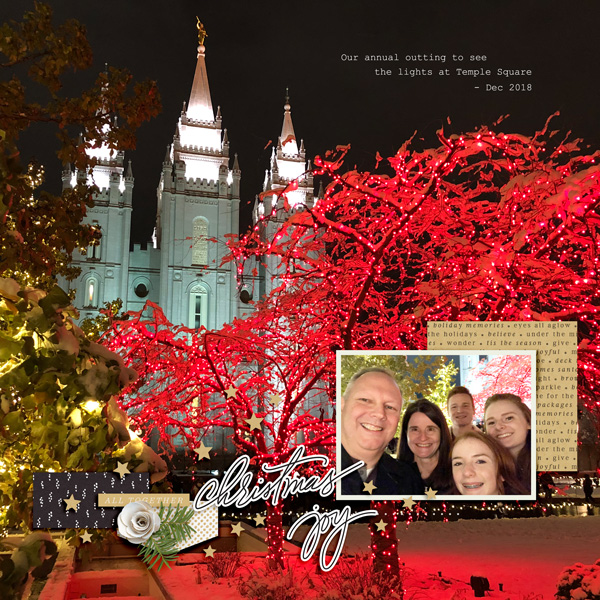
Credits: Shimmer by One Little Bird and Simply Clean No. 8 (flipped) by Designed by Soco
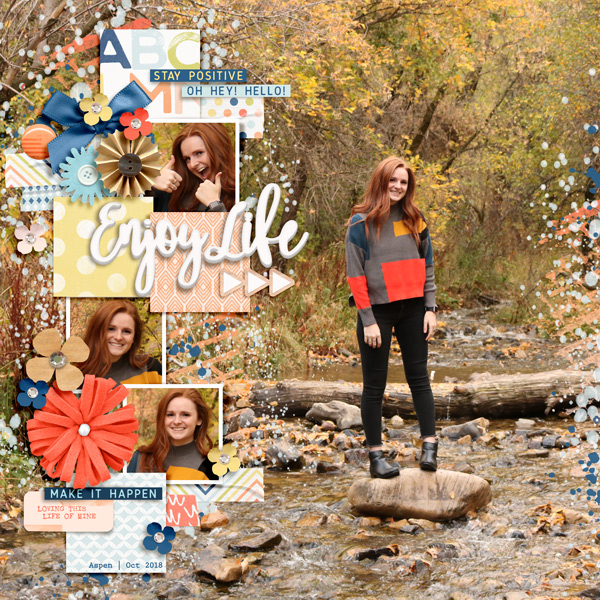
And here are some other examples that meet the requirements of this challenge.

CHALLENGE REQUIREMENTS
Your page must be a new page in order to count for the Month of Challenges. Your page must be posted in three places:
Don't overthink this challenge, keep it simple. Just use a photo as your background and make your layout on top of it. The easiest way to do this is to use a BIG photo with some room around your subject instead of a paper as your background layer. Leaving room around your subject will give you space to add additional elements. If in doubt, look at my examples and make your layout similar to mine. Note that the background photo fills the entire layout and is visible on all edges of the layout.
Here's my layout.
Credits: Shimmer by One Little Bird and Simply Clean No. 8 (flipped) by Designed by Soco
And here are some other examples that meet the requirements of this challenge.
CHALLENGE REQUIREMENTS
- Use ONE single BIG photo as your background. You may add more photos to your layout, but the background of your layout must be one photo. Note: The background is the bottom layer in your layout.
- The background photo MUST FILL THE ENTIRE BACKGROUND LAYER and BE VISIBLE ON ALL EDGES of your layout.
- The background photo must be used as a basic standard photo, meaning you CANNOT BLEND your BIG photo with a paper or another photo.
- Finish your page by adding other TLP product. You wouldn't do a page with just a background paper and a title, so you need to add additional product over your photo (following the MOC 75% rule). Your layout CANNOT just have a BIG photo and a font title.
Your page must be a new page in order to count for the Month of Challenges. Your page must be posted in three places:
- Uploaded to the TLP Gallery (not an outside hosting site).
- Posted in your page thread you created in the MOC Layouts Folder. You should have one post per completed challenge page. If you complete all 31 challenges, your thread should contain 31 posts. Please do not comment in the participants’ page threads so we can keep them clean.
- Posted in this thread. People can comment here if they wish.


