What's new
cfile

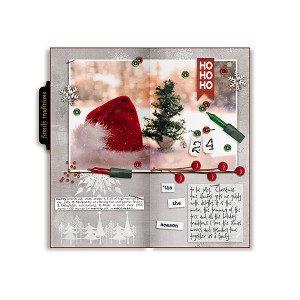
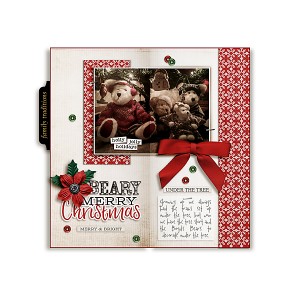
Xmas in July Day 6: Tis the Season to be jolly

  • Media owner cfile
  • Date added
Description
Christmas in July Travel Notebook 10 Day Challenge
Credit:
Free Travel notebook Templates
https://the-lilypad.com/forum/threads/christmas-in-july-travelers-notebook-a-day-challenge.56100/
Sabrina Creations - Joy Bundle (frame label)
https://the-lilypad.com/store/Joy-Bundle.html
Pink Reptile Designs - It's Cold Outside -Elements (snowflake button, berries)
https://the-lilypad.com/store/It-s-Cold-Outside-Elements.html
Pink Reptile Designs - It's Cold Outside -Papers (04)
https://the-lilypad.com/store/It-s-Cold-Outside-Papers.html
Valorie Wibbens - Pocket Stuffers (snowflake rubon, beads2, sequin2, sequin1)
https://the-lilypad.com/store/Pocket-Stuffers.html
Valorie wibbens - Pocket Stuffers 2 (ho ho ho flag, light 1, light2, merry definition)
https://the-lilypad.com/store/Pocket-Stuffers-No.-2.html
Valorie wibbens - Pocket Stuffers 3 (24, staple)
https://the-lilypad.com/store/Pocket-Stuffers-No.3.html
Valorie Wibbens - Sprinkles VS 8 (tied knot)
https://the-lilypad.com/store/Sprinkles-V8.html
Valorie Wibbens - Sprinkles VS 30 (snowflake rubon, tree silhouette)
https://the-lilypad.com/store/Sprinkles-V30.html
font by Heather Joyce & Valorie Wibbens - The Bold Beauty
https://the-lilypad.com/store/The-Bold-Beauty.html
other font: 2 Peas Ditzy
free stock photo pexels.com
@cfile this is lovely. I like your gray background which really lets everything else pop. I am especially enthralled by the center shadowing that really makes it look like an open book. Could you please, please, please tell me how to do that?
 
Another beauty, Christa! Love that photo and how you spread it horizontally across the two pages. I'm with you on giddiness at Christmas. Such a wonderful, memorable time of year for our family. Great shadow work on the book!
 
@flowersgal one way to do it Patsy is to add a 50% gray fill layer over the paper.
  • add a new layer over your paper layer
  • clip the new layer to your paper layer
  • on the new layer go to Edit>Fill and from the drop down select 50%gray
  • change the blend mode of the 50% gray layer in the layer pallet to overlay
  • now with the color black and using a soft round brush at the top right edge of the left side of the 50% gray layer hold your brush at the top and holding the shift button drag your brush down to the bottom right edge of the paper. I changed my fill layer to 63%. That gives the shading on the edge to appear bent.
You can also do this 2 additional ways.. you can burn the edge of your paper making sure the burn is at 50% or lower and burn the edge, or you can also get the style by Mommyish called Folded which can be applied and will fold your paper https://the-lilypad.com/store/CU-Stylin-67-Folded.html

Hope this helps Patsy!
 
Another gorgeous gorgeous TN spread ... your pages are so dreamy and magical ... and here you are again teaching and sharing your tips and tricks with our community. You should post in the Learning pad - i think a lot of people would love to know how you achieved such realistic shadowing on your TN pages Christa! It's awesome! (I should have collaborated with you on templates!!!!)
 
@cfile. I agree with Jenn that you should post this in the learning pad. Thanks so much for the instructions -- now if I can just follow them. Personally I would love it if someone would make this into a template that I could buy! I bought several styles from Mommyish but have never gotten comfortable with using them.
 
Another fabulous page Christa! Your pages are always so inspiring! Thanks for sharing your instructions.
 
@marijke Thank you Marijke and you are so welcome re instructions.. Mommyish has a really great style though for the folds that will make it real easy :)
 

Media information

Media category
Pollywog Team Layouts
Added by
cfile
Date added
View count
1,416
Comment count
16
Rating
0.00 star(s) 0 ratings

Image metadata

Filename
20180720xmasinjul6.jpg
File size
215.2 KB
Dimensions
600px x 600px

Share this media

Back
Top