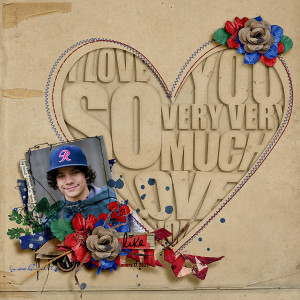
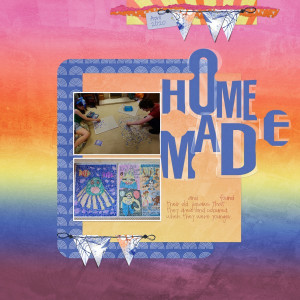
MOC9 Day 22 Title IN a Shape
MOC Shape Starters by Scrapping with Liz Make Art & Journal No 5: Bundle by Rachel Jefferies
Stitches made from Mommyish actions
Thanks for looking!!
Oh wow, Sheri! This is stunning. I love your take on the challenge. I love your use of color and I love all your beautiful clusters and shadows. This is really amazing!
You are truly AMAZING, @SeattleSheri!!!! How on earth did you make that gorgeous title?! I love it! Also, how did you figure out how to use the Mommyish stitch actions? I've tried them and can't get them to work. Anyway, I love your page!
@DivaMom96 Deborrah, thank you for the super sweet compliment!! To make the title, I used my text tool (font: Impact). I have one to two words grouped together on their own layers. I rasterized each so I could use the warp tool. I made my own custom style with multiple drop shadows and an inner glow (set to linear burn). I converted everything to a smart object and clipped the same paper as the background.
For the stitching action, there are two parts. The first step is to create a path. You can do this on your own or use one of the first 4 actions depending on the type of layer you want to use as the shape of your stitching and your program (text PS, text PSE, vector or raster). The second step is to use the the action called "Guided Stitching Action." You must also have the brushes that come with this pack installed. I hope that helps!
I am in LOVE with this page! You have rocked the challenge with that outstanding title! Its beautifully dimensional, almost touchable! Thanks so much for playing along with my challenge!
This site uses cookies to help personalise content, tailor your experience and to keep you logged in if you register.
By continuing to use this site, you are consenting to our use of cookies.