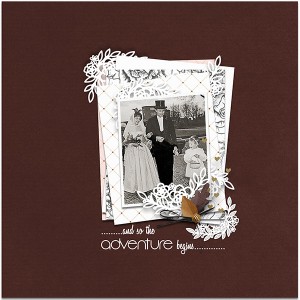

@Dalis - no, I'm okay with how this wound up. I was trying to use a photograph of my husband and I in Hawaii, and when I brushed in the texture, it either made areas of the photograph too dark or blew out the highlights if I went with a different blend mode. I finally figured out I'd be happiest with a black-and-white image. It'll take me doing some more playing in Photoshop to figure out how to get color images so I'm happy with them, but right now, done is better than perfect. Thank you for challenging me to play!
Not sure if this would have helped, but here it goes. Sometimes you can't do anything other than use a vector mask to introduce the blend modes in just certain areas.
1. Grab one of these gesso pieces (or two or three, LOL!!!) and add them on top of your picture. These gesso pieces are in the painstroke folder as part of the mini kit.
2. Duplicate your picture and now put the copy ABOVE the layer with the gesso.
3. Change the blend mode of the TOP picture to SOFT LIGHT. Voila that should make it work.
This site uses cookies to help personalise content, tailor your experience and to keep you logged in if you register.
By continuing to use this site, you are consenting to our use of cookies.