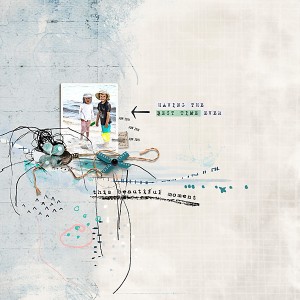
Most of this was done on my iPad using ProCreate and Rachel Jefferies’ kits You Are Magical and Aquarelle
I “detailed” it in PSCC, adding shadows and
rjefferies-ittakescourage-mmartistry_stamp05
My photo
Font: SoyMilk
Cheryl! You would ask an embarrassing question like that! iPad Pro is the only model info I can find. It is 10" x 5" (H/W, not diagonal), and has as much memory as was available when I got it (a couple years ago?). I love it. Also have an Apple Pencil. Using it I have gone virtually paperless (calendar and notebook), and confident enough with Procreate to make layouts away from home. I am very excited about the full version of PSCC for iPad.
@SharLamb I don't know much about iPads, Sharron. I only have an iPad Mini and I'm sure Procreate doesn't work on that. I'd love to have an iPad I could create these pages on, so I need to do some research. I'll look into the iPad Pro's. I'd love to be able to create layouts away from home when I don't have my laptop with me.
The most recent one has a better Apple Pencil recharging system...you just have to have the pencil next to the iPad, and it recharges. I have to stick my pencil into the end of the iPad! Very ugly, and inconvenient. But it charges up quickly. Now that I use the iPad next to me when working on my cpu, I bought a little charger thingy that I put my pencil in. But if I had no budget, I'd upgrade.
The beta version of the new Photoshop iPad version (a full PS!) is in testing right now. If you put it off for awhile, you may be able to do w/o Procreate. Not sure if you are a CC subscriber what will happen...if we will get the iPad version free, or if we'll have to pay extra to have it. Time will tell. One of the hardest things for me, as a senior citizen, is greeting all the changes that are constantly being made with joy. I can learn new programs and apps, but I have a difficult time with hardware. Glad I have a son who is willing to help me.
This site uses cookies to help personalise content, tailor your experience and to keep you logged in if you register.
By continuing to use this site, you are consenting to our use of cookies.