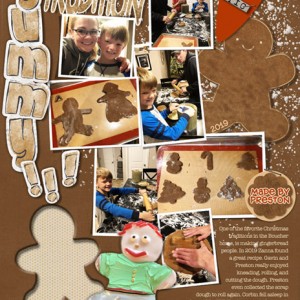
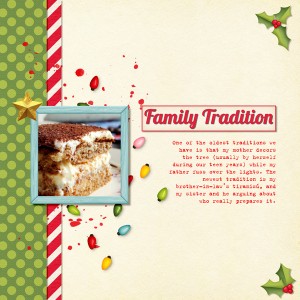
This page is way busier (messier?) than I usually make, but then making gingerbread people IS messy, isn't it?! Only wish these cookies were near me, not 1,000 miles away. But fun to feel like part of the tradition via photos.
Credits:
yin_template 23
FJ-2020-PP-5
justjaimee_appleofmyeye_justjaimee_appleofmyeye_pp1
jj-CU-painterstoolbox_45
Just Jaime Custom Shape
justjaimee_AAM_BLOGHOP_authentic
lbw_LIGrateful_alpha (yummy!)
prd_then&now_staple
Made by Preston tag by me
Cut-out cookie technique by Tangie Baxter
Photos by DD, Zanna Boucher
Fonts: Hog Bold and American Typewriter
Your page looks great.. not messy at all. I feel your pain at not being there with these loved ones. You have created a great page and that heart shape you used looks good with the word strip over it.
@bjc Tangie Baxter has a tutorial at Designer Cuts. I'm not sure if I can recap it, but I'll try (I'm on a Mac in PSCC, so will use their lingo):
1.CMD click on the thumbnail of a shape you want to cut so it gets marching ants around it. (Make sure it is rasterized/simplified.)
2. Click the paper layer you want removed and click CMD+X to cut it.
3. Go back to the shape, and with the move tool, place it somewhere else on the page if you want to use it. There will be a hole in the paper when you move the shape. You will need another paper underneath unless you want the "hole" to just be white.
I hope that's accurate. I'm not great at remembering techniques. I bet if this doesn't work for you, you could post to Tangie, or start a new thread in the Forum Chatty Pad, and Tangie will respond, or someone else who knows the technique.
I also messed around with shadows to make it look more realistic. Tangie also duplicated the cut-out shape a couple times so she had 3 of the original shape (in her case it was a heart).
On my page, I used a gingerbread boy shape (found on internet). After cutting it out of the "cookie dough paper" so the "Silpat paper" showed, I moved the silhouette over a bit, then made one of my DGS's decorated cookies fit onto it as best I could (I had to use the warp tool to get it done!), and clipped the photo to the shape. The red licorice hair didn't look too good, so I went back to the original cookie photo and extracted just the hair, then placed it on top of the new cookie shape. I guess I could have just used an extracted cookie, but the original didn't quite fit the silhouette, and making my own clipping mask from the cookie didn't look right either for the cut-out, which I wanted to be crisp and recognizable as a gingerbread boy. This may be too much information! Sorry.
This site uses cookies to help personalise content, tailor your experience and to keep you logged in if you register.
By continuing to use this site, you are consenting to our use of cookies.