

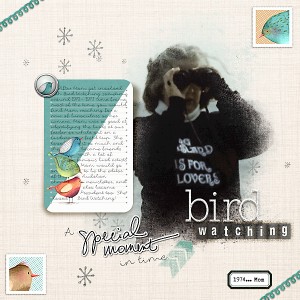
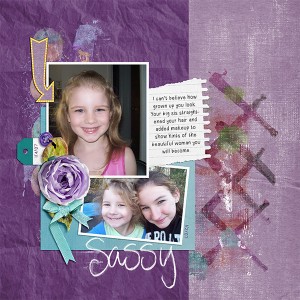
This is amazing Christa! I love your title work, amazing job with the selection of fonts and alphas, and I love the journaling on the journal card that is split and has the stacked birds. Great page!
@HeatherB Thanks Heather.. I was going through looking for a nice photo of Mom back in the day.. I don't have a lot.. but I loved the way this came out. I have been playing with new techniques too lately and was using them like the diagonal etc and making my own little cards.. I am in the creating mode Thank you again!
Thanks again for this font, btw!
I really like how you've shadowed the card on only one side. I know I've seen a tutorial about that somewhere, and I need to search for that tutorial again.
I also really like those cute little squiggly lines at the diaganol corners. Nice!
@klee73010 it is easy Kristina...make a rounded rectangle shape tool and draw your card (mine is 3x4) and then use the line shape and in a new layer draw the line completely from one side of your work space to the other marking the diagonal in the card... then click on the left side of the line later so there is marching ants...now add a new layer and clip solid color or paper and that should make the card half and half
@cfile lol! I was working through what you said for awhile before I realized you're talking about the journal card diagonal line. I was actually commenting about the shadowing on the journal card, how it's further out on the bottom/right, so it really looks like the button is holding it down.
I was quite confused as to how clipping paper helped the shadowing
@klee73010 oh how funny.. sorry ok.. here is how I did the shadowing.. add a drop shadow to the card, then seperate the shadow by clicking on the effects in the layer panel and right click on the mouse to "create new layer" (this is in CC) then you need to give the shadow layer a wave - (not a hi how are ya wave or an ocean wave- lol ) here is that wave tutorial by Amanda R https://the-lilypad.com/shadowing-tutorial/ I apply that wave action and then sometimes I will warp the shadow a little more to get the effect... the initial drop shadow is either set at 120 degrees (this one was originally) or at a 45 degree angle depending on my page I am making Hope that is better and I am sorry I was confused too at first. LOL Let me know if I can help further!
This site uses cookies to help personalise content, tailor your experience and to keep you logged in if you register.
By continuing to use this site, you are consenting to our use of cookies.