CharlotteM
Well-Known Member
- Joined
- Jan 25, 2017
- Messages
- 652
I kissed the Frog!
Follow along with the video below to see how to install our site as a web app on your home screen.
Note: This feature may not be available in some browsers.


Everyone who has mentioned in here in the thread that they've uploaded to Dropbox: I have your recipe. At the end of the challenge, when I go though and make sure I didn't miss a recipe, I'll also double-check the Dropbox. (Though you don't have to include your recipe; I just want to make sure everyone who wants to swap is able to swap.) Thank you!

I did get yours, Krista!
 Not everyone had yet to upload when I posted that message, so I didn't know how to word it lol!
Grace, my DD saw your signature and avatar as I was scrolling through this thread. She said "Oh, I like how those match!" I thought I'd share with you.kissed the frog!

I don't use PSE, so I don't know, but I do know that PSE should have the Character box, so you should still be able to change a font to superscript or subscript IF you're using a commercial font (like those found in Word or Adobe, like Arial). Just click on the corresponding box.i waited too long to attempt this challenge and i seem to be having a problem with the technique. is there a way to do this in PSE18 or do you have to use ps cc? was trying to do a appetizer cheesy salsa bake- not so worried about the challenge deadline as much as i'd like to learn the tech any suggestions? thanks
This link might help you and @michelepixels as it's an Adobe article on character formatting.
Hopefully that helps. Sometimes settings can unintentionally mess with how Adobe behaves. (Wow, I make PS and PSE sound like toddlers lol, but it's true!) Perhaps it's a simple fix for you! Or, you can try writing your fraction in Word (if you're a PC like me) and change it in there--the text format settings are all visible under the Home tab. Then copy/paste into Adobe. It should work as long as your font is the same in both to make sure the superscript and subscript glyphs are available.thanks Sara; i'll check that resource now

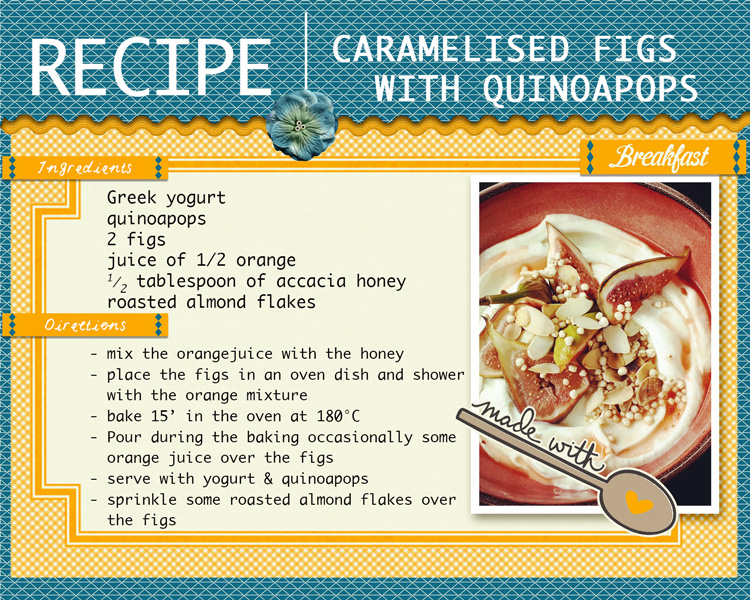
What are quinoapops?One of my fav' breakfast