
- Joined
- Mar 7, 2010
- Messages
- 15,660
Week 5 COMPUTER SCIENCE
This is your place to share anything and everything about making hybrid projects, using cutting machines, and everything related to being smart with your tech! Feel free to inspire us all with your ideas or tips related to product use of Printables or Cutting Files too, which are both on sale this week.
It's pretty amazing what you can do with your printer or Cameo/Cricut etc. these days. AND the specialty Printables and Cutting Files in the store make it easier than ever!
For example these adorable stickers from Rachel's Bookworm Elements would be fantastic printed on sticker paper to decorate your reading journal, water bottle, laptop or notebook.

...or how about making a garland for Halloween with these adorable Gone Batty Elements by Becca Bonneville?

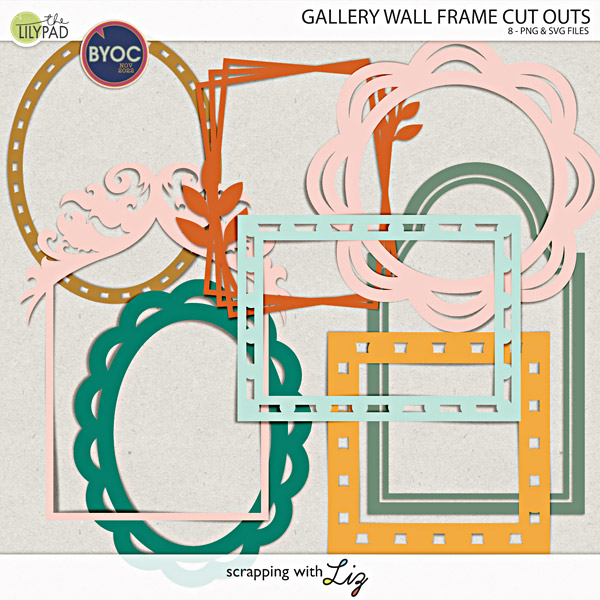
I would love to use magnetic sheets and cut out Scrapping with Liz's Gallery Wall Frame Cut Outs to use on the refrigerator or inside a teen's locker to hold photos!
Planner girls... lookie here! PLAN YOUR JOY McIntosh Edition

As a rewind, I'm bringing back some of the good stuff from year's past.
--here are some on-topic older tutorials worthy of a repeat
Troubleshooting for Silhouette Cameo Print & Cut by Elif
Cupcake Decorations Tutorial by Karen
Hybrid mini-book by Karen
This is your place to share anything and everything about making hybrid projects, using cutting machines, and everything related to being smart with your tech! Feel free to inspire us all with your ideas or tips related to product use of Printables or Cutting Files too, which are both on sale this week.
It's pretty amazing what you can do with your printer or Cameo/Cricut etc. these days. AND the specialty Printables and Cutting Files in the store make it easier than ever!
For example these adorable stickers from Rachel's Bookworm Elements would be fantastic printed on sticker paper to decorate your reading journal, water bottle, laptop or notebook.
...or how about making a garland for Halloween with these adorable Gone Batty Elements by Becca Bonneville?
I would love to use magnetic sheets and cut out Scrapping with Liz's Gallery Wall Frame Cut Outs to use on the refrigerator or inside a teen's locker to hold photos!
Planner girls... lookie here! PLAN YOUR JOY McIntosh Edition
As a rewind, I'm bringing back some of the good stuff from year's past.
--here are some on-topic older tutorials worthy of a repeat
Troubleshooting for Silhouette Cameo Print & Cut by Elif
Cupcake Decorations Tutorial by Karen
Hybrid mini-book by Karen


