FarrahJobling
FarrahJobling
- Joined
- Dec 17, 2012
- Messages
- 6,974
Today's technique scrap theme is "sketch work." I've already done turning photos into sketches a couple of time, so I thought I'd go in a different direction today. Today, were are going to use stetches for inspiration. I often use templates for my layouts, but sometimes I just need a little something to get me inspired. One of my favorite sites for inspiration is PageMaps.com
Here are today's instructions:
Please post your completed layout in The Lilypad gallery. GALLERY RULES: Layouts must contain at least 50% TLP products. (Templates count as 15%.) Uploads must be less than 250k. List all credits; no off-site linking allowed.
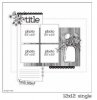
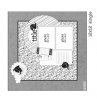
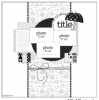
Today, we are going to use one of the sketches from the June 2019 Pagemaps as inspiration (your choice)
The sketches can be found here: june19pagemaps.pdf
It's a busy time of year and many people are travelling, working, or just plain busy, so I thought I'd go easy on you.
Your only instruction is to use ONE of the sketches (your choice) as inspiration for your LO
During the chat, we shared tips for using sketches- Thank you all for sharing your tips!!!!! Here are some TIPS:
-mentally take away all of the elements and patterns to get an idea of just the LO (you don't have to make a fish themes LO to use the sketch with the fishes)
-drag sketch images onto your layout, stretching them to fit, as a guideline, and layered stuff on top, then deleted the sketch layer
-put the sketch in a layer in my software and then lay items on top of it. I then hide the sketch afterwards.
-make sketches into templates for my personal use to use again and again
-leave the sketch in the bin (photoshop elements 15) an put it on my workspace just to look at, then I make a blank page and fill it with shapes I can clip my papers / photos on to, That way I dont get distracted by all the bits I don't want
-I like to merge 2 sketches. i place one above the other and reduce the opacity of the top one so I can see them both and pick and choose from each sketch.
I can't wait to see everyone's take.
You have 24 hours to finish your pages. Layouts are due TOMORROW, June 27th at 1pm Eastern time. Please load you pages to THIS gallery and post them below. Have fun!!!
Here are today's instructions:
Please post your completed layout in The Lilypad gallery. GALLERY RULES: Layouts must contain at least 50% TLP products. (Templates count as 15%.) Uploads must be less than 250k. List all credits; no off-site linking allowed.
Today, we are going to use one of the sketches from the June 2019 Pagemaps as inspiration (your choice)
The sketches can be found here:
june19pagemaps.pdfIt's a busy time of year and many people are travelling, working, or just plain busy, so I thought I'd go easy on you.
Your only instruction is to use ONE of the sketches (your choice) as inspiration for your LO
During the chat, we shared tips for using sketches- Thank you all for sharing your tips!!!!! Here are some TIPS:
-mentally take away all of the elements and patterns to get an idea of just the LO (you don't have to make a fish themes LO to use the sketch with the fishes)
-drag sketch images onto your layout, stretching them to fit, as a guideline, and layered stuff on top, then deleted the sketch layer
-put the sketch in a layer in my software and then lay items on top of it. I then hide the sketch afterwards.
-make sketches into templates for my personal use to use again and again
-leave the sketch in the bin (photoshop elements 15) an put it on my workspace just to look at, then I make a blank page and fill it with shapes I can clip my papers / photos on to, That way I dont get distracted by all the bits I don't want
-I like to merge 2 sketches. i place one above the other and reduce the opacity of the top one so I can see them both and pick and choose from each sketch.
I can't wait to see everyone's take.
You have 24 hours to finish your pages. Layouts are due TOMORROW, June 27th at 1pm Eastern time. Please load you pages to THIS gallery and post them below. Have fun!!!