Silhouette - SVG Question

talivstouwe

Am I really that rotten? I can't remember. I'm s
Joined
Dec 7, 2009
Messages
1,449
Hey ladies. Not sure if this is the right spot for this question so feel free to kick me over to a different Pad!

I just got a Silhouette (early bday present from my hubby) last night. I've been drooling over the SVG cut files from our designers in the shop here.

I'm wondering though - do I need the designer edition software for my Silhouette in order to use the SVG files? Or, if the file also comes in PNG format, can I use the PNG format on my machine without needing to purchase the upgrade? Just making sure I know before I start purchasing! :woot
 
Yaay! Congrats! You're going to love it!

Yes, you need the DE for SVG files but you can cut pngs with the regular edition.

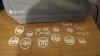
I cut these out from png files right after I got my machine.


silhouettecuts_zps0cbbdea3.jpg


Having said that, I really like the Designer Edition. I haven't downloaded the newest version yet, but there are some features I'm really looking forward to (like being able to nest things together to get the best fit so you don't waste paper).
 

Attachments

  • silhouette cuts.jpg
    silhouette cuts.jpg
    33.1 KB · Views: 15
Last edited:
Ahhh, thank you! So as long as the download includes PNG files I'm good to go? I'll probably need to wait awhile to get the designer edition but I definitely have it on my wish list. I'm hoping for a sale. ;) What other features does it have as compared to the regular software?
 
Yes, if it has pngs your good.

It has a ruler which can be handy. In the newest version it also allows you to cut by line color so you can pick and choose what you want to cut without having to move stuff off the page. Unfortunately the PDF that silhouette has that shows the difference between the two editions isn't updated with the features of the latest version.

My parents got the DE software for me when it was on sale for a very late birthday present (i think it was about $25), so it's definitely worth waiting for a sale.
 
Last edited:
I almost always use PNGs even if DXF or SVG are included, because when I drag a PNG on, it's the size you expect it to be. SVGs and DXFs always seem to be either ridiculously tiny or ridiculously huge when I drag them on. They can be resized, but OMG the are SOOOO tiny or SOOOO huge it's just stupid. (Does this happen to anyone else?)

Cut by line color is in the NORMAL edition version 3.

From the email I got from Silhouette:

Version 3 takes all the functionality of Version 2 and adds many powerful new features. Aside from its sleek, new design interface, the free Basic version of Silhouette Studio® boasts the following upgrades:

• Cut by Line Color allows you to break up your cut or sketch job into different stages simply by applying a different line color to your cut lines. It's great for layered projects or for sketch designs that contain multiple colors.

• Additional Drawing Tools (polygon, arc, freehand) to make designing even easier

• New Memory Management to allow larger image import and document creation

• Auto-Save Feature to more easily backup projects being worked on

• Select Objects by Color (by line or fill type)

• Direct Scanner Access (TWAIN support)

• Spell Checking (more info).

• Line Segment Overcut Feature (Tangential cutting mode) to provide cleaner cut for thicker materials and smaller scale images

• Library Backup Feature

• Proxy Settings for proxy connection support.

• Advanced Cut Settings (Auto weld overlapping images, Convert strokes to outlines, Cut line sorting to adjust order of images being cut, Layer sorting, and Additional material advancement after cut job completion)

The Designer Edition of the software also includes the following improvements:


• Layers Support including ability to cut by layer

• PDF Import

• Improved SVG File Support

• Nesting Feature to rearrange images onto page for optimal cutting space efficiency

• Shadow Tool for creating drop-shadow effect on filled images for print & cut jobs
 
That's great info, Lorry! Hmmm, maybe I don't really need the designer edition. I could spend that $ on a bundle instead!
 
I got Designer Edition on sale for £29.99 - it often comes up cheap, or coupons to make it cheap. Worth keeping an eye out in my opinion! :) If you want to use PNGs to cut, you'll need to use the 'trace' tool. Lots of tutorials online out there, but if you struggle there's plenty of us that can help!
 
Back
Top