
- Joined
- Jun 12, 2011
- Messages
- 8,242
Here we are, a brand new year and a fresh start to my Challenge programme for 2024.
A Happy New Year to each and every one of you! I hope it's a Healthy and Happy one for us all!
I've changed things up a little bit this year following my most recent customer feedback survey. I've listened to your comments and hope that this new format will inspire you and that you'll be relaxed to experiment and personalise these challenges this year to your advantage.
Our goal for you is to get pages scrapped, use your stash of digital art and if you’d like, and have time, practise some fun techniques to build confidence in your mixed media scrapbooking.
Each month through 2024 a broad theme will be provided for the challenge and you can interpret these themes as literally or as loosely and abstractly as you wish.
If you’d like to learn something specific please inbox Rachel with your suggestion!
December '23 & Annual Tracker Announcements
A massive thank you for taking the time to join us in 2023 for our monthly Mixed Media Challenges, we adored your creativity and for those of you who managed to complete all twelve challenges congratulations to our finishers!
Our December winner drawn at random was @bjc
From our Annual Trackers, the winner of the $20 coupon drawn at random was @nollipap and the winner of the 3 month Guest CT Spot was @Pachimac !!
Congrats to you all! Keep an eye on your inboxes within the next few days for the participation coupons, winners coupons and the important details about the Guest CT Spot Set up!
For January 2024, we will be exploring the theme of New Beginnings or Closed Chapters.
This is a casual challenge and you can interpret these monthly themes as literally or as loosely and abstractly as you wish and put your own spin on it. If you need a helping hand or some suggestions to spark an idea here are some prompts:
With each challenge, a tip/technique/tutorial will be included. There is no pressure to incorporate the tip/technique/tutorial into your challenge page, the choice is entirely yours.
This month my tip and mini tutorial is a short video of how to create a digital stamp from paper ephemera. I found that I wanted a few more stamps for my page whilst I was working on it and so I created some stamps from elements within the kit that I was working with. I've recorded a short video to show you how to create a basic digital stamp from an element in your kit.
This technique will help you stretch your stash further!
If you require help with the technique if you are not a Photoshop user let me know and I'll see if someone from the team can help if I'm not able to answer your question.
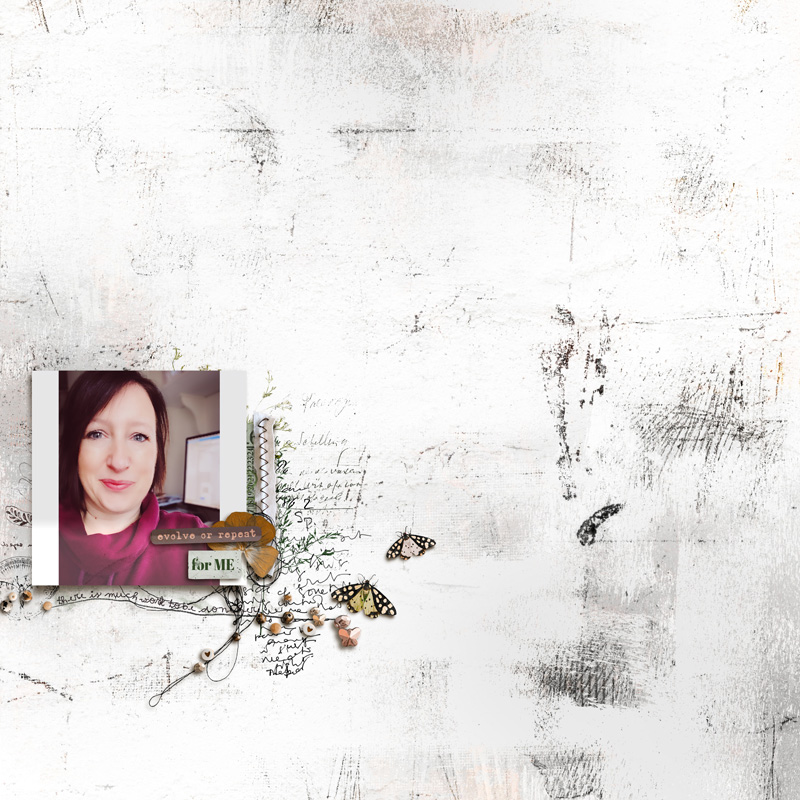
Here is my completed page with follows this months theme and also incorporates the bonus tutorial/technique.
Challenge Requirements:
If you have any questions just tag me and I will get back to you as soon as I can. I look forward to your creations!
A Happy New Year to each and every one of you! I hope it's a Healthy and Happy one for us all!
I've changed things up a little bit this year following my most recent customer feedback survey. I've listened to your comments and hope that this new format will inspire you and that you'll be relaxed to experiment and personalise these challenges this year to your advantage.
Our goal for you is to get pages scrapped, use your stash of digital art and if you’d like, and have time, practise some fun techniques to build confidence in your mixed media scrapbooking.
Each month through 2024 a broad theme will be provided for the challenge and you can interpret these themes as literally or as loosely and abstractly as you wish.
If you’d like to learn something specific please inbox Rachel with your suggestion!
December '23 & Annual Tracker Announcements
A massive thank you for taking the time to join us in 2023 for our monthly Mixed Media Challenges, we adored your creativity and for those of you who managed to complete all twelve challenges congratulations to our finishers!
Our December winner drawn at random was @bjc
From our Annual Trackers, the winner of the $20 coupon drawn at random was @nollipap and the winner of the 3 month Guest CT Spot was @Pachimac !!
Congrats to you all! Keep an eye on your inboxes within the next few days for the participation coupons, winners coupons and the important details about the Guest CT Spot Set up!
For January 2024, we will be exploring the theme of New Beginnings or Closed Chapters.
This is a casual challenge and you can interpret these monthly themes as literally or as loosely and abstractly as you wish and put your own spin on it. If you need a helping hand or some suggestions to spark an idea here are some prompts:
- Goals, dreams, thoughts or aspirations etc. for the new year or in general
- A reflection of closed chapters of 2023 or from years past
- Symbolisation of personal or emotional rebirth
- New opportunities, new chapters or unexpected turns
- Embracing Change
- A farewell to something you’re leaving behind
- Element suggestions could be butterflies, blossoming flowers, arrows, open doors, white paint, pathways and keys, closed doors, locks, dried flowers, clocks, vintage ephemera, faded elements or image transfers
- White paint, or light colours and negative space on your page could be used to reinforce hope, a bright future and a sense of starting over if your page is heading in that direction theme wise.
- Other moods could be portrayed with alternate colour schemes, grunge and heavy layers etc.
With each challenge, a tip/technique/tutorial will be included. There is no pressure to incorporate the tip/technique/tutorial into your challenge page, the choice is entirely yours.
This month my tip and mini tutorial is a short video of how to create a digital stamp from paper ephemera. I found that I wanted a few more stamps for my page whilst I was working on it and so I created some stamps from elements within the kit that I was working with. I've recorded a short video to show you how to create a basic digital stamp from an element in your kit.
This technique will help you stretch your stash further!
If you require help with the technique if you are not a Photoshop user let me know and I'll see if someone from the team can help if I'm not able to answer your question.
Here is my completed page with follows this months theme and also incorporates the bonus tutorial/technique.
Challenge Requirements:
- Create a new page following the theme of New Beginnings or Closed Chapters.
- Use at least 75% of Rachel's Product currently available in her LilyPad shop.
- Any remaining percentage must be product from another current LilyPad designer. This could also include retired products from Rachel or the other current LilyPad designer.
- Hybrid projects are also welcome and the same product rules apply. Where digital products are used in a hybrid project they must all come from current LilyPad designers, and at least 75% must be Rachel's Product.
- Upload your layout to the Rachel Jefferies Designs Gallery at the LilyPad with your product credits.
- For your challenge entry to be counted, you MUST upload your finished layout to this thread. Please link your gallery image to your post in this thread, as it helps us leave love on your layout (and validate your project).
- No double-dipping… your layout must be created for this challenge only, no others.
- You must create a NEW layout for this challenge.
- This challenge will remain open for the monthly coupons through January 31, 2024
- All participants who post their page during the challenge month by the end of month deadline and meet the criteria will be eligible for a coupon of 15% off their next order (from Rachel's shop) of $10 or more.
- ONE lucky random winner who posts their page during the challenge month by the end of month deadline and meets the criteria will receive a $8.00 coupon for Rachel's Shop here at the LilyPad!
- By completing ALL twelve of Rachel's Mixed Media Challenges at the LilyPad in 2024, this will give you the chance to win a $25 coupon to her shop!
- In order to be eligible for $25 Coupon to Rachel's shop you will need to do the following:
- Complete ALL twelve of Rachel's Mixed Media Challenges at the LilyPad in 2024 by December 31, 2024 by 1159 PM PDT.
- Post the challenge layout in the appropriate challenge month thread in Rachel Jefferies Challenge Threads (for example: January Challenge layout must be posted in the January Challenge thread that is linked back to the gallery--even if you complete it in November, it still must be posted in the January Thread).
- Complete your tracker with a link to each layout by December 31, 2024 by 1159 PM PDT.
- In order to be eligible for $25 Coupon to Rachel's shop you will need to do the following:
If you have any questions just tag me and I will get back to you as soon as I can. I look forward to your creations!


