Photo Help

JenniferJ

Ain't nothing that a Krispy Kreme can't fix
Joined
Dec 30, 2016
Messages
319
Wasn't exactly sure where to post this so I hope it's okay to do so here?

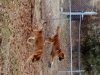
I am in need of some help for this photo. I have tried everything I know of using my Paintshop Pro Program to remove the fence and nothing looks right. On some YouTube tutorials I have seen something called a spot healing brush on Photoshop which I don't have in my program.

Does somebody know how to remove the fence from my photo and be willing to help me out. I would be so very grateful for any help. Thanks for looking. :bk
 

Attachments

  • RemoveFence.jpg
    RemoveFence.jpg
    1,015.4 KB · Views: 73
I think you could remove the poles pretty easily, but the chainlink is going to be harder to remove. Does your software have a Clone option? That is where it copies part of the picture over another part. It is what the spot healing brush does too. You could use that to cover up the posts.
 
I tried the clone but got frustrated with it. I may have to try it again when my nerves settle. LOL I have used the clone with lots of success on other photos but this fence is whooping my tail. :banghead:crazy3:box:hairpol
 
Like Bev said, the chainlink is harder to remove. I can drop the fence poles pretty easily. The problem is the spot healing needs something to pull from to "heal" the photo. The fence takes up so much of the midrange, PS doesn't have much room to pull from.
Does that make sense? It's the same with the second dog. There's not a lot of clean dog color to pull from.
Someone else might have more skills.
 
awww thank ya'll for looking for me. {{hugs}} It's not a very good photo but only one she had of both of them together. One day when I have more patience I will give the clone another try. :throwpc
 
Like others have said, the fence is difficult to remove. But if you remove the left fence post via your program's clone tool and if you crop the photo so you remove the taller fence portion behind the dogs, then that might help put focus on the dogs. Visually the fence dominates the photo, which then pulls your eye away from the dogs. Perhaps cropping will help direct the viewer and the fence won't be such an issue? I know I'm not solving the question but I think it might be better to reframe the question.
 
I am usually pretty good with removing things from photos.. Photo Shop has a content aware (and in the new update it is really well developed) however there is just too much fence here, and as everyone has already said, not enough to pull from. Do you have more photos from the same time frame where the fence is barely there as you can clone from one photo area to an area on the other photo to kind of blend.. otherwise I suggest using a blend or mask of the photo into the bg paper so you can get rid of a lot of the photo to focus on the pups.. Sorry I couldn't help either.
 
Last edited:
I'm not very good at it fixing photos like this at all but one thought I had since I do use Paint Shop Pro is try using a combination of the clone tool and the scratch remover tool. That's all I got for ya. Good luck.
 
Back
Top