Layering

nessa9116

New Member
Joined
Apr 23, 2012
Messages
53
I am pretty new to this digital scrapbooking thing and I'm wondering how you layer papers so that it looks more realistic?
I'm using PSE

Do you use drop shadows? and if so, do you put them at different distances? and do you put them all at the same angle?

Thanks
 
hello welcome to TLP... I use CS5 .. and I use drop shadows on all my elements.. I am quite fussy on my shadows as I want it to look realistic... most of layers have different distances... the bottoms ones are normally much closer than the tops ones.. 90% of the time it's all the same angle except when I warp my shadows.. PM me if you need any help
 
Hi! Welcome to The Lily Pad!! :) I'm the same as Lili - my papers def have small shadows and other elements will have larger ones depending on their size, shape, etc. Sometimes it helps to have paper scrap pages pulled up online to look at how their shadows look in real life and then try to mimic them digistyle. :) Either way, you'll get the hang of it over time and just keep playing w/ the settings until you like how it looks. And, as always, ask for help - lots of people here to help!! :)
 
January-2014_800x400_.jpg

Here's my first attempt. Please feel free to give me any feedback on any changes I should make :)
 
You can view it bigger here
I couldn't figure out how to upload it bigger to this site.
The pink is just a strip of paper
 
Last edited:
Hey girl!! I went through your blog... OMG!! YOU CREATE AWESOME PAPER SCRAPPING PROJECTS!!!

Adding stitches, washi tapes or staples are just additional accessories to your pages to make it look more pretty !! lol!!
 
another fun way to learn layering is to try using templates. I always struggled with paper cuts, but here are a few that are easy starters and they have shadowing, you just clip your paper too it, so you will see the difference:

or
 
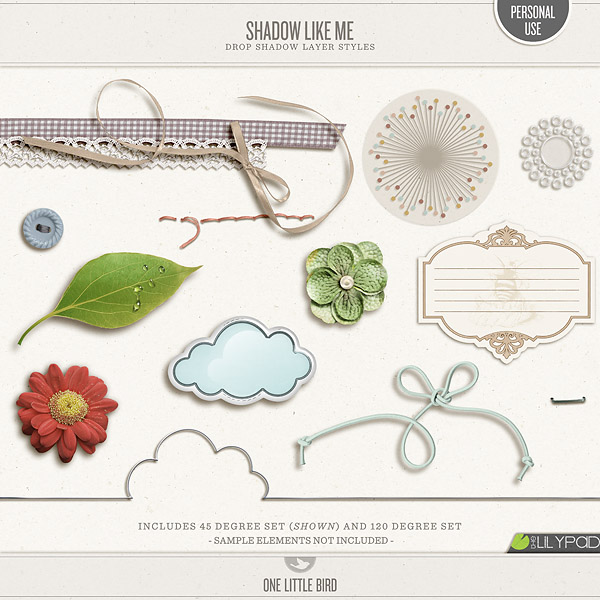
Some of our designers have made shadow styles that work in different programs. Please be aware that not all shadow styles use the same angle, so you may have to change the angles to keep them all the same (if you mix and match, which I do. I think I use 5 different shadow styles from different designers to mix papers depth and elements too.)


Oops, I just realized that Amy linked you, I didn't see the links, oopsie! LOL!!!
 
welcome girlie, you will love it here. I've been here only for a few months and it feels like home!

so, also... there was a tutorial during the Month of Challenges about shadowing/layering. you can find it here.

good luck girl, keep posting questions, the pad has awesome people that love to help!
 
I'm with Dalis . . . use actions! So much quicker! And you can still adjust them . . . sort of like using a template . . . but for shadows!
 
Back
Top