Help me learn to cluster!

AmaG

Born in the wrong decade
Joined
Apr 30, 2013
Messages
2,171
I feel like when it comes to clustering, I go by the seat of my pants and often am not satisfied with the results. Tips from veteran scrappers?
 
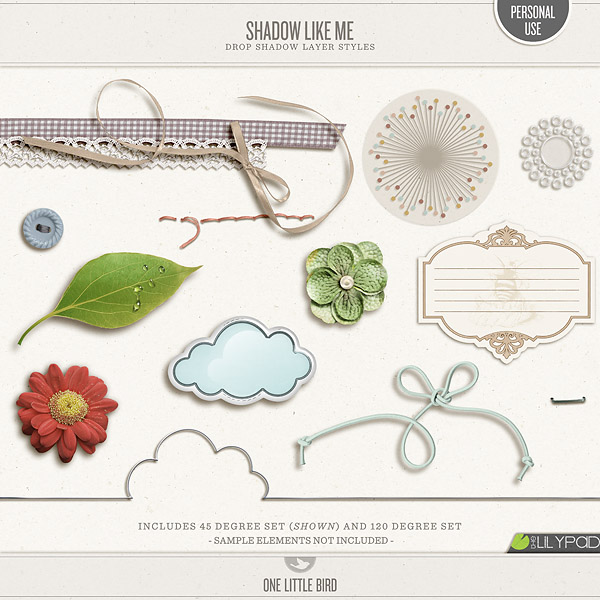
stack em, stack em and stack some more, and then shadow..I love Peppermint's here and she has a way cool tutorial on her blog also.

I don't know what program you are using, but in PS, there is a masking you can use to erase...and I will see if there is one here at the Lily Pad, or will write a blog post up on intertwining your elements. Makes a cluster rock to have a strin3
gggggggggggggggggggggggggggggggggggggggggggggggggggggggggg

oops kitten on keyboard...but having a string go around a wire, or flowers look more natural in a bouquet.
 
I work my clusters from the bottom up. I start with flatter things (paper and paper things and flat flowers), then I use things with more and more depth. I try not to place things where they wouldn't actually be able to go on a real paper layout. I also use my papers to help me place clusters. If you are unsure where to put them you can go by the triangle rule - place them in the points of a triangle. Also, shadowing, to me, is one of the most important parts to making your clusters look good.
These aren't necessarily clusters, but it's close up on some of my layering -
projects:2090f273-5206-44ea-a882-7fb18cc77cb0:5c0b0e34b8d64ee5b74f7236764d0377.jpg

projects:2090f273-5206-44ea-a882-7fb18cc77cb0:22f4b3484d0d4a1083568ebd4508331b.jpg

projects:2090f273-5206-44ea-a882-7fb18cc77cb0:c0d2f85d0b1b4f48b279416fdfca6d7a.jpg
 
Last edited:
Ama, I was just like you when I just started digi-scrapping. It wasn't until when I'm super comfortable with my digi-style did clustering becomes easier. But I'm still learning, esp with flowers.

I find that I am able to cluster easier when I add my shadows 1st. Cos the shadows help to 3D the elements. So it's easier to place them correctly. And like what Trish said, you must adjust your shadows after clustering to make them look good.

HTH :)
 
Last edited:
You could always find a clustered layout that you love and try to replicate it with similar elements... just to play around and get the feel of what works on the pages you like.
 
Clustering is fairly new for me too. My style was very clean and graphic as a paper scrapper but when I came into the digi world I found that simple clustering really appealed to me. My clusters need to make sense (if that makes sense LOL). Elements need to belong, should fit together as they would in a paper LO and good shadowing is crucial. I have Peppermint's shadow styles and use them all the time (often tweaking them a bit on a separate layer but this gives me a good starting point). I've started off small and do minimal clustering and I'm happy with the results. I'm also a bit of a minimalist and don't like to clutter my pages too much so if I try to cluster too much it kind of hurts my eyes LOL. We all have different styles and ideas so there is no right answer, you just need to find your groove, what appeals to you. I agree about checking the gallery and try to scraplift a few pages with clustering you admire. Also, youtube has some good vids on clustering you could check out. Just have fun and experiment.
 
Yes, my style has never included a lot of clustering but I am so inspired by the LO's i've been seeing, I am going to try it a little more.
 
I follow these rules (of course I bend and brake some)
1. FLAT items go to the bottom to create a base.
2. BIG items go to the top, specially if they are very 3D like
3. ALWAYS add splatters of paint, doodles or glitter as the bottom layer to "ground" items.
4. RESIZE, RESIZE and RESIZE. Anything can be resized and rotated so they don't look "the same".
5. Think of it like a bouquet of flowers and stick stuff in between other layers to "fill" in trapped space.

Now, I must say, that I don't cluster much. I only do small clusters, you should check out some gals in the gallery. I am always amazed at Trista's clusters. She is like the McGyver of clustering. You give her 3 flowes and 2 leaves and 1 curly ribbon and you get a masterpiece.
 
for me, i think there are a few important rules... the rest is just free play, whatever goes.

1. be realistic. if you wouldn't be able to stack things up in a certain way in real life, then don't do it digitally. order of your layers matters.
2. make sure your shadows reflect the way your layers would interact with each other in real life. for instance, if you have a ribbon layered over top of a flower that would be a bit more dimensional, then the ribbon's shadow should be skewed and altered accordingly. i find that often preset shadows don't work well to create realistic clustering.
3. tweaking shadows on as much as possible gives you the most realistic effects. set shadow styles on every.single.element. of your cluster just creates a digital looking cluster rather than one that could be mistaken for 'real'
 
Last edited:
Beautiful Ama!

My only suggestion is that you keep the shadows on the same angle.

Your photo is flat so I would give that a slight shadow maybe a curled edge to give that dimension. The yellow zig zag paper has the shadow on the left and the light blue paper has the shadow on the right. your light source will either come from the top right to the bottom left or the bottom right to the top left. All shadows should all take on the same angle if that makes sense.

Also instead of default multiply blend mode, try linear burn with an dark orange/brown as the blend mode. That will give your shadows an extra pop!... your layering of the elements and flowers tucked along with the flag banner is super!! :)
 
Great thread - thanks for asking this and love all the answers - I see some new tutorials in my future.
 
Back
Top