cinderella
A princess inside
- Joined
- Oct 31, 2012
- Messages
- 6,466
Welcome to the NBK-Design Advanced Challenge for December.
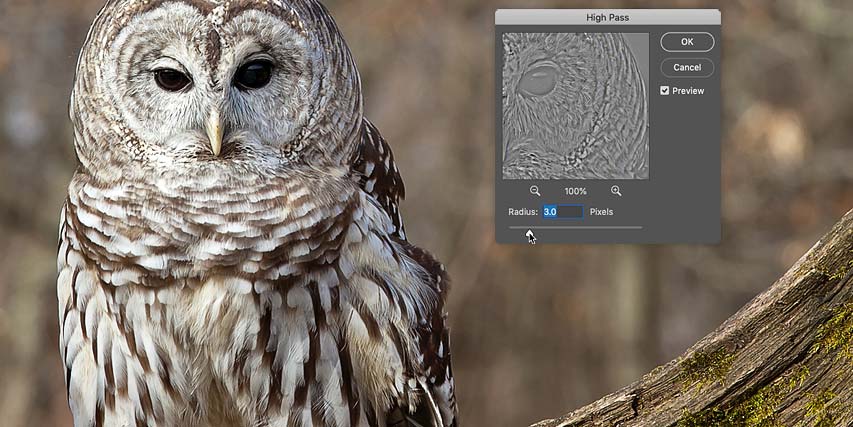
Your challenge this month is to sharpen a photo in Photoshop with the High Pass filter. I found this helpful tutorial.
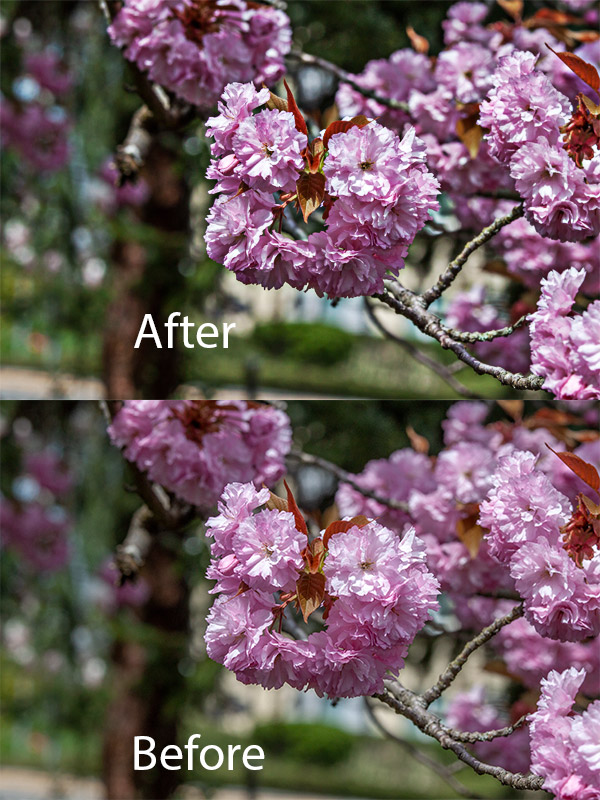
Here is a page I made as an example. You can see the before and after of my photo.


More inspiration by the NBK creative team will be posted in this thread in the next days.
Instructions:
- Follow the technique in the tutorial and sharpen a photo (or photos); then use that photo on your page. Please post the before and after of the photo editing, so we can see the difference.
- Extra tip: you can use this technique for sharpening your pages as well!
If you have any questions, feel free to ask and tag me @cinderella.
RULES
- This challenge runs from December 1st to December 31st
- TWO lucky scrappers will be randomly chosen to win a $5 coupon to the NBK Design store.
- You must use 100% NBK Design Products.
- Post your layout in the NBK Design Gallery and in this forum, and link your layout to the gallery.
Your challenge this month is to sharpen a photo in Photoshop with the High Pass filter. I found this helpful tutorial.
Here is a page I made as an example. You can see the before and after of my photo.
More inspiration by the NBK creative team will be posted in this thread in the next days.
Instructions:
- Follow the technique in the tutorial and sharpen a photo (or photos); then use that photo on your page. Please post the before and after of the photo editing, so we can see the difference.
- Extra tip: you can use this technique for sharpening your pages as well!
If you have any questions, feel free to ask and tag me @cinderella.
RULES
- This challenge runs from December 1st to December 31st
- TWO lucky scrappers will be randomly chosen to win a $5 coupon to the NBK Design store.
- You must use 100% NBK Design Products.
- Post your layout in the NBK Design Gallery and in this forum, and link your layout to the gallery.
Last edited: